中文 | EN

更新时间:2024-09-03

How To Build A Master?

There are two ways to build Master:

1. Build Master from booking directly, please refer to Build Master From Booking

2. Manually create a Master


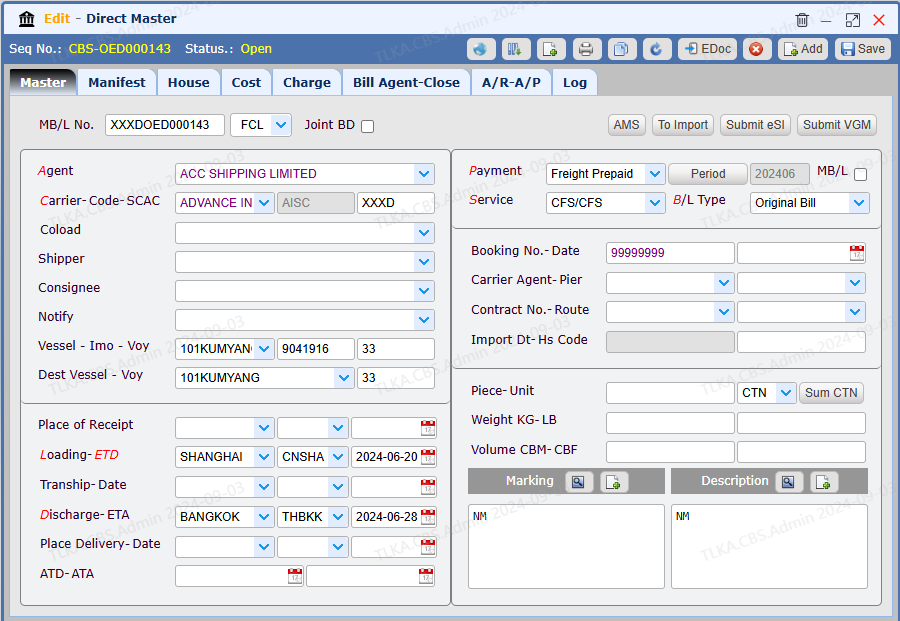
Manually Create A Direct Master

Go To Menu 【OE > Enter Direct Master】


Record Master Information


  1. Select Agent

  2. Select Carrier

  3. Enter Vessel and Voyage

  4. Select Loading Port and ETD

  5. Select Disharge Port

  6. Select Payment Type

  7. Select Service Type

  8. Select B/L Type

  9. Enter other necessary information

  10. Save


image.png


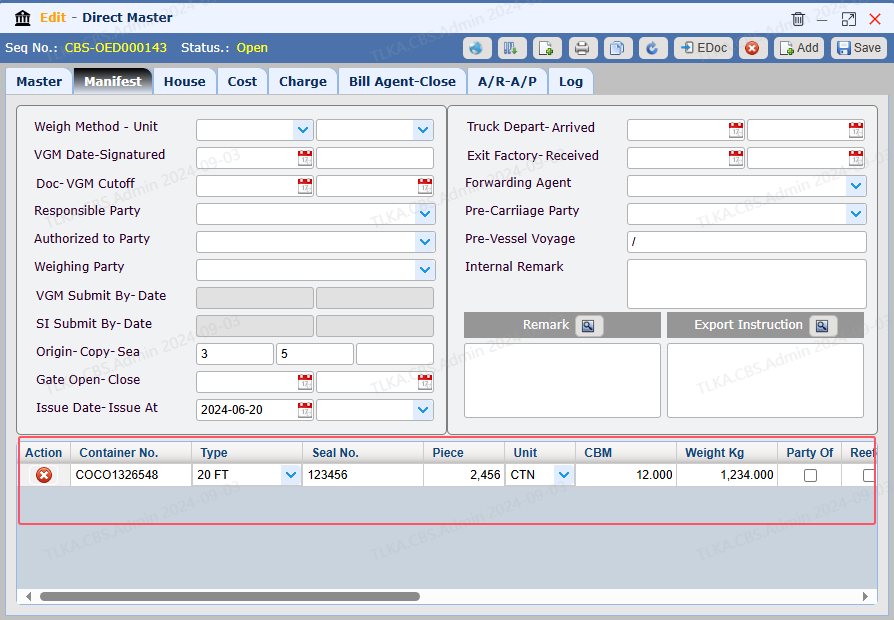
Record Manifest Data


Record container information


image.png


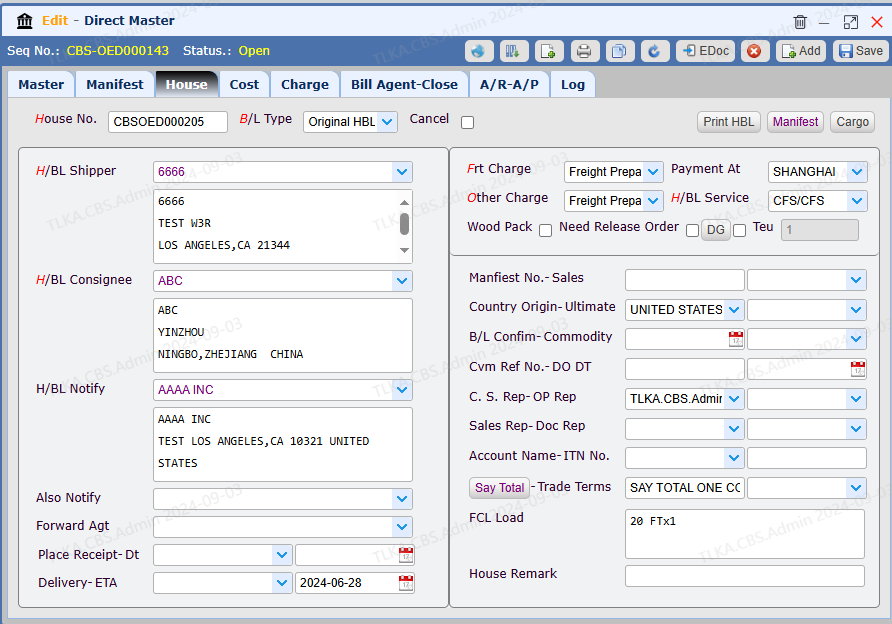
Enter House Details


  1. Enter House No.

  2. Select B/L Type

  3. Select HBL shipper

  4. Select HBL consignee

  5. Select Frt Charge

  6. Select Other Charge

  7. Select HBL Service

  8. Save


image.png


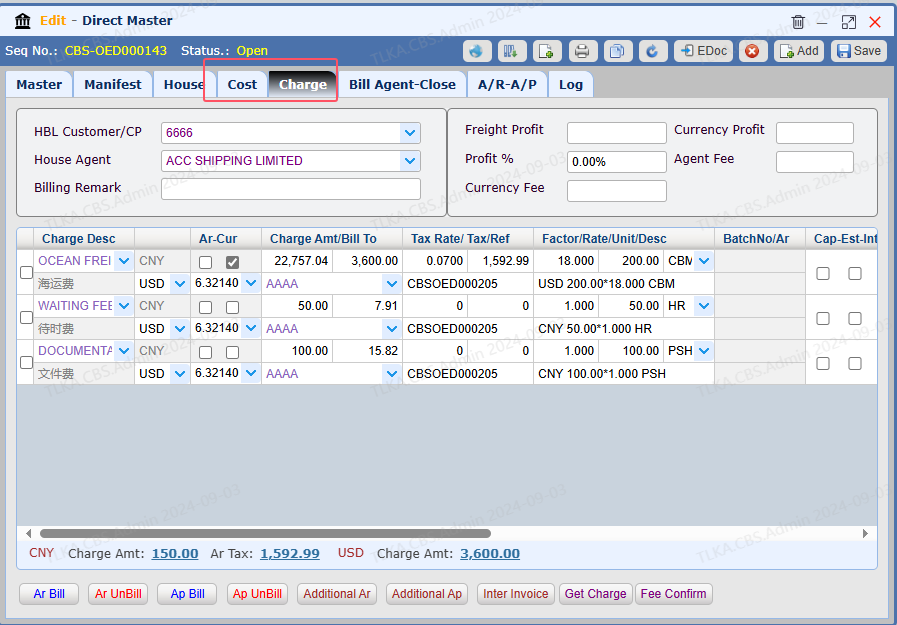
Enter Cost and Charge, Please refer to 【Charges & Costs】


image.png


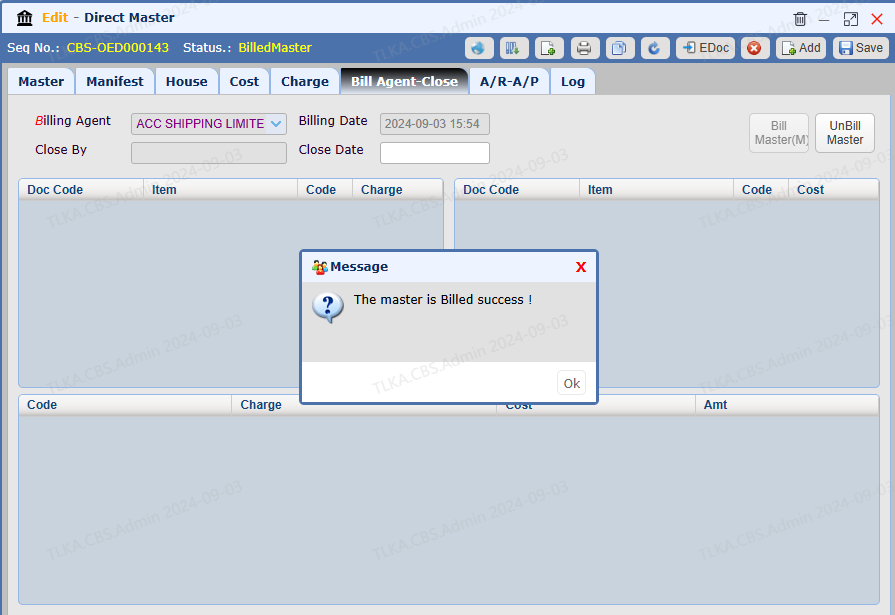
Agent Billing, please refer to How To Bill Master


image.png


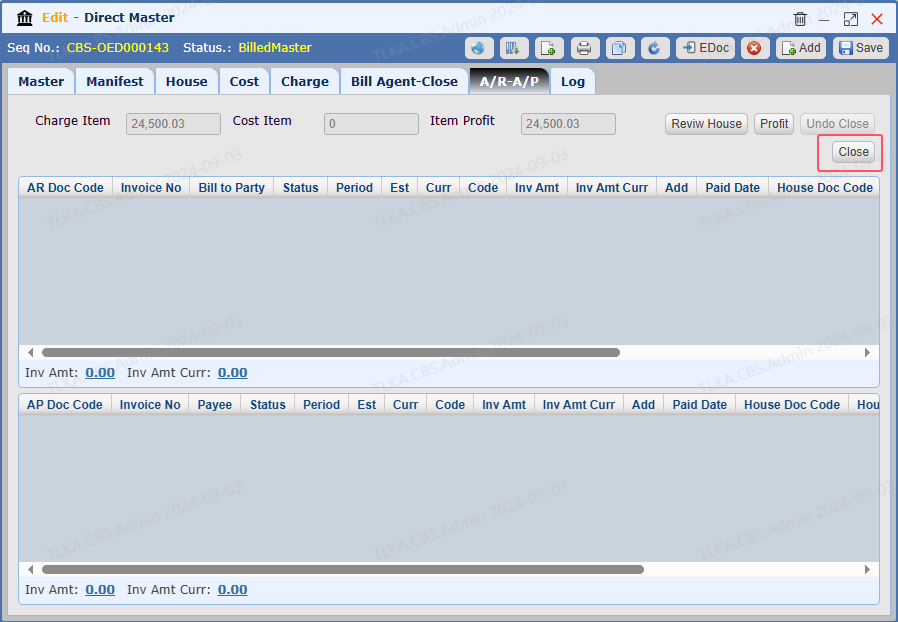
Close


Once the Master is completed, the user is required to close it.


image.png