中文 | EN

更新时间:2024-08-16

Master/House Profit Report


How To Check Master Profit


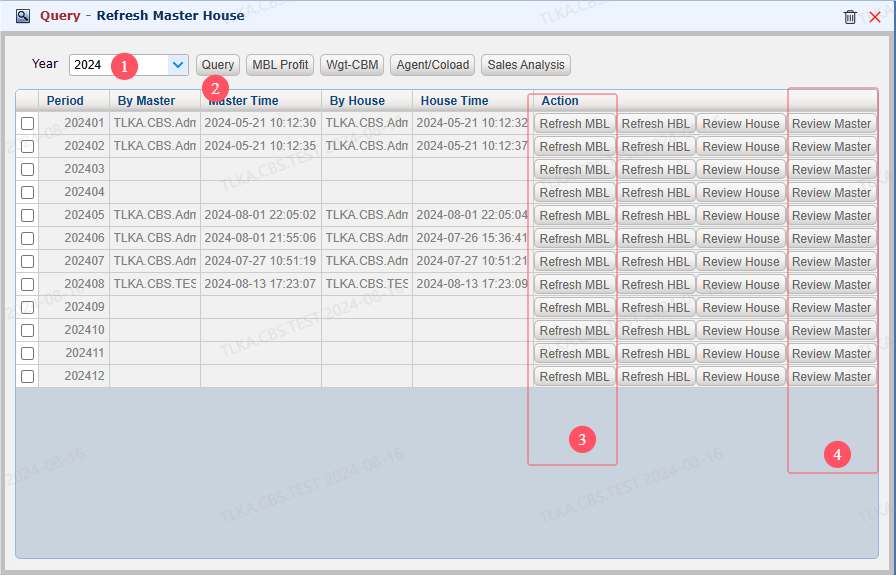
Go To Menu 【Report and Statistics > Refresh Master House】


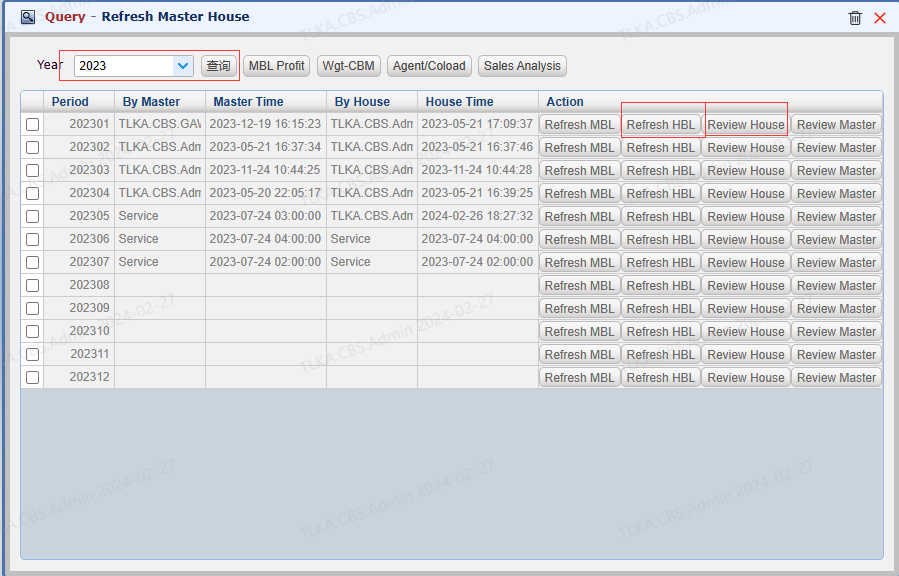
Refrersh Master


  1. Select 【Year】,and  【Query】

  2. Before Review Master, click 【Refresh MBL】to get the most updated data

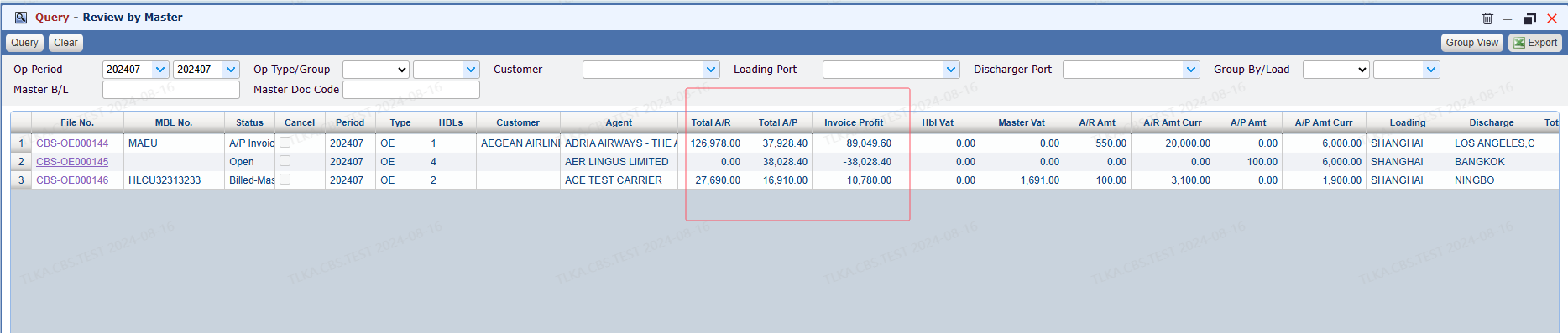
  3. Click【Review Master】 to open the Master Profit list


QQ_1723778701485.png


Master Profit List


QQ_1723778739319.png


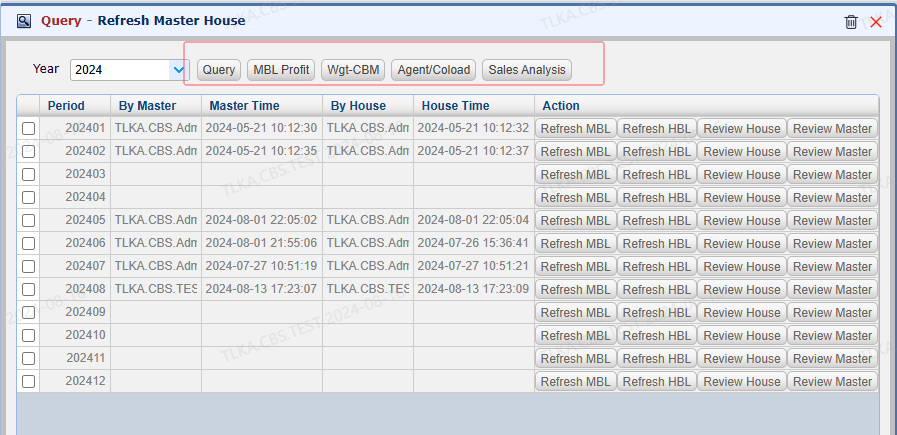
Sales Data Analysis Tools


  1. 【MBL Profit】 

  2. 【Wgt-CBM】

  3. 【Agent/Coload】

  4. 【Sales Analysis】

        | * *  For more details, please refer to below illustration


QQ_1723778887518.png


Sales Data Analysis Tools


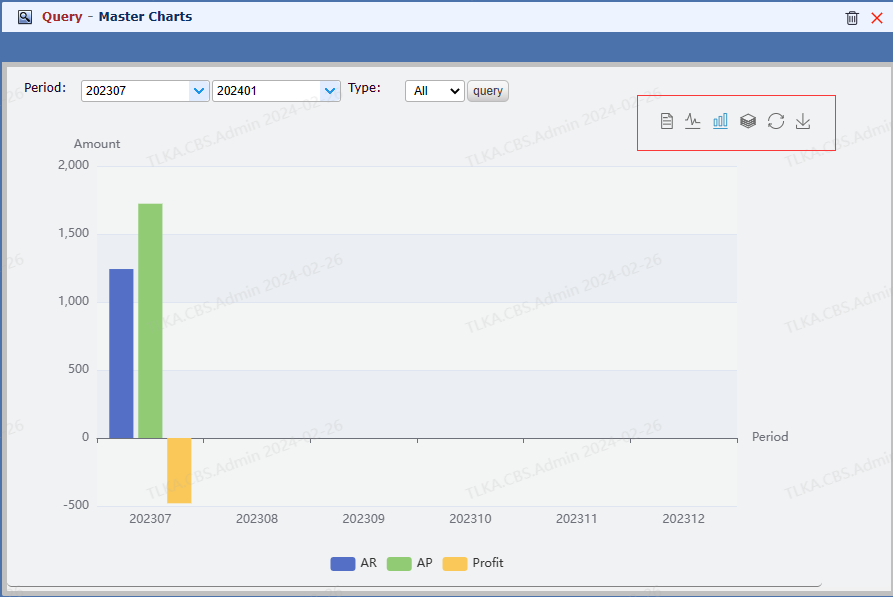
MBL Profit


 The button on the right side can switch the chart format


image.png


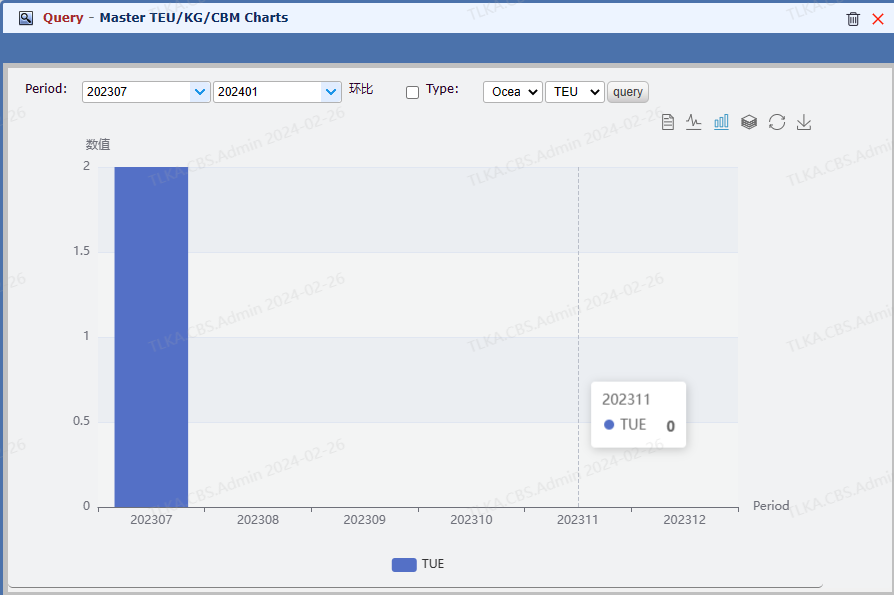
Wgt-CBM


 TEU/KG/CBM analysis


image.png


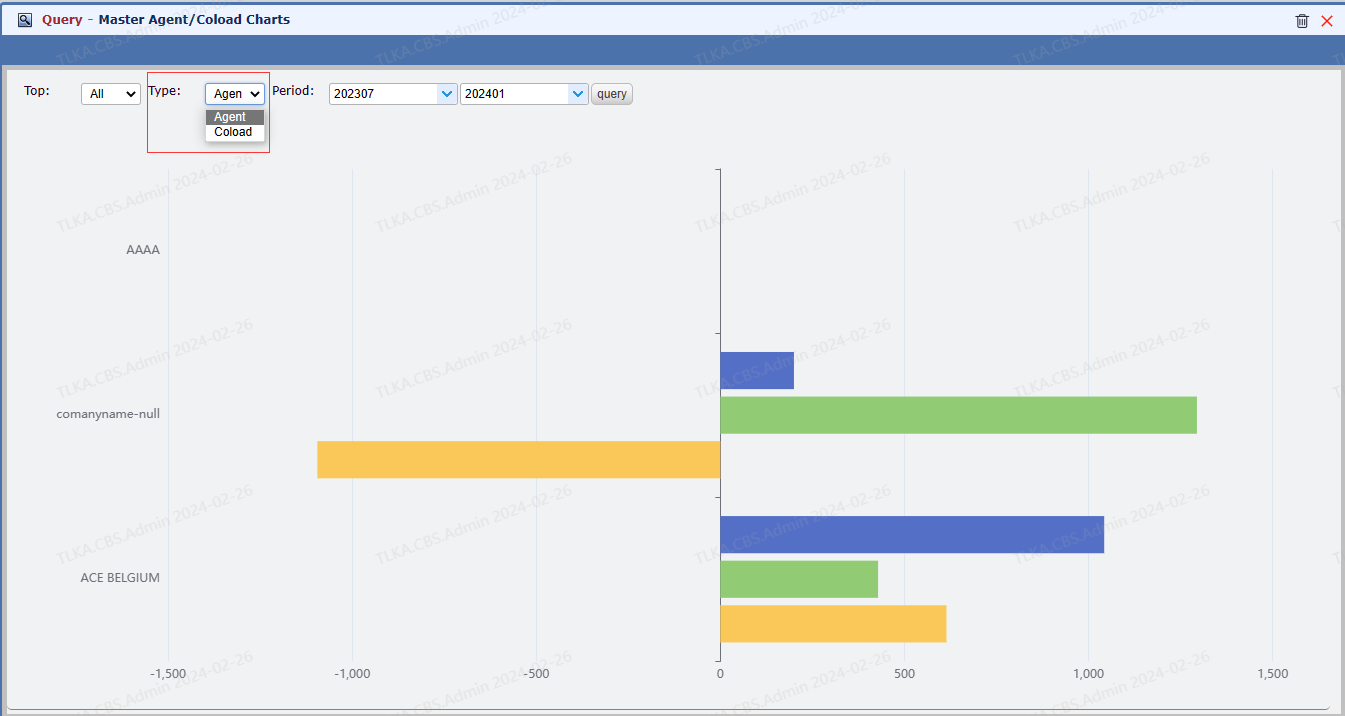
Agent-Coload


 Type: Agent or Coload


image.png


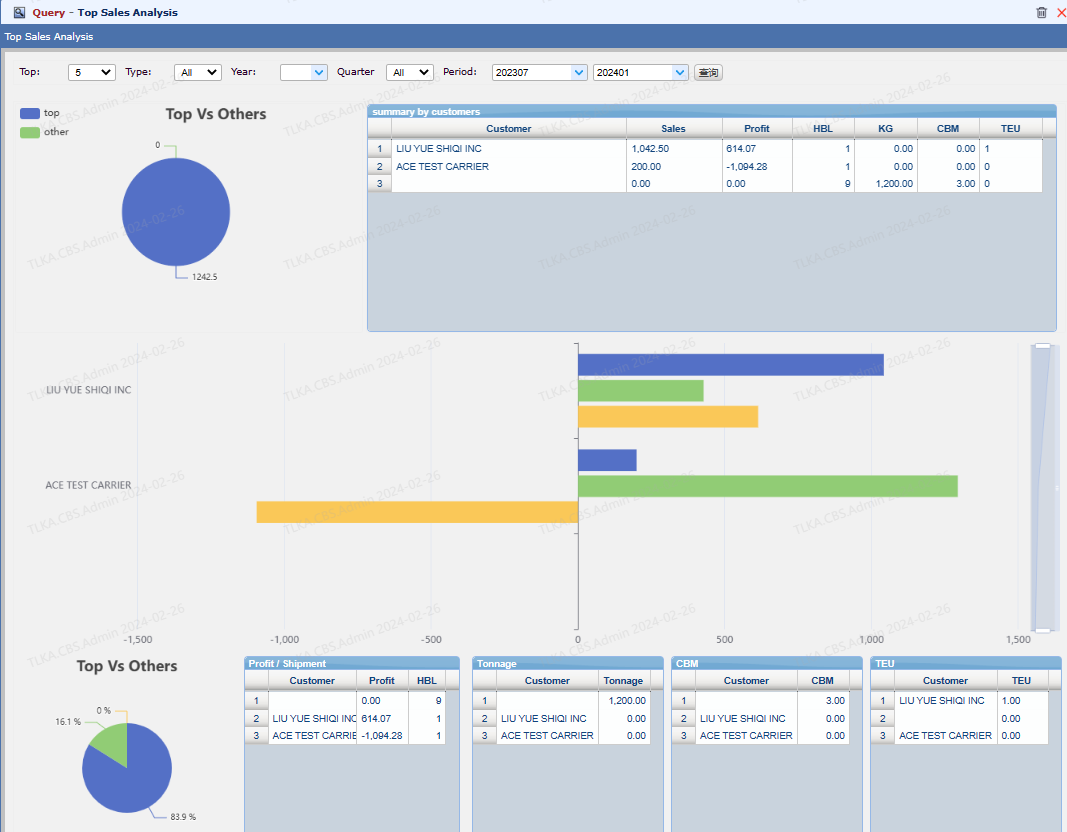
Sales Analysis


  1. it allows you to analyse the top customers' sales

  2. You can select the list range from【Top】


image.png


How To Check House Profit Report


Go To Menu 【Report and Statistics > Refresh Master House】


Refresh House


  1. Select 【Year】,and  【Query】

  2. Before Review Master, click 【Refresh HBL】to get the most updated data

  3. Click【Review House】 to open the House Profit list


image.png


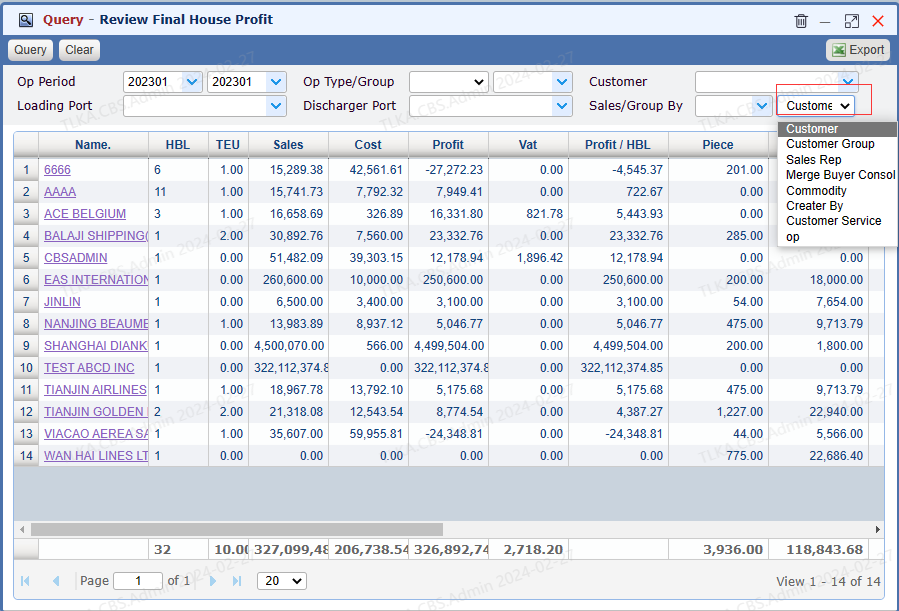
House Profit Report


Users can select the 【Group by Type】 to filter the data


image.png