How To Record Chargers In System?
Charges For LCL Customer
As LCL type often involves more than one customer, so the charges should be recorded on each house.
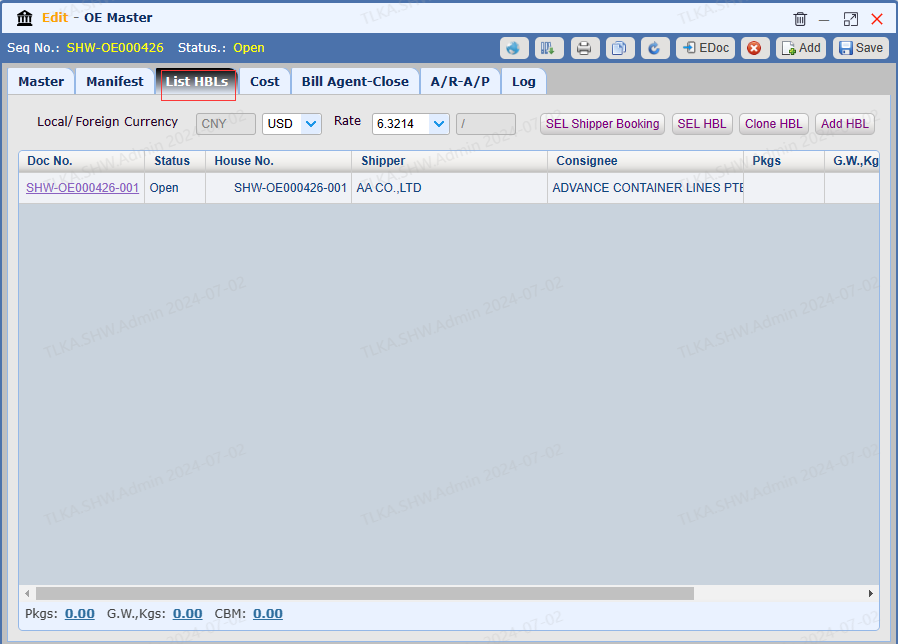
Open a Master and Go To List HBLs
Open a House
|
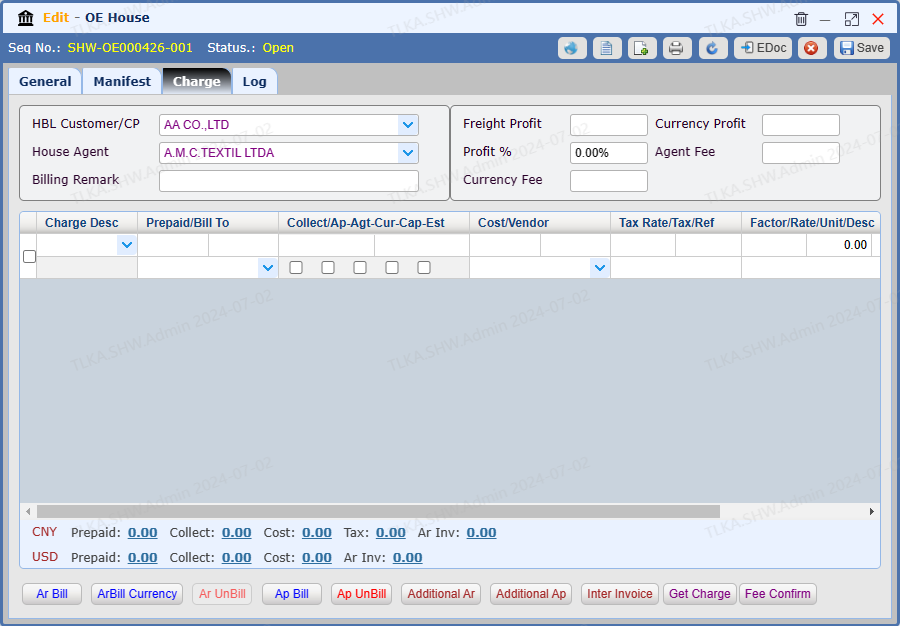
Charge
Switch to tab 【Charge】
|
Record Charges
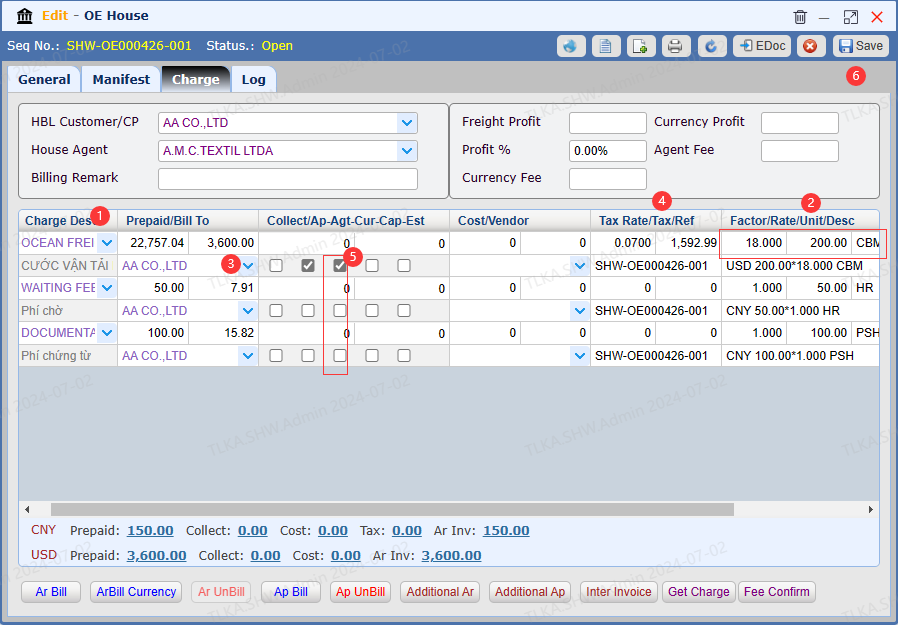
Select 【Charge Desc】 from drop-down list Enter QTY(Factor), Rate, Unit. Enter Bill To If Tax should be included, enter the Tax Rate, system will automatically calculate the Tax Amount by 【charges amount * tax rate = tax amount】 If the charge is quoted with foreign currency, tick the Currency Box Once all details are entered, click 【Save】
* If you need to generate the invoice, please refer to How To Generate Invoice
|
Charges For FCL Customer
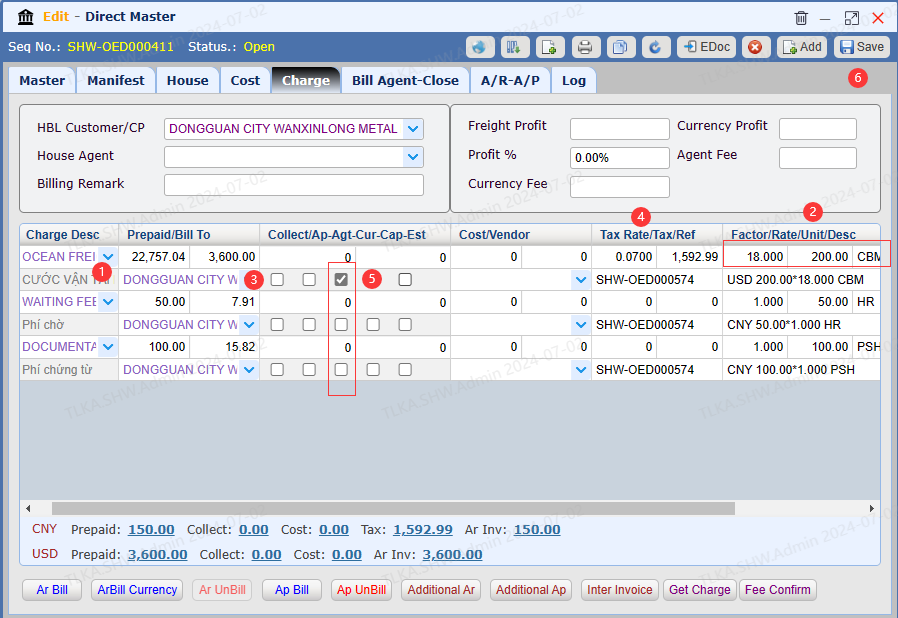
As FCL type often involves one customer, the charges can be recorded on Master directly.
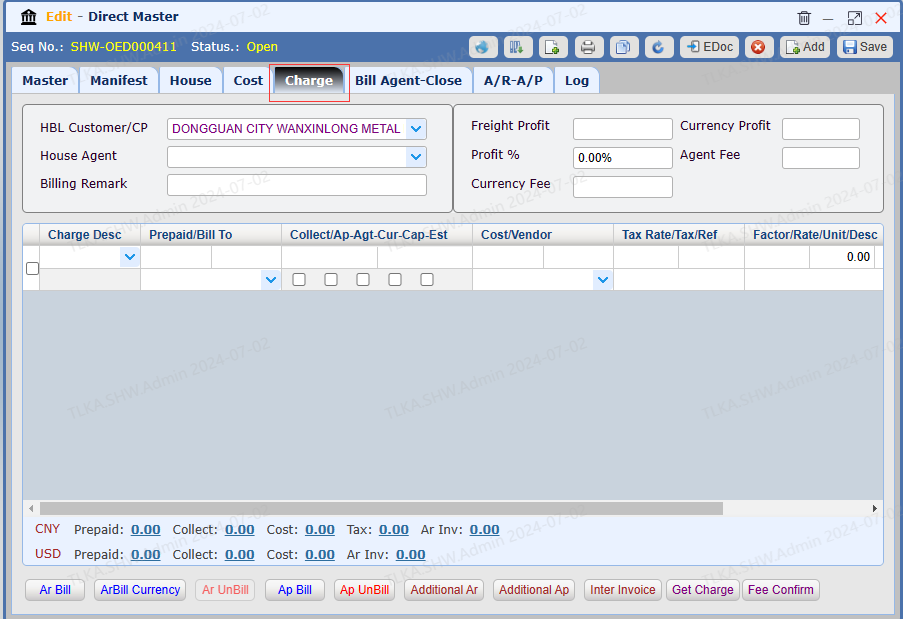
Open A Direct Master
Go to tab【Charge】
|
Record Charges
Select 【Charge Desc】 from drop-down list Enter QTY(Factor), Rate, Unit. Enter Bill To If Tax should be included, enter the Tax Rate, system will automatically calculate the Tax Amount by 【charges amount * tax rate = tax amount】 If the charge is quoted with foreign currency, tick the Currency Box Once all details are entered, click 【Save】
* If you need to generate the invoice, please refer to How To Generate Invoice
|
