How To Create Direct Carrier Booking?
If there is only one customer under the carrier booking, users can enter Direct Carrier Booking
Create Direct Carrier Booking
| Go To Menu【Booking > Enter Direct Carrier Booking -Ocean】
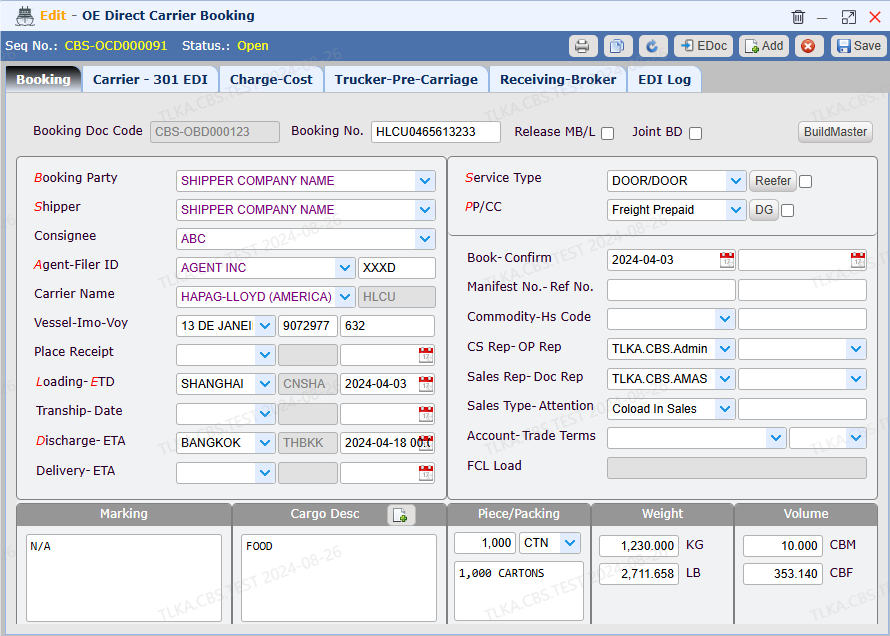
Select Booking Party Select Shipper Select Agent Select Loading Port and ETD Select Discharge Port Select Fright Charge type and Service Type
Save
|
Record Cargo Details
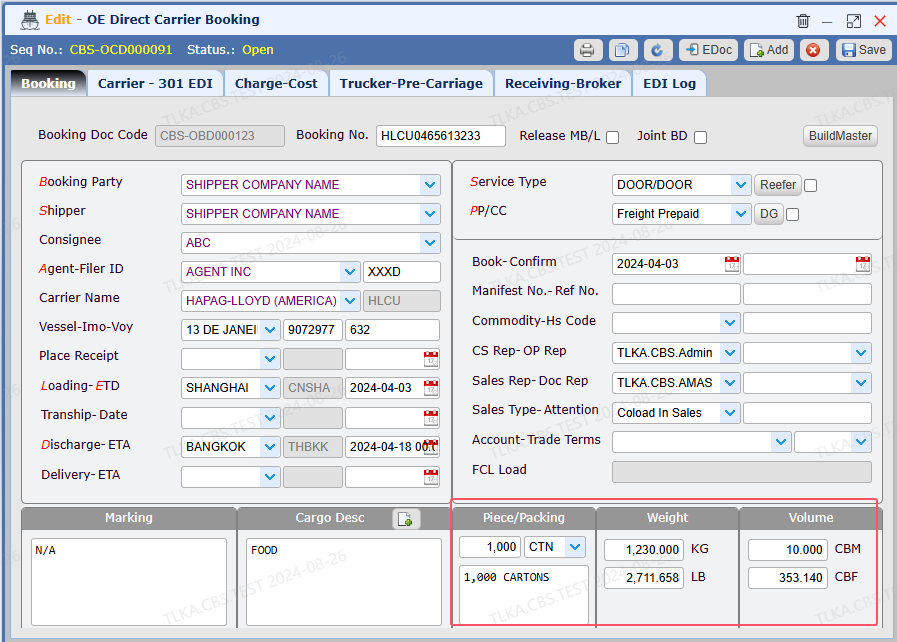
Enter piece, weight, CBM
Enter cargo description, marking Save
|
Record Trucker Details
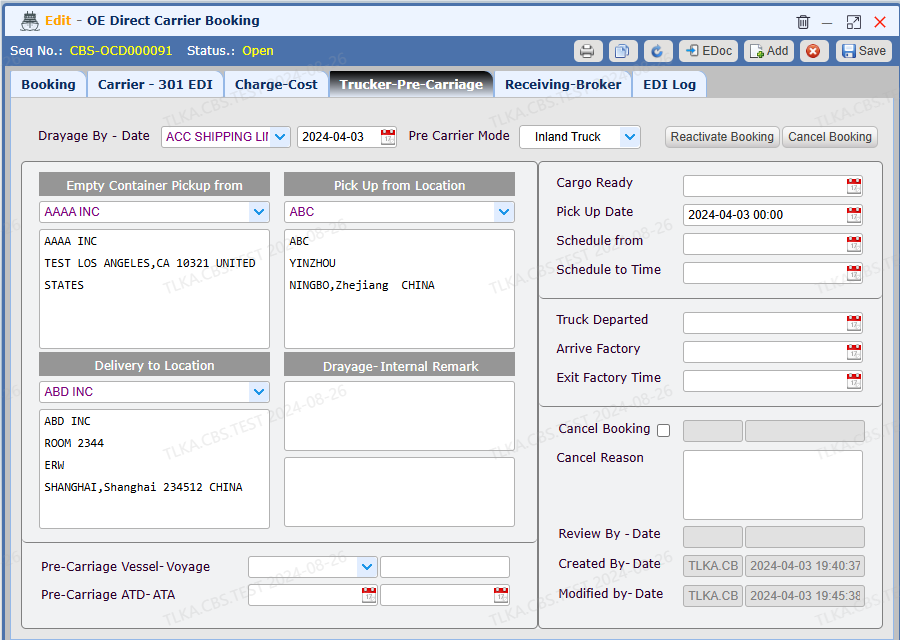
Select trucking complany Record Empty Container Pickup From Record Pick Up from Location Record Delivery To Location Save
|
| EDI Booking
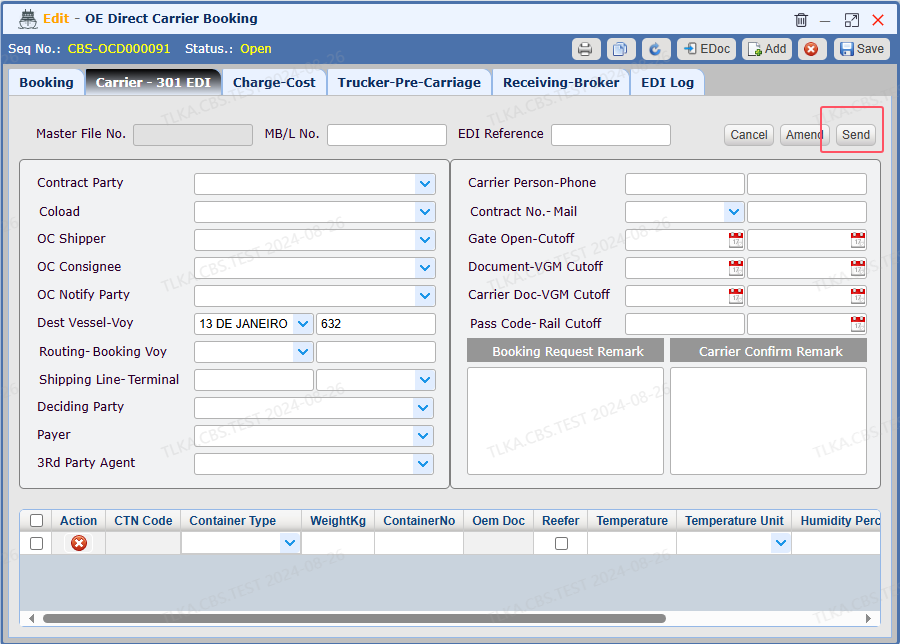
Clicking【Send】 will send the booking to the carrier
* EDI function is required to configure with carrier before putting into use
|
