Open Query window (take Query Customer window as an example)
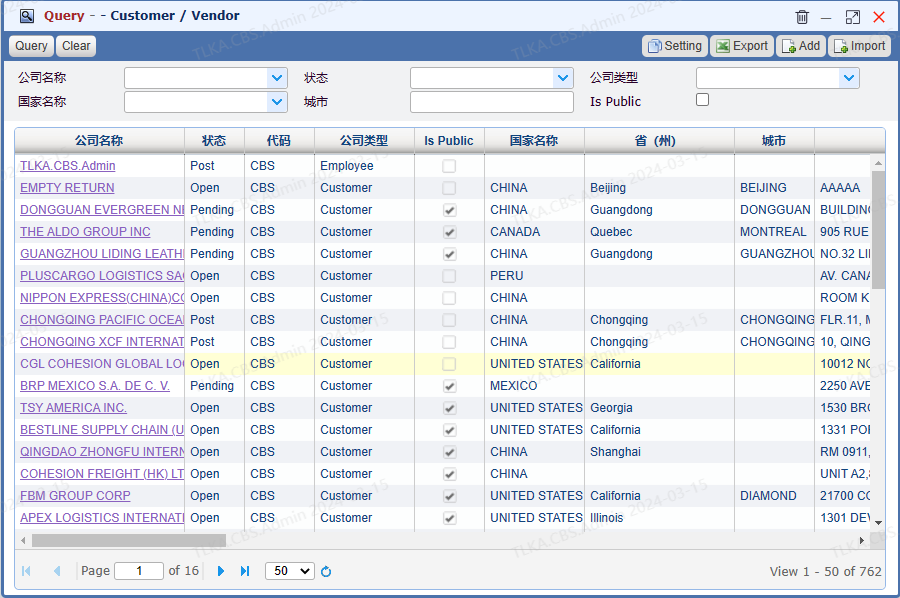
|
Filter on specific criteria
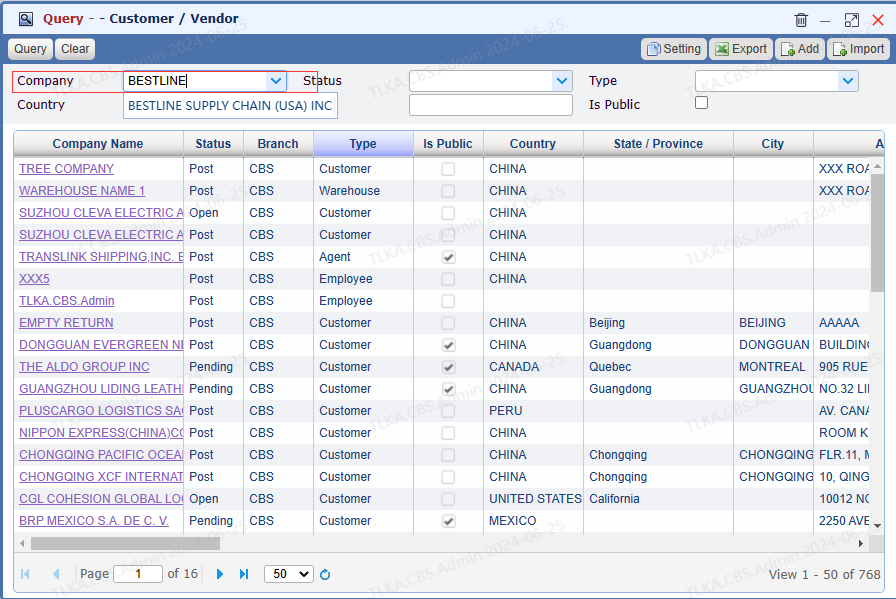
For example, if you are going to search a company name which contains BESTLINE, you can enter BESTLINE in Company,then click【Query】 System will list all companies which name contains BESTLINE Double click on the company name, it will pop up a company profile window Users can also filter on company type or country
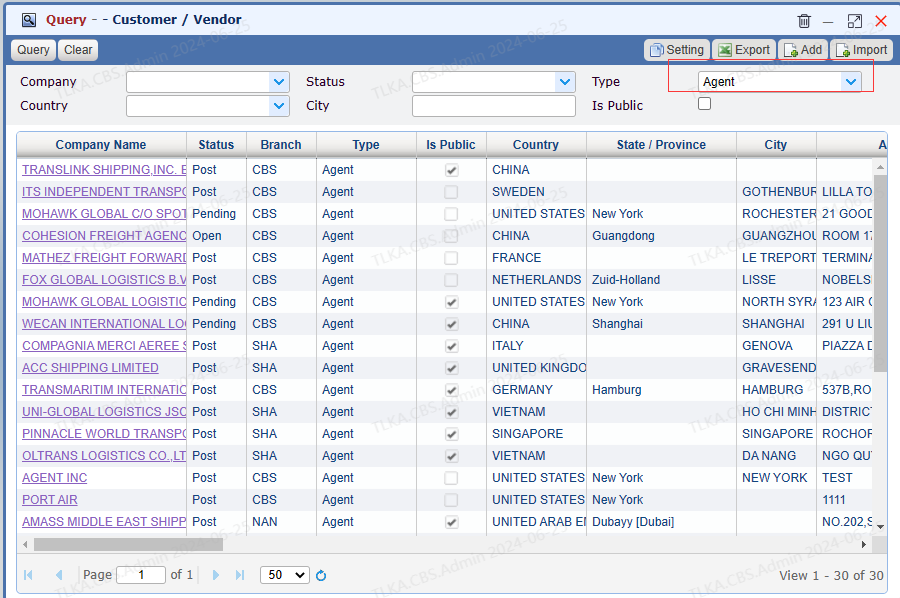
* * For example,if the user is going to search all agents, the user can select Type 【Agent】, then click 【Query】 * * System allow users to specify multiple criteria for one query
|
Sort out by an ascending or descending order
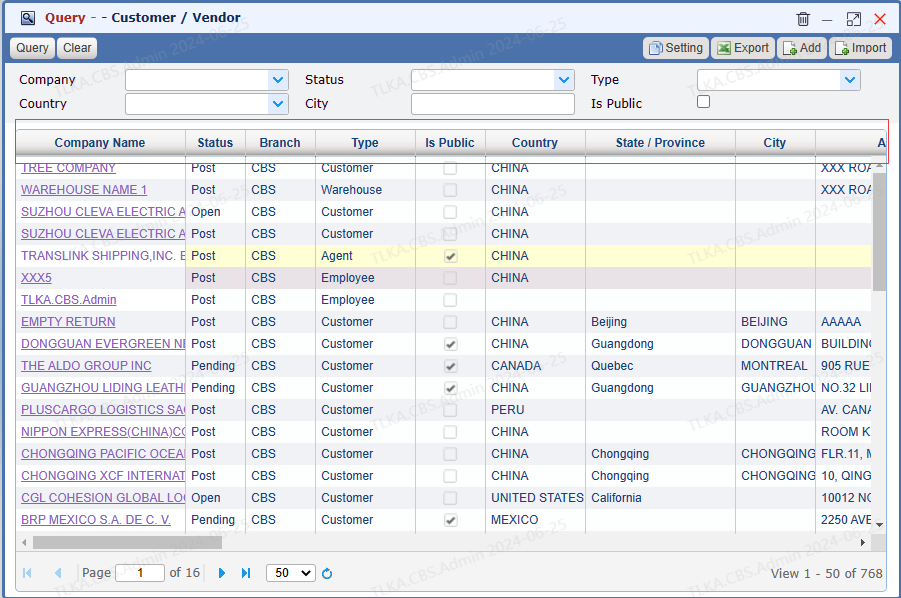
Click on the header to perform an ascending sort (from A to Z, or smallest number to largest) or descending sort (from Z to A, or largest number to smallest )
|
| Filter by right-click
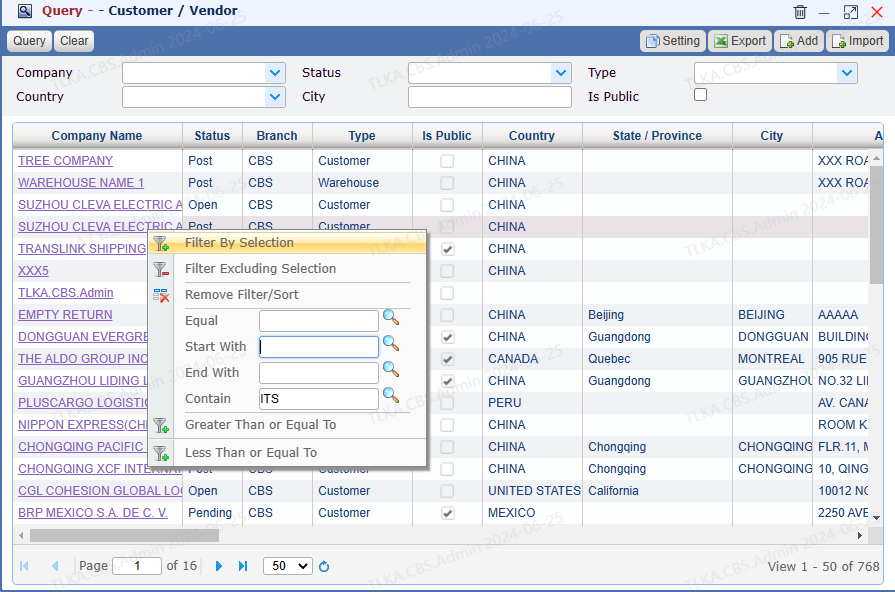
Right click on the column you want to filter For example, you are going to search a company name containing ITS Enter ITS, click the magnifier
|
Filter by right-click
Except above, you can also filter by selection
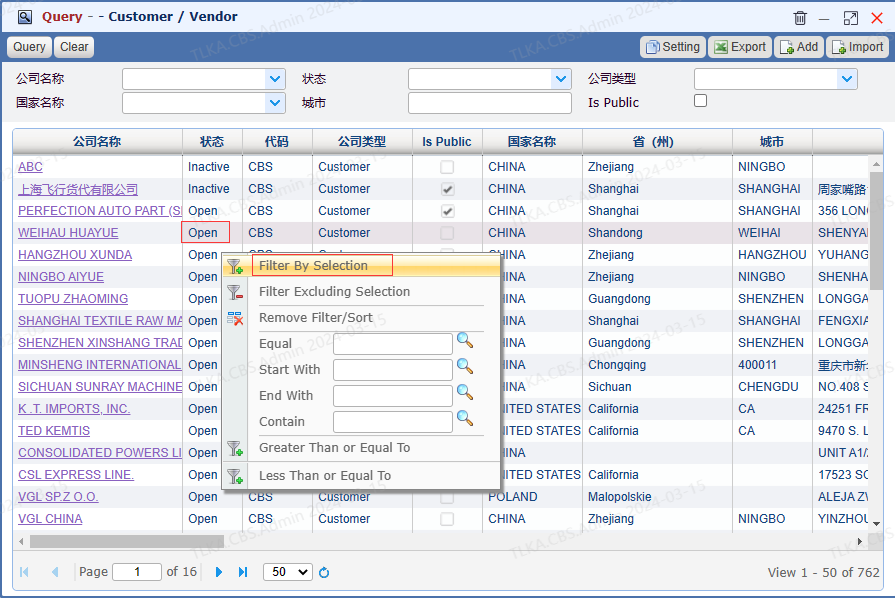
For example, if you right click on 【Open】, it will pop up the filter window Click 【Filter By Selection】directly Systrem will take 【Open】as filter criteria to return the result
|
Clear filter result
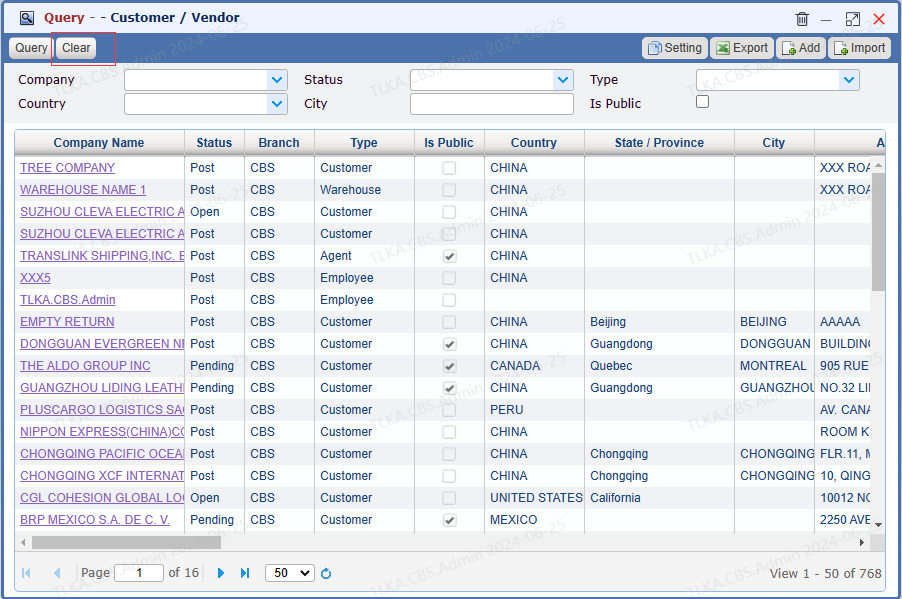
If you need to clear the result, just click 【Clear】button * this button will clear all existing criteria and results
|
