中文 | EN

更新时间:2024-08-15

A/P Aging Report


How To Check A/P Aging Report


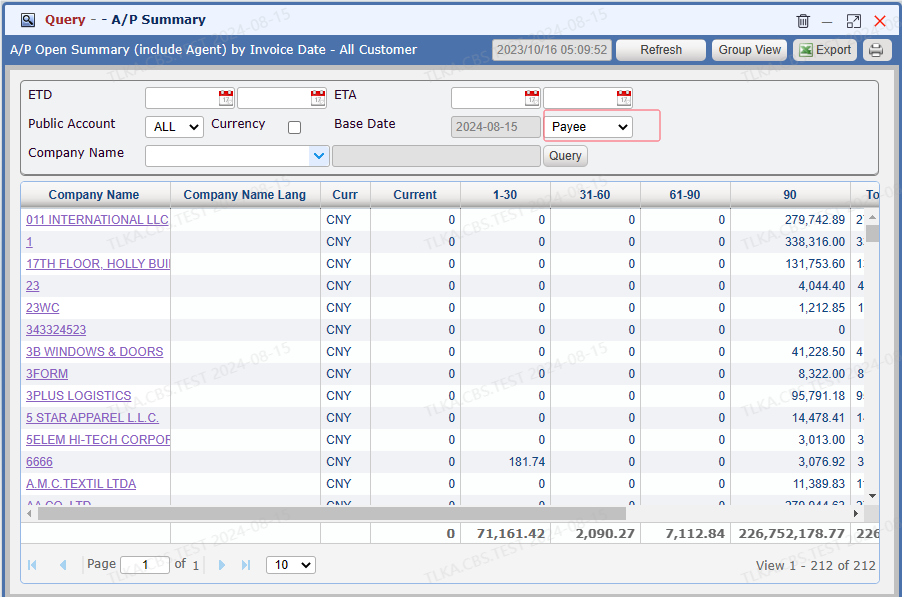
Go To Menu 【Reports and Statistics > Query A/P Summary】


Query A/P Summary


  1. Users can select different filter to run the summary

    Payee

    Vendor


  2. Click 【Refresh】 to get the most updated data

  3. If need to display the outstanding in foreign currency, tick the box 【Currency】

  4. Click the Company Name, it will open the oustanding list


QQ_1723691655049.png


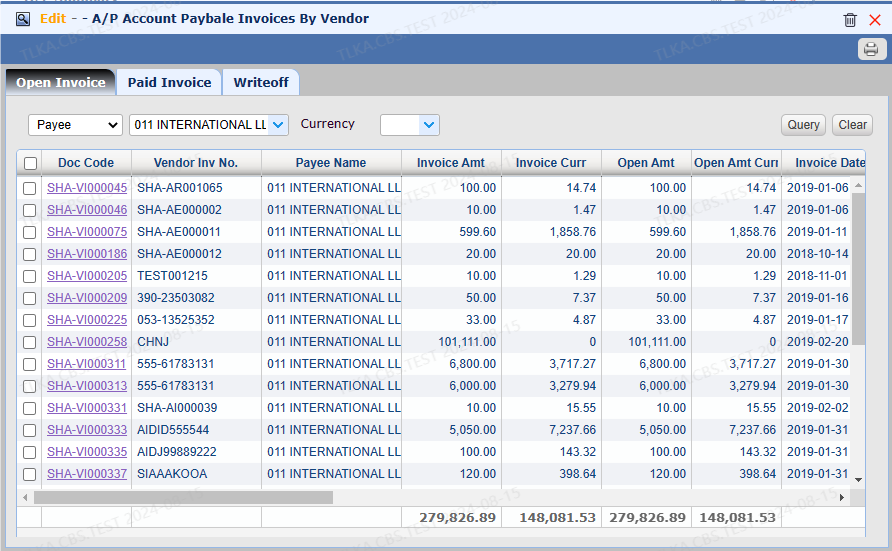
AP Invoices By Vendor


【Open Invoice】 lists all unpaid AP invoices


QQ_1723691805399.png


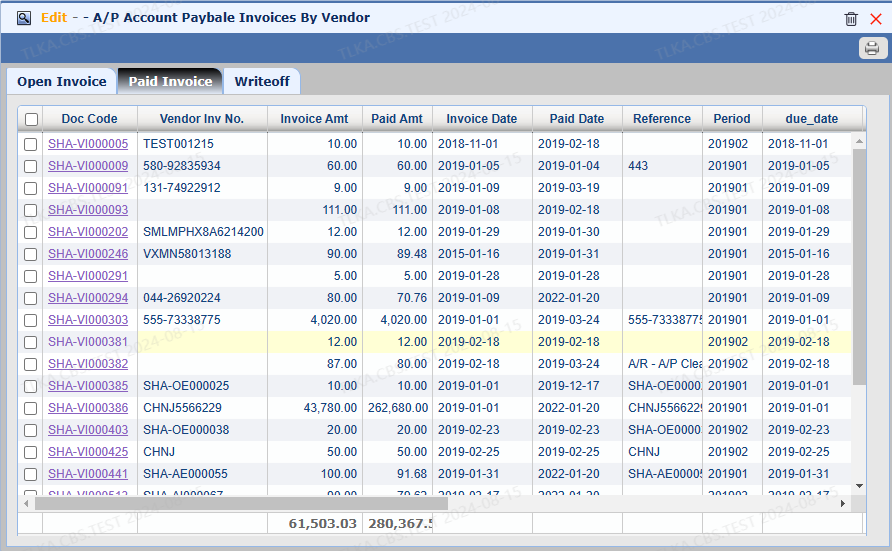
Paid Invoice


【Paid Invoice】 lists all paid A/R invoices


QQ_1723691875948.png


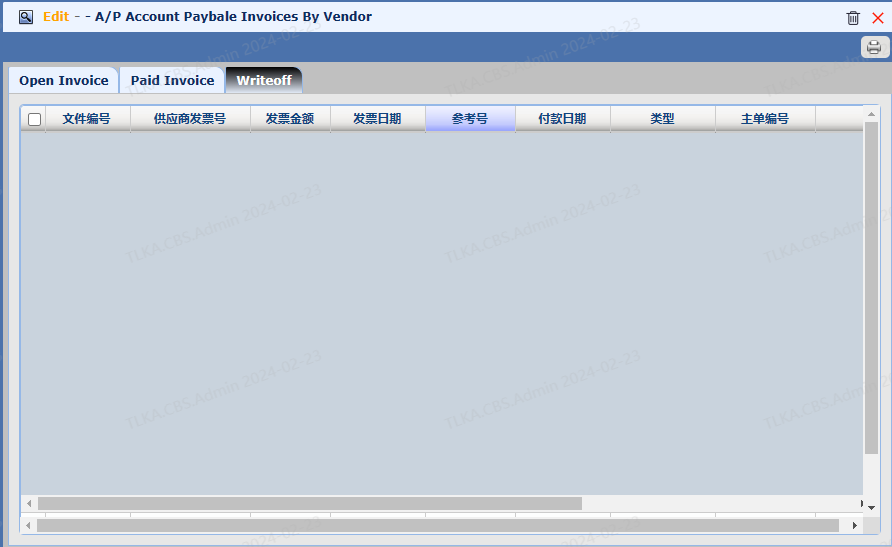
Writeoff Invoice


【 Wrotepff】 lists all writeoff AP invoices


image.png