Set Up G/L Accounts
G/L accounts have two types:
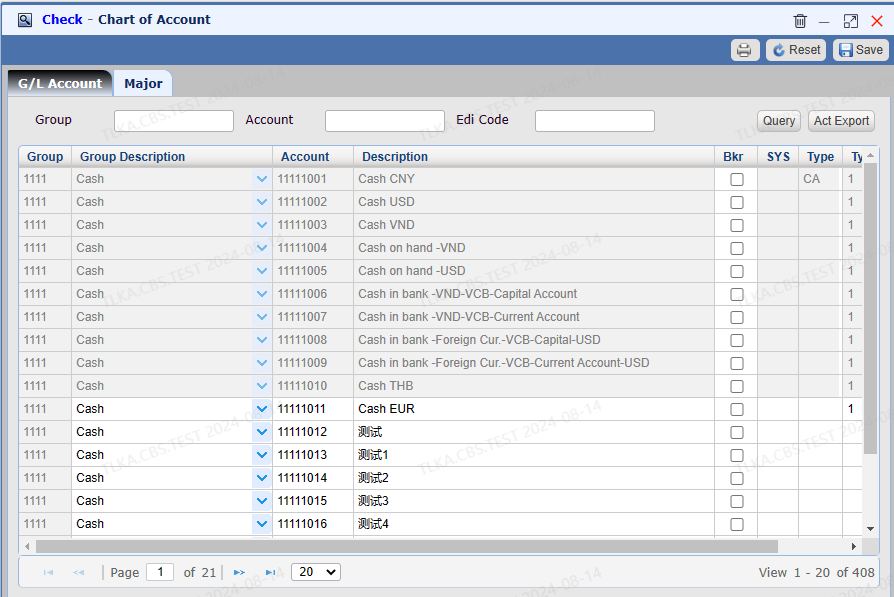
1. public accounts,it's in gray color and not editable
2. customized accounts, created by users
How To Check G/L Accounts
Go To Menu 【G/L > Set Up Chart of Accounts】
|
Chart Of Accounts
Group account is a 4-digit number G/L account is a 8-digit number Click 【Act Export】 , you can export the whole chart
|
Major
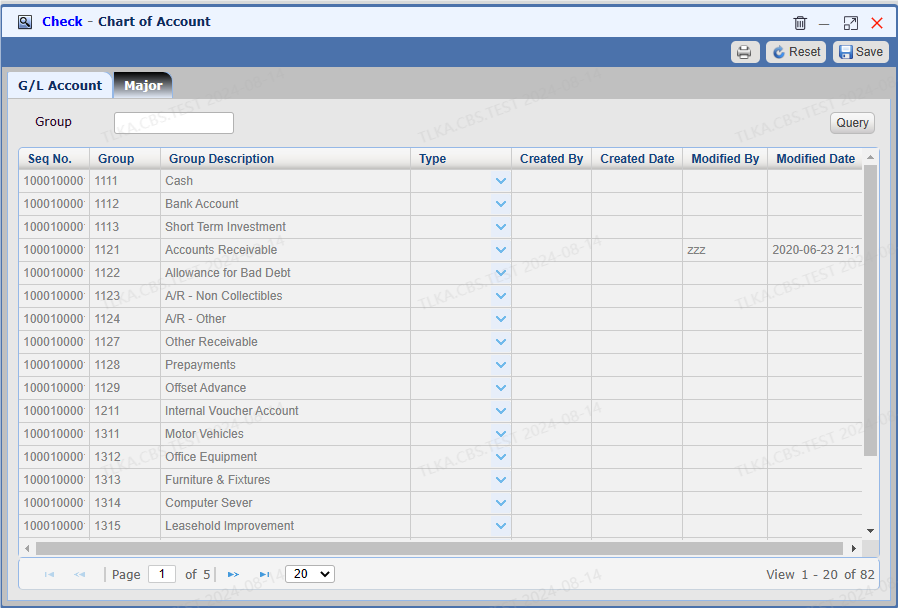
The Tab 【Major】 lists all groups
|
How To Create A Customized Account
Go To Menu 【G/L > Set Up Chart of Accounts】
|
Create An Account
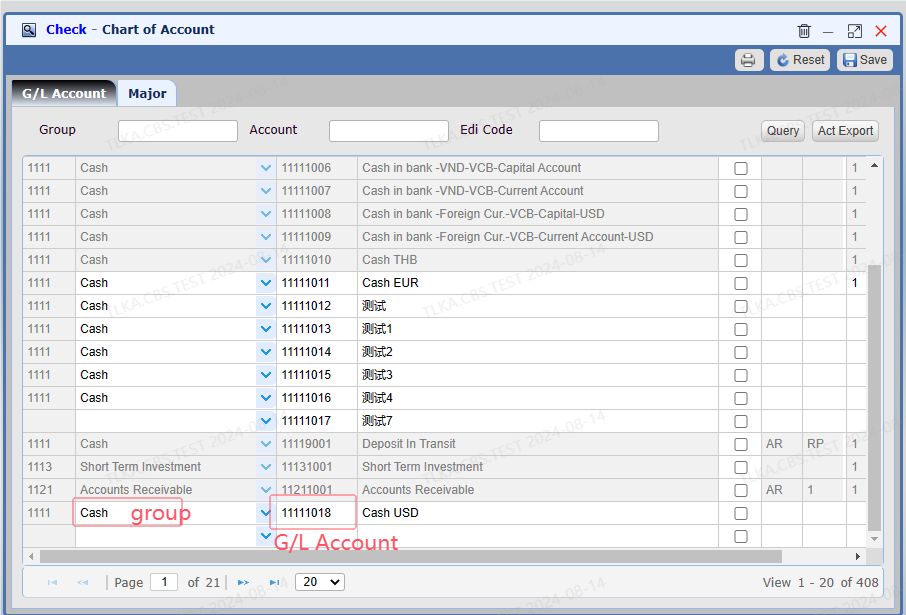
Scroll down to last line, click it, system will create a new blank line First, select the 【group account】 from drop-down list Then fabricate a G/L account. It will be a 8-digit number and the first 4 digits are group account, the last 4 digits is sequence number. Enter G/L account description Save
|
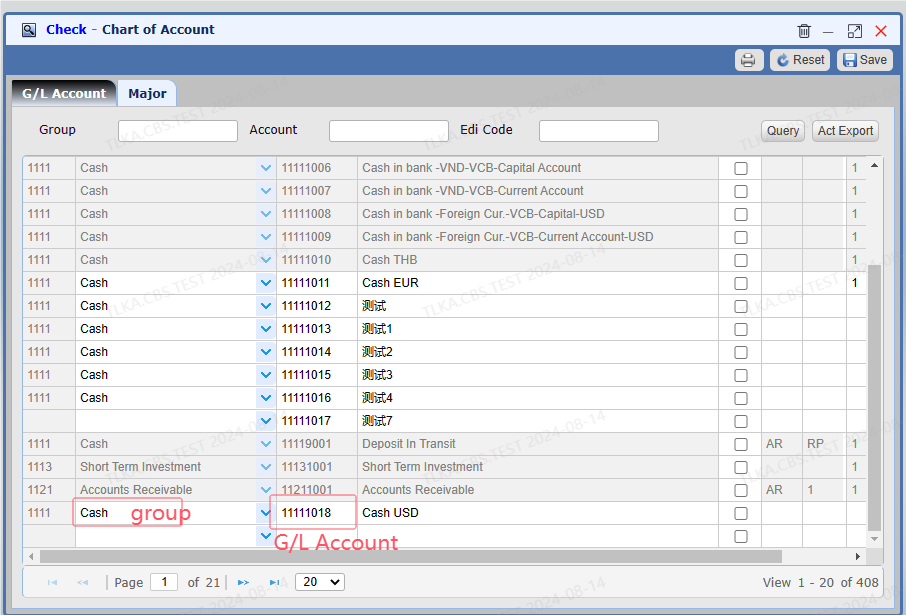
Illustrate How To Create A G/L Account G/L Account 11111018: 1111 is group account code, 1018 is sequence number
|
