Record Expense Details
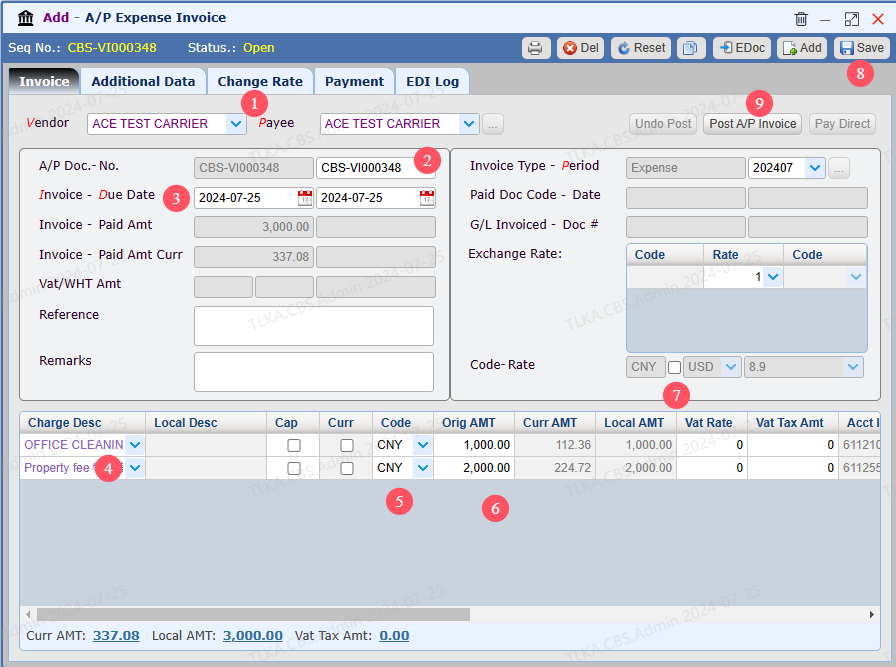
Select Vendor, users can change Payee to a third party After the invoice is saved, system will generate an invoice number which can be revised by users Select Invoice Date and Due Date Select Charge Description Select Currency Enter expense amount Invoice currency, tick the box, the invoice will be a foreign currency invoice Save Post A/P Invoice
|

