中文 | EN

更新时间:2024-06-28

How To Manage EDOC?

Users can upload documents to cloud as records or for later reference


How To Upload A Document?

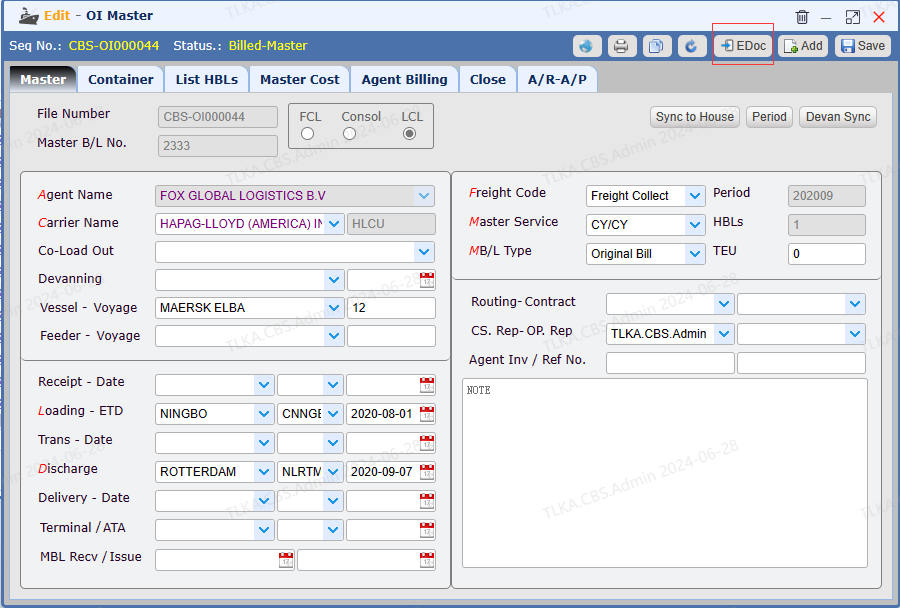
Below exhibit use Oean Import Master as an example


Go to Menu 【 OI> Query Master】

  1.  Open a Master

  2. Click 【EDoc】 to open the uploading interface


image.png


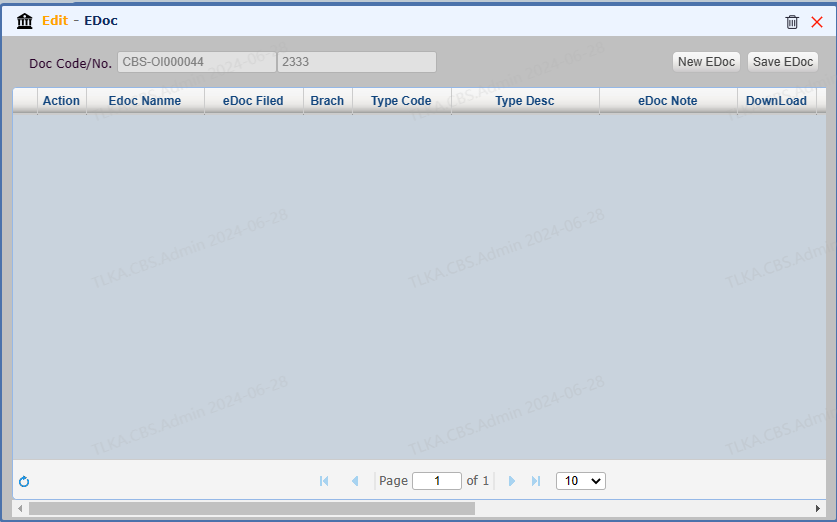
EDoc Uploading Interface


image.png


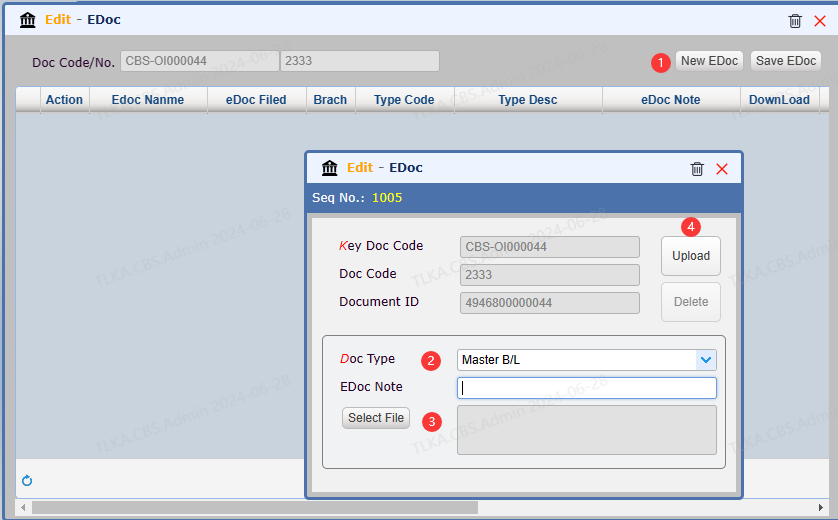
Uploading Documents


  1. Click 【New EDoc】

  2. Select the 【Doc Type】

  3. Select a document you want to upload

  4. Click 【Upload】


image.png


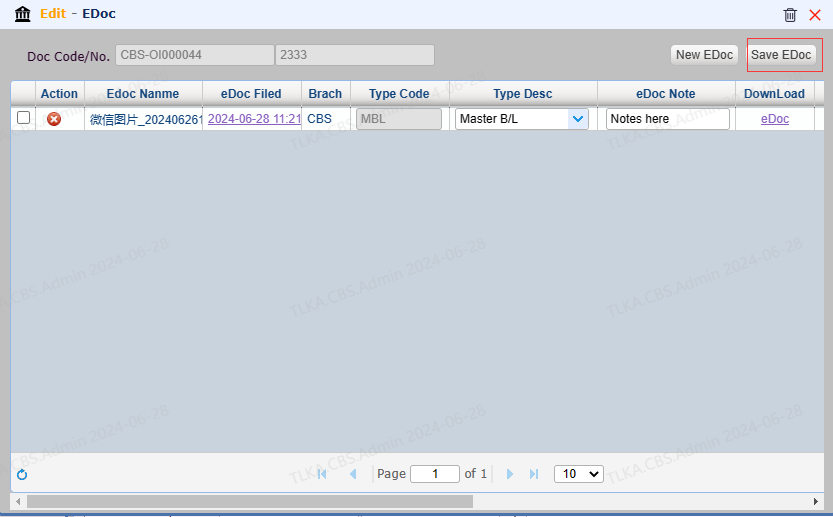
View/Edit EDoc


  1. 【eDoc Note】can be revised

  2. Click【Save EDoc】 to save the change you made


image.png