更新时间:2024-08-13
There are two ways to process received payment:
1. Pay directly from invoice
2. Pay from payment menu
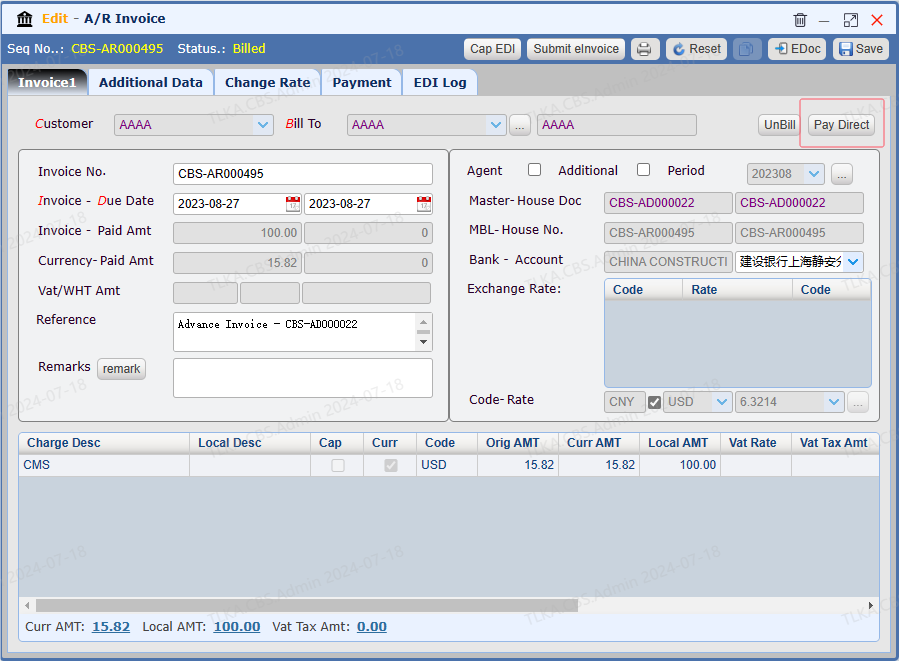
Open an Invoice |
Click 【Pay Direct】, system will direct you to payment window
|
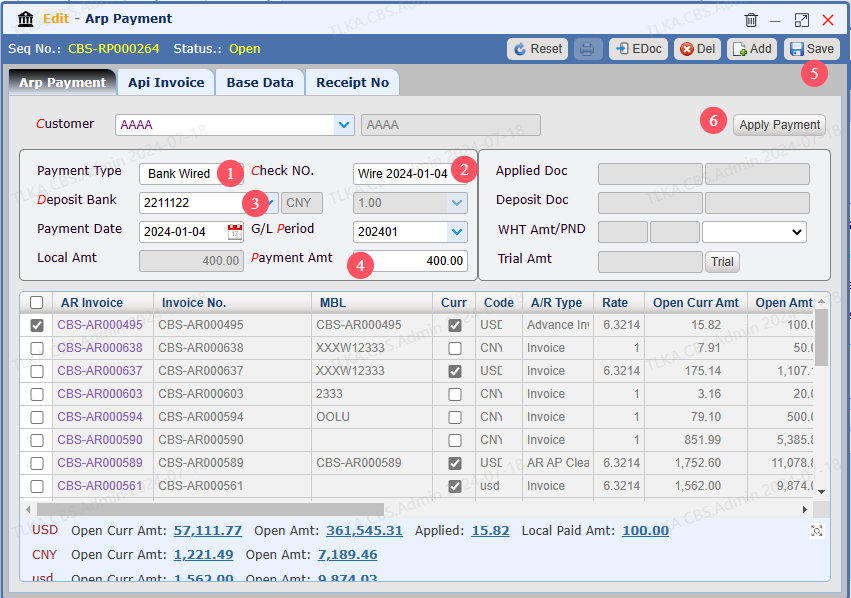
Enter payment details, Save, then Apply Payment
1. Select Payment Type 2. If it's a check, please record the Check No 3. Select Deposit Bank Account 4. Enter the actual received amount 5. Save 6. Apply Payment |
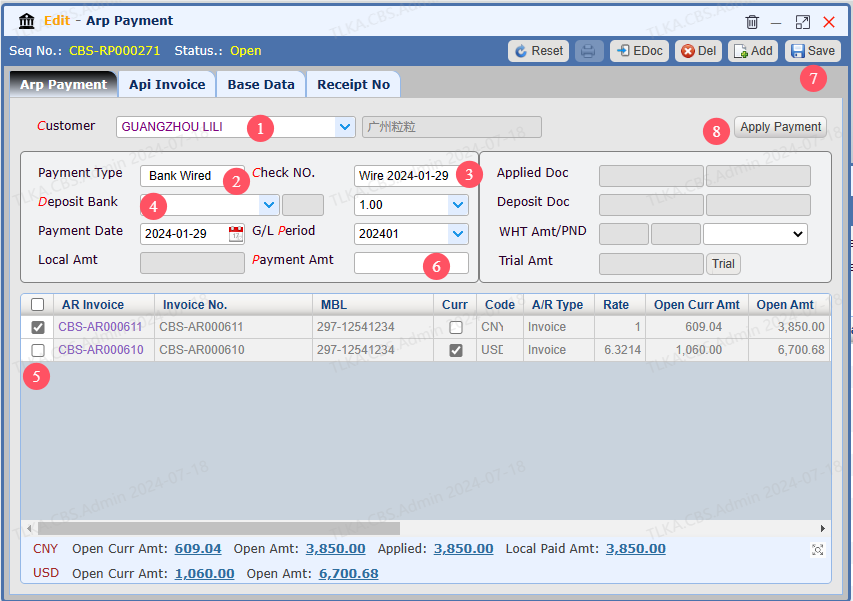
Go To Menu 【 A/R > A/R Payment】 |
Record All Payment Details 1. Select Customer 2. Select Payment Type 3. If it's a check payment, please record Check No. 4. Select Deposit Bank Account 5. Tick the invoice you need to process 6. Enter the actual received amount 7. Save 8. Apply Payment
|
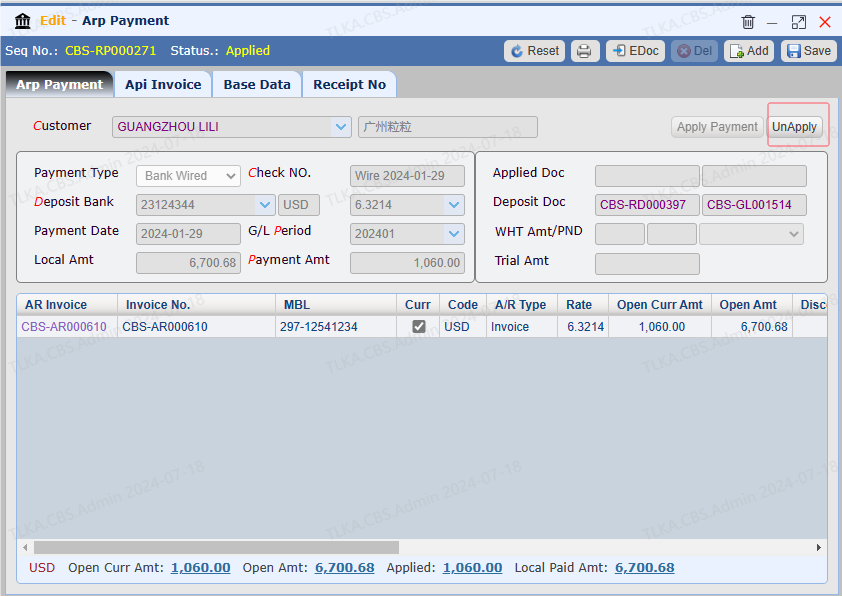
After payment is applied, if any revise is required, please 【UnApply】 first
|
| Once the payment is processed, a receipt can be printed out to customer (please refer to Print Receipt for more details) |