When Do You Need An Additional Invoice?
Once a master is closed, the charge or cost tab is locked from editing. So an additional invoice is required if any extra charge/cost should be recorded into system.
How To Issue An Additional AR Invoice?
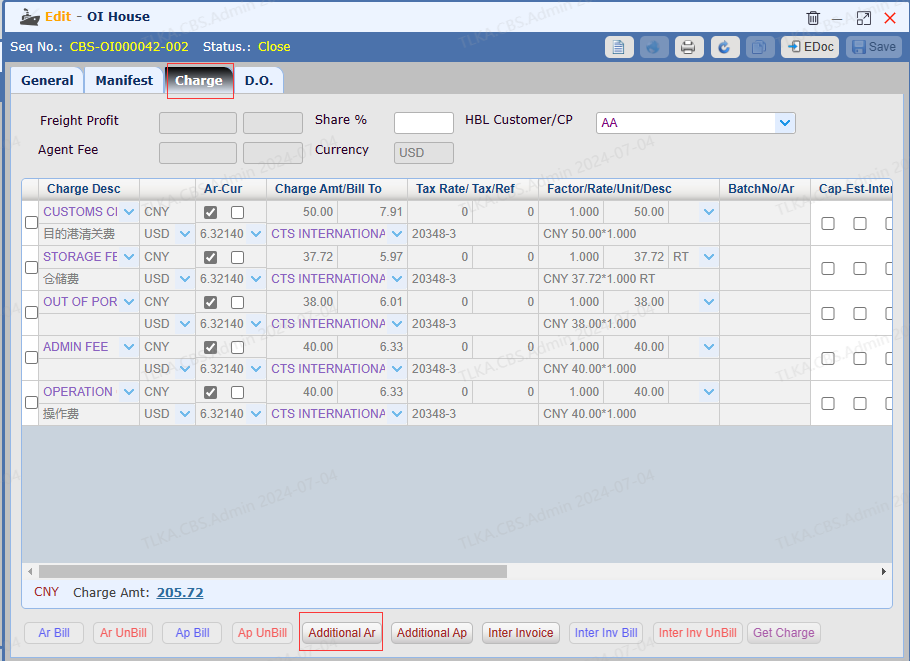
Open a House
Switch to tab 【Charge】 Click button【Additional Ar】 to pop up the invoice window
|
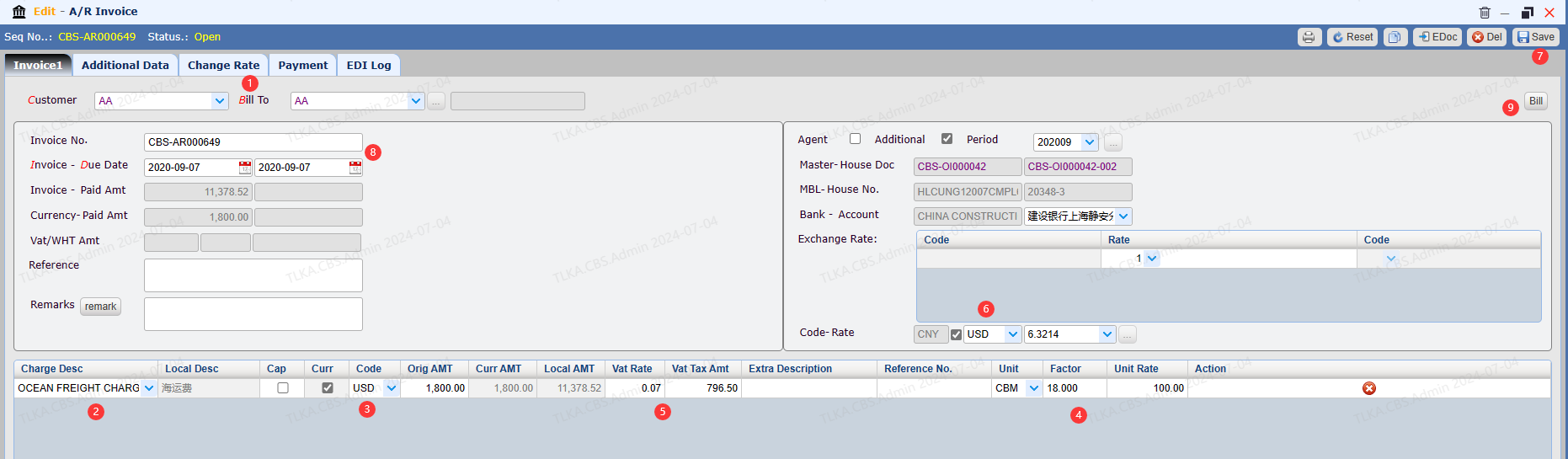
Record Invoice Details
Select Customer and Bill To Select Charge items Select Currency for Charge Item Record QTY(Factor), Unit Rate, Unit Record Tax Rate if any, system will automatically calculate the Tax Amount by 【charges amount * tax rate = tax amount】 Select Foreign Currency for invoice, users can manually revise the exchange rate Click button 【Save】 System will generate an invoice number which can be revised by accounting team Bill the invoice
|
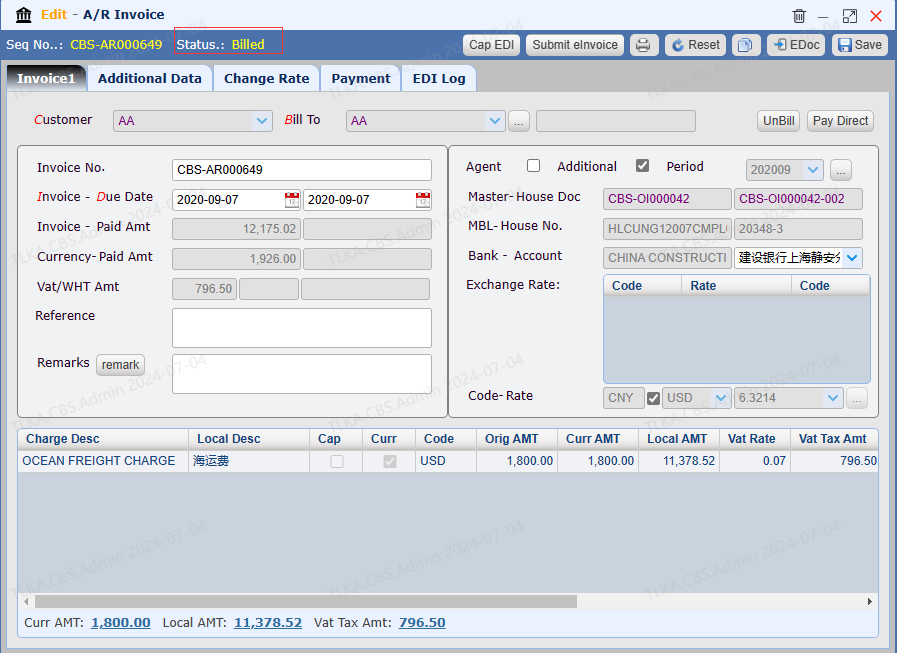
Bill Invoice
After clicking 【Bill】, invoice status will change to【billed】from【open】
|
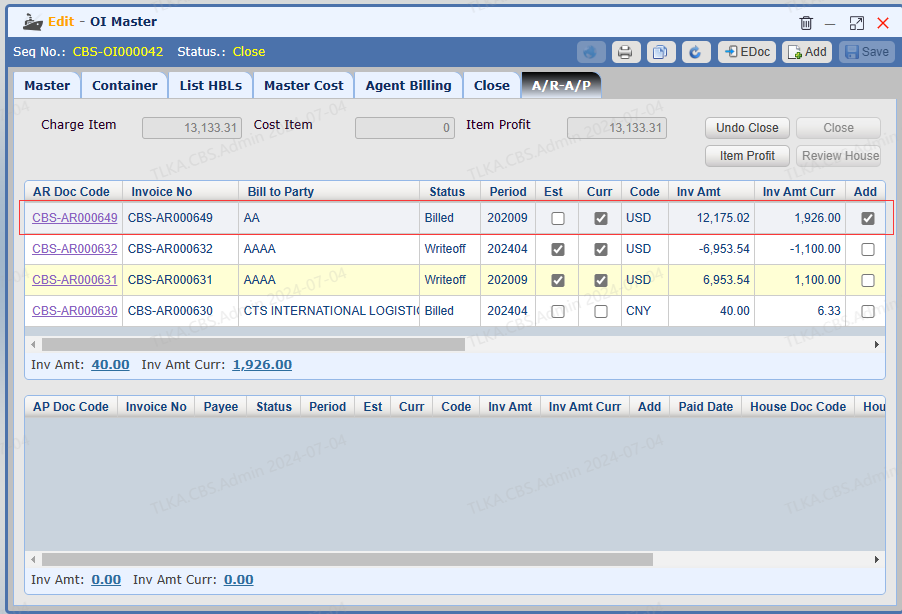
View Issued Invoice
Switch to tab 【A/R - A/P】
|
