中文 | EN

更新时间:2026-07-04

Entering House Bill Information in BINGFMS

* All fields with dropdown functionality must be selected from the dropdown.

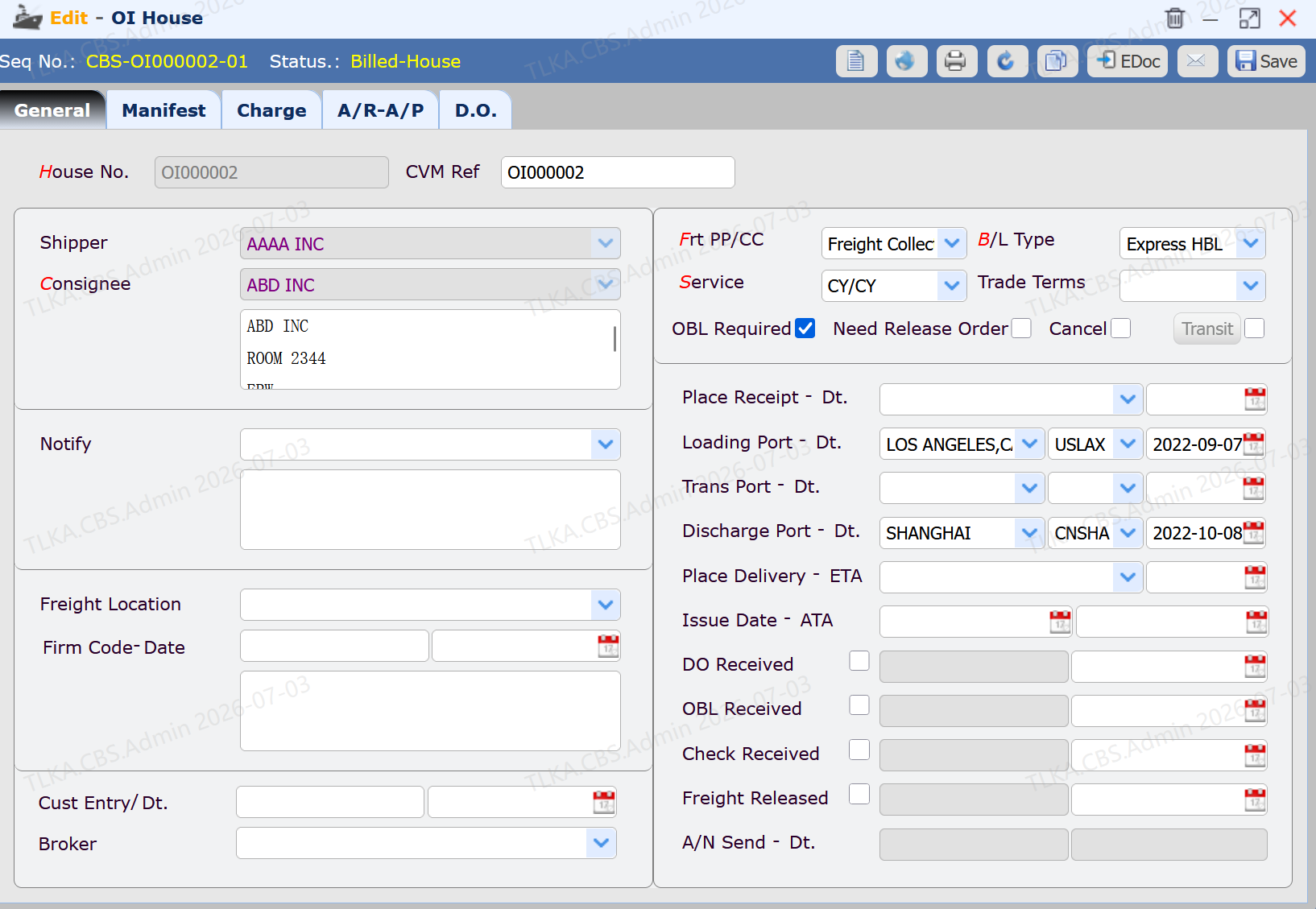
Enter House Bill Data


  1. Enter the information provided by the customer

  2. Click the [Save] button

* Fields marked in red are mandatory.

dad0aa2690ab962c9342ee710a578868.png


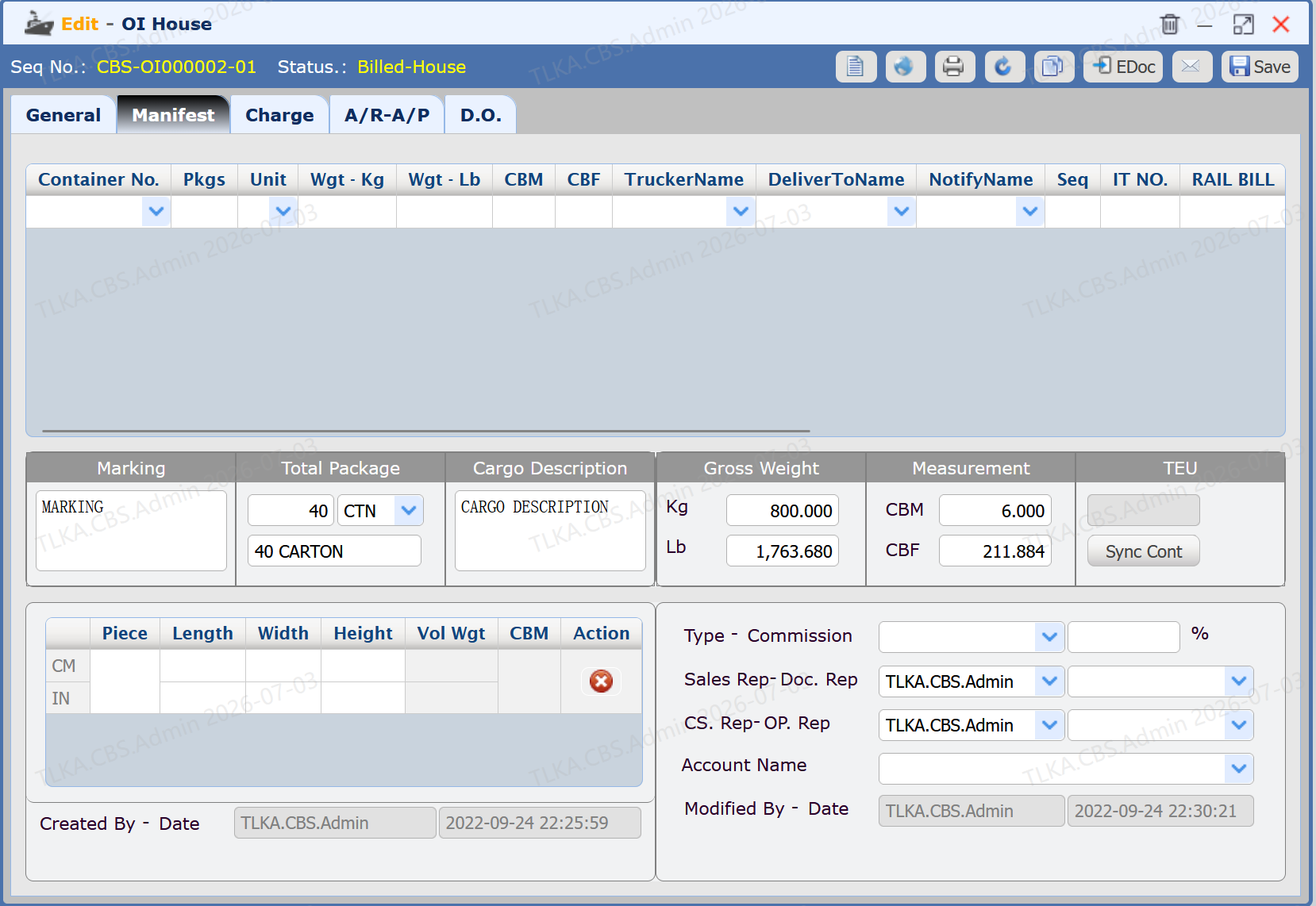
Enter House Bill Cargo Data


  1. Switch to the [Cargo] tab

  2. Enter container data

  3. Click the [Save] button

5e1d9664970a208eee5f0f17f6fbe81d.png


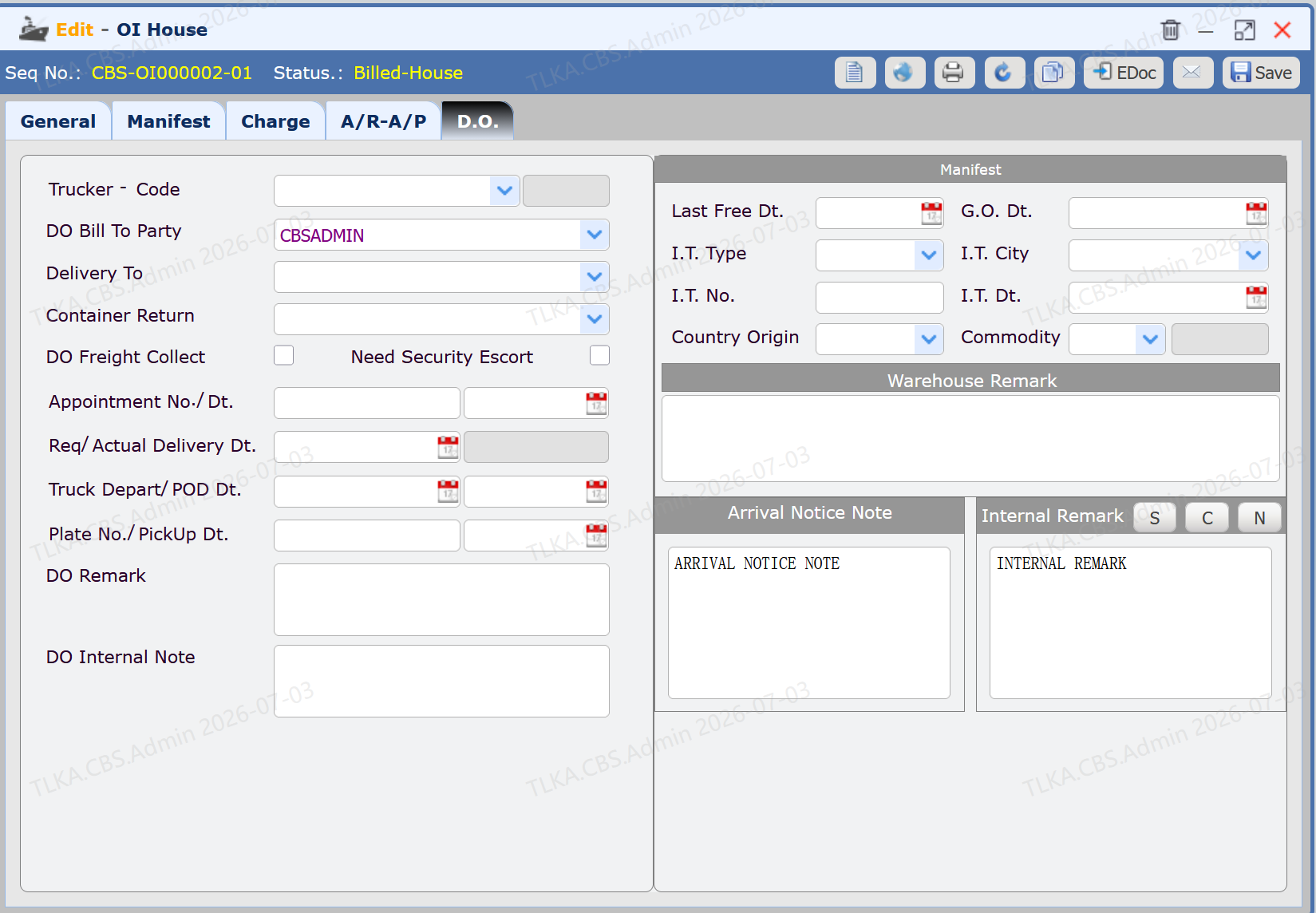
Enter D.O.


  1. Switch to the [D.O.] tab

  2. Enter truck information

  3. Click the [Save] button

ecda9b86367d4b29478fae04bd61b83e.png