HOW TO SEND EMAIL THROUGH A BUILD-IN EMAIL CLIENT?
When printing reports, we can preview it or send the report as an attachment to recipients
How to send out an email?
Open a printing window
|
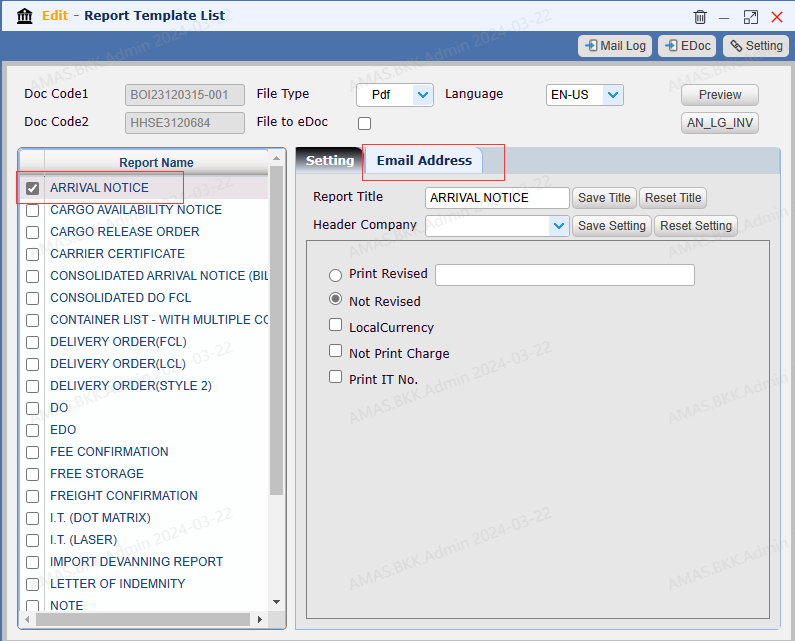
Select a report
Select a report Switch to【Email Address】
|
Send email
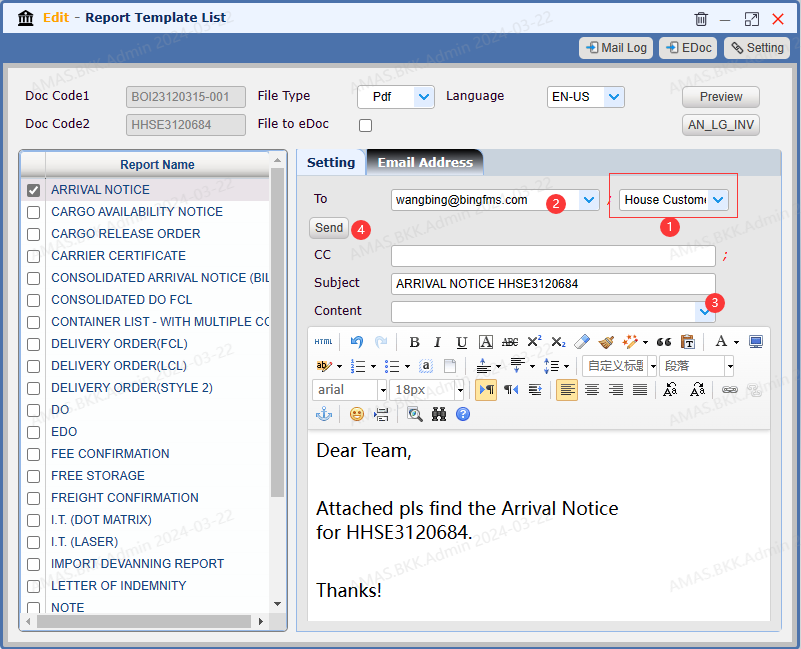
Select recipients: you can select an email address directly or select a recipient type from drop-down list which will bring related email address directly 【Customer】 【Consignee】 You can also enter/edit the email address directly You can select a template from 【Content】 or directly key in the contents below.
Click 【Send】
|
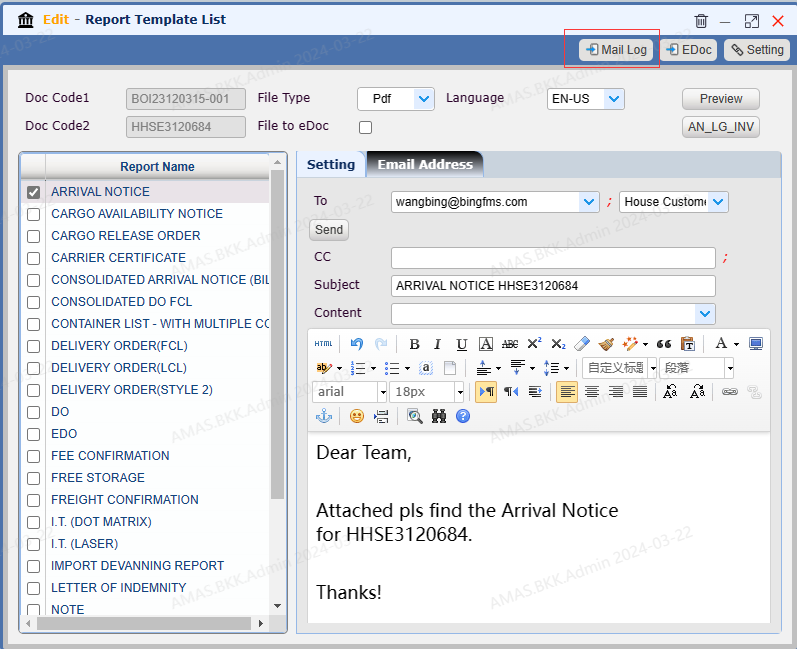
Review the email status
Click【Mail Log】 to open the log which records the email status details
|
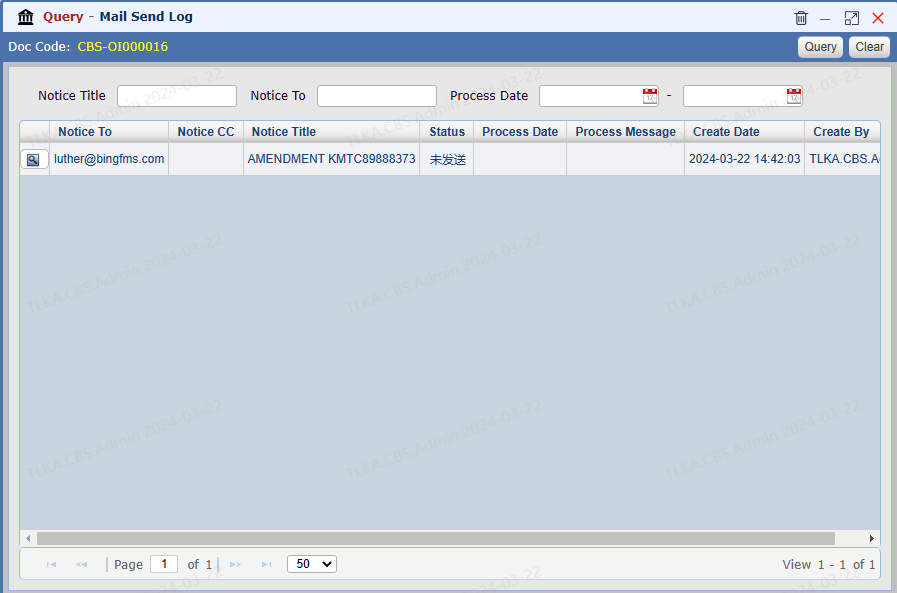
Mail Log
The log records all email sending record with status.
|
