How To Record Carrier Booking?
Once shipper booking is received from customer, users may need to send booking to carrier
Record Carrier Booking
| Go To Menu 【 Booking > Enter Carrier Booking - Ocean】
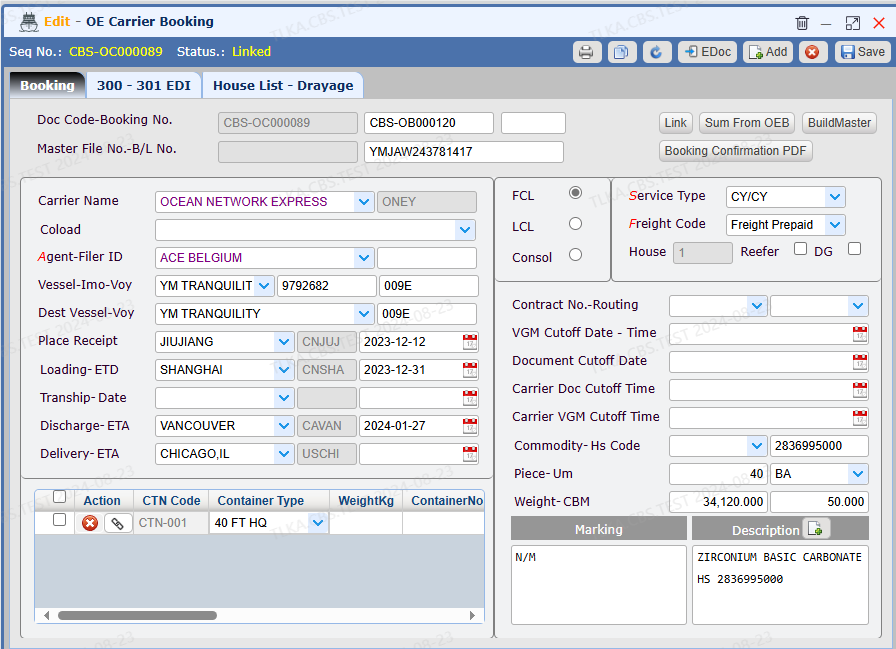
Enter Carrier Name Select Agent Select Loading Port and ETD
Select Discharge Port Select freight charge type
Select service type Enter cargo details Enter container details
Save
* All fields with drop-down button must be selected from the drop-down list * Fields with red letters must be supplied
|
Send EDI
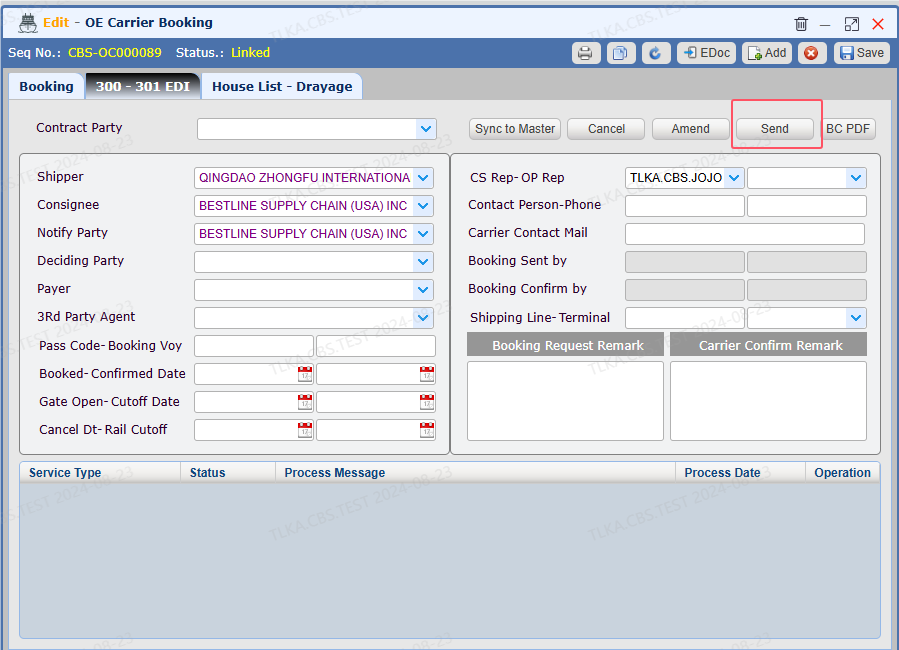
Switch to【300-301 EDI】 Select Shipoper, Consignee, Notify Party Save Click 【Send】 to send booking to Carrier
| * EDI function requires to work with carrier before putting into use
|
Record Carrier Return Information
Once the booking is completed, the user will receive return information from carrier. The user can record these information into system.
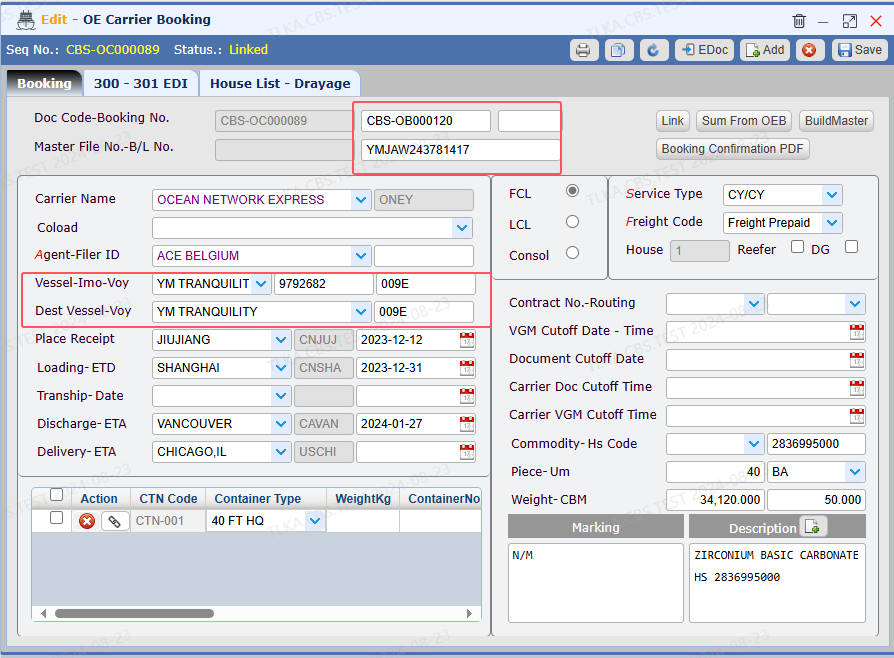
On 【Booking】 tab Enter Vessel name and voyage name Enter Booking No. and MBL#
Save
|
