中文 | EN

更新时间:2024-07-16

How To Process Estimated Revenue/Cost?

Some revenue or cost may not be confirmed until later time. If you record the revenue or cost only after the amount is confirmed, the figure of that month may be quite different from real revenue or cost. Therefore, we can issue estimated invoice to narrow the gap.


Record Charge/Cost

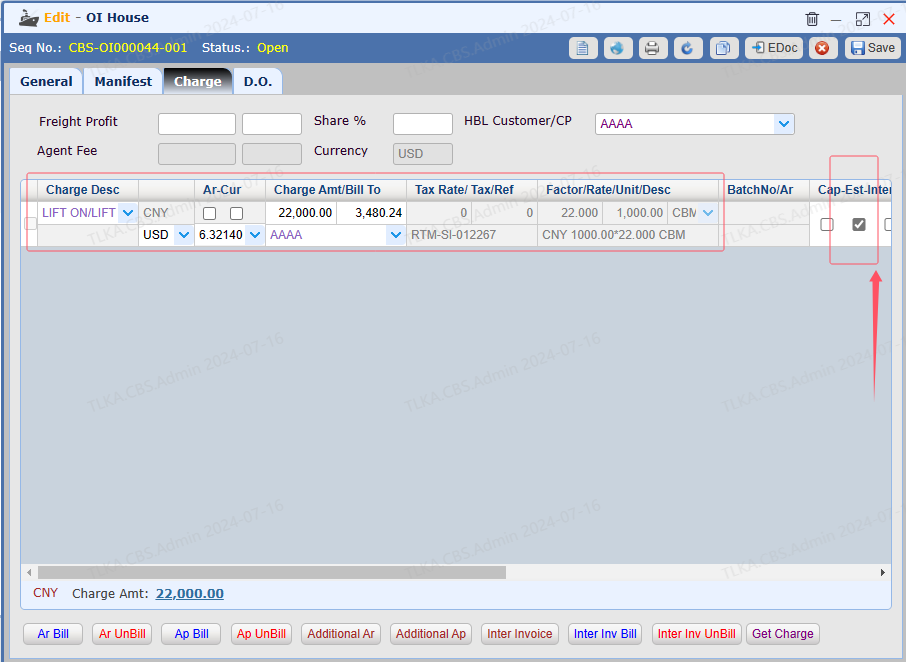
Open a House, Record Charges


  1. Select the charge description

  2. Enter the QTY, RATE, UNIT

  3. Tick the option 【Est】

  4. Save


QQ_1721112181375.png


Generate Invoice


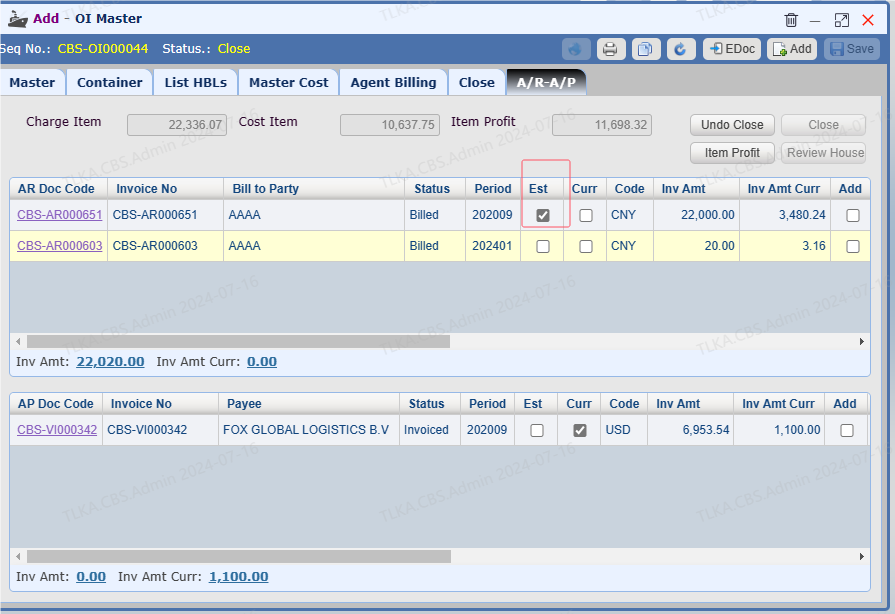
Once the Master is closed, system will generate an estimated invoice


QQ_1721112233324.png


Write Off Estimated Invoice

Once the real revenue or cost is confirmed, you need to write off the estimated invoice and issue an additional invoice with the correct amount


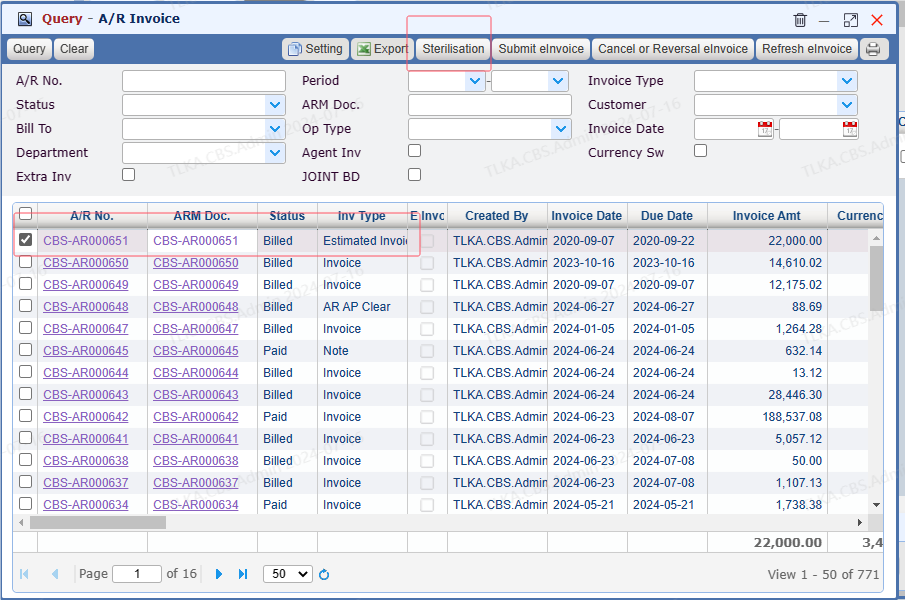
  1. Select the invoice you need to write off

  2. Click button【Sterilisation】


QQ_1721112461979.png


Offest Amount


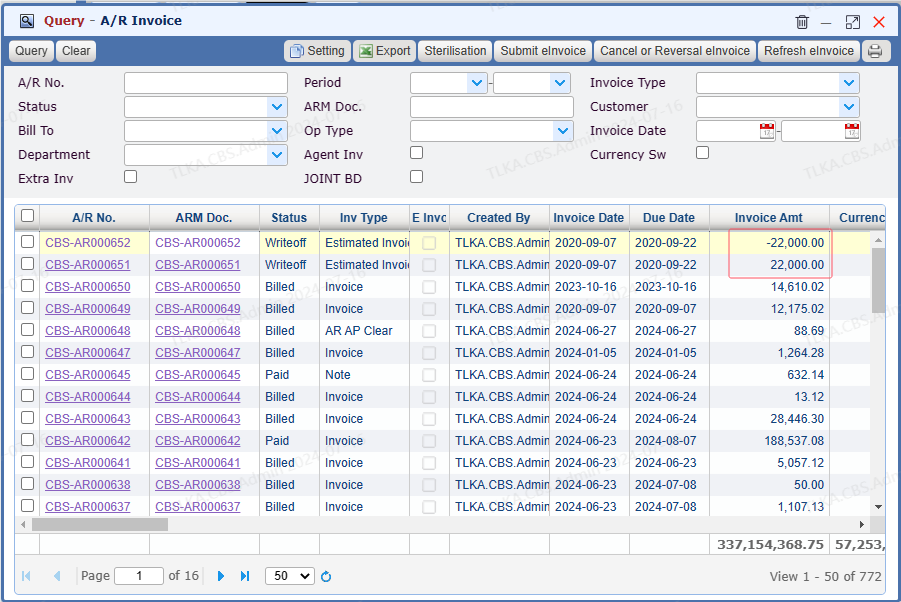
  1. Once the estimated invoice is written off,  its status will change to Writeoff

  2. Then, system will create an invoice with negative amount to offset


QQ_1721112546429.png


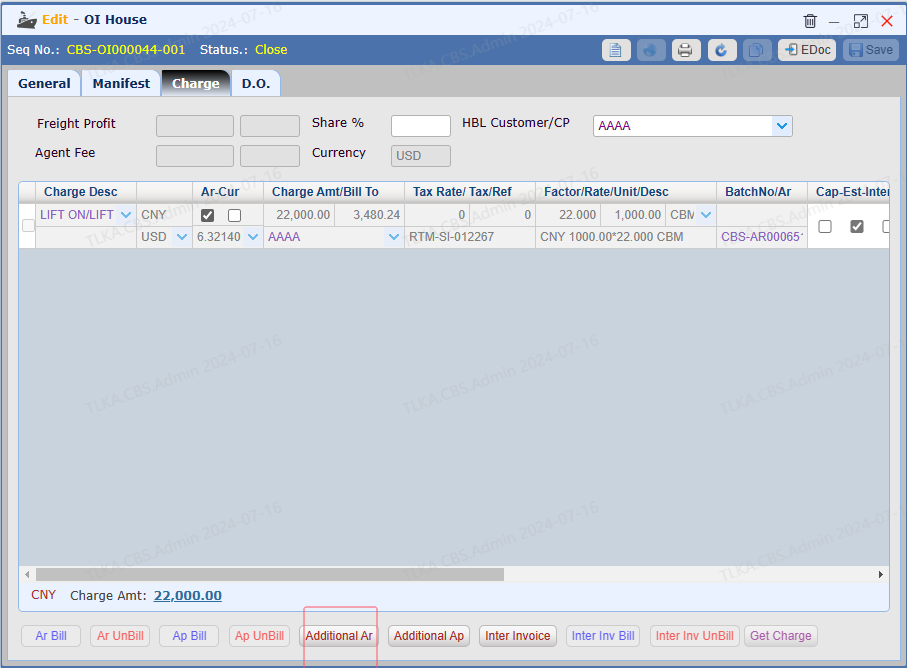
Issue Additional Invoice


  1. Go back to Charge tab

  2. Click【Additional Ar】to create an invoice with correct amount


QQ_1721112712825.png