中文 | EN

更新时间:2024-08-09

How To Close Month and Year?


How To Close Month


Go To Menu 【G/L > Month End Closing】


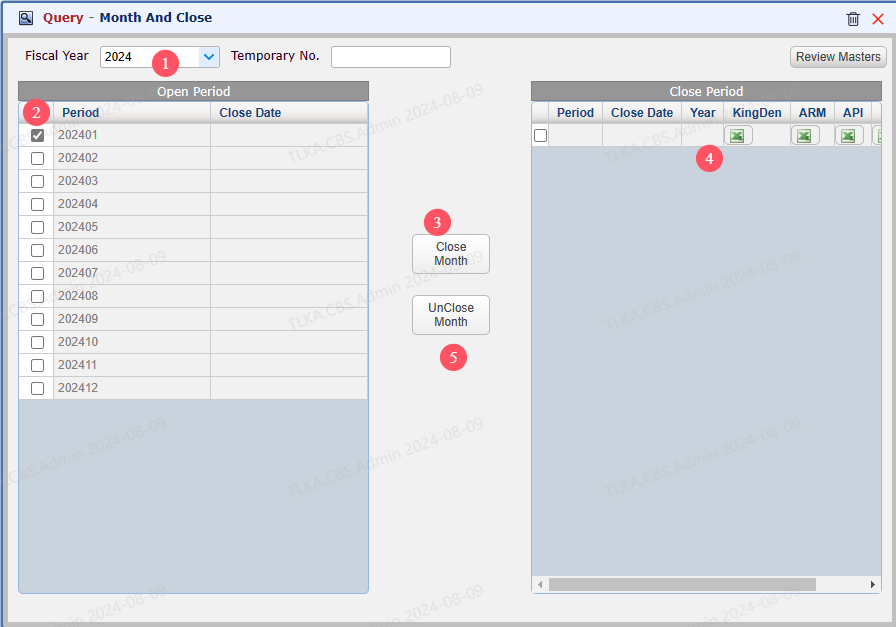
Close Month


  1. Select the Fiscal Year need to close

  2. Tick the open Month

  3. Click 【Close Month】

  4. Then, system will move the selected month to right area

  5. Click 【Unclose Month】 will undo the close


      | * * Close Month must follow the chronological order. If any preceding month is open, you must close that month before you close later month 


QQ_1723192908440.png


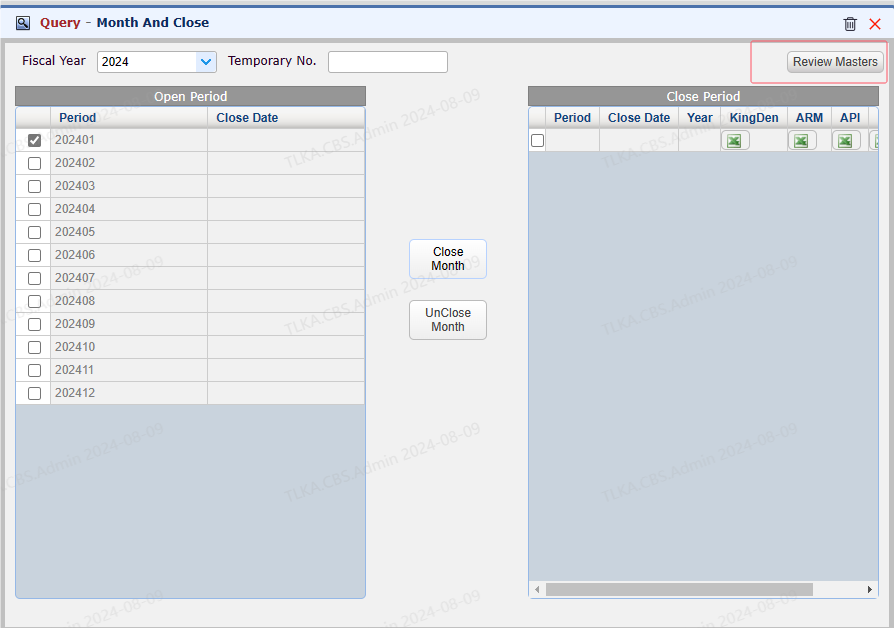
Review Masters


  1. If any master in the period is still open, it will prompt " XXX is not closed" when you try to close the month

  2. You can click the button 【Review Masters】, it will open the unclosed Master list


QQ_1723193269940.png


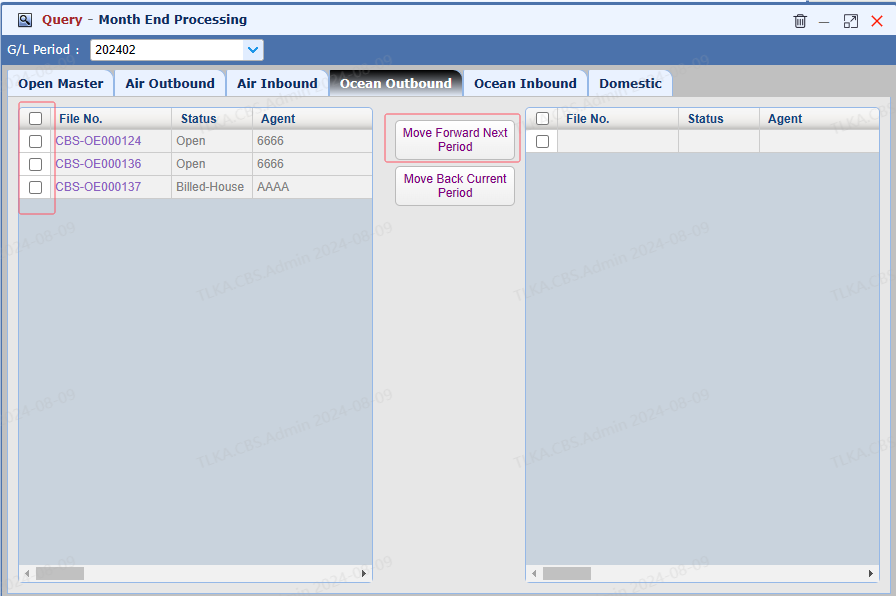
Unclosed Master


How to handle unclosed Master?


  1. Open the Master and complete required steps and close it

  2. For some special case, if the Master is required to move to next peirod, you can

    | ** Tick the Master and Click 【Move Forward Next Period】 


QQ_1723193642541.png


How To Close Year


Go To Menu 【 G/L > Year End Closing】


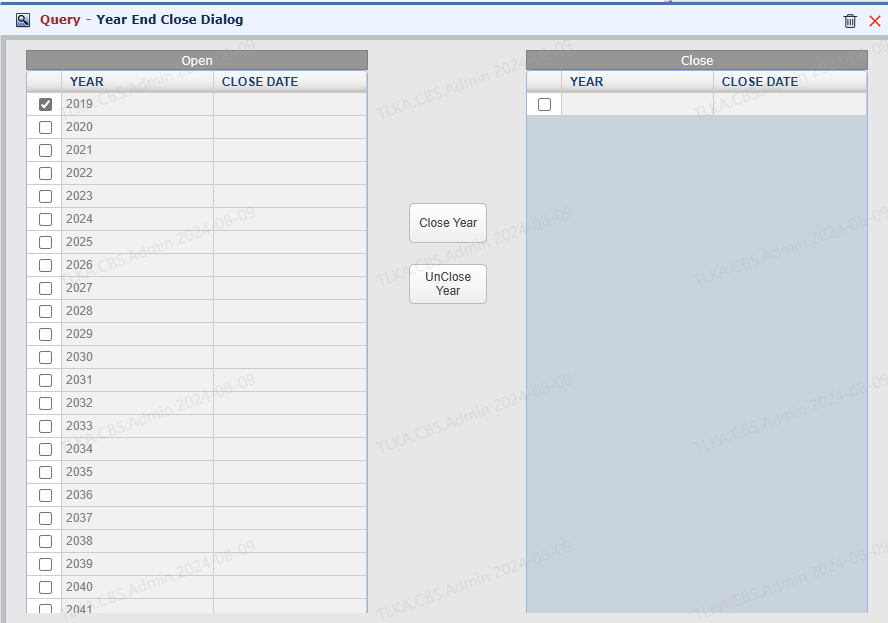
Close Year


  1. Select the Year need to close

  2. Click 【Close Year】

  3. Then, system will move the selected Year to right area

  4. Click 【Unclose Year】 will undo the close


      | * * Close Year must follow the chronological order. If any preceding year is open, you must close that year before you close later year


QQ_1723194067408.png