How To Clear A/R and A/P
Under some business scenarios, especially for agents, they are both creditors and debitors. Therefore, the A/R and A/P can offset.
Go To Menu【A/R > AR /AP Clearing Currency】
|
Record Clear Details
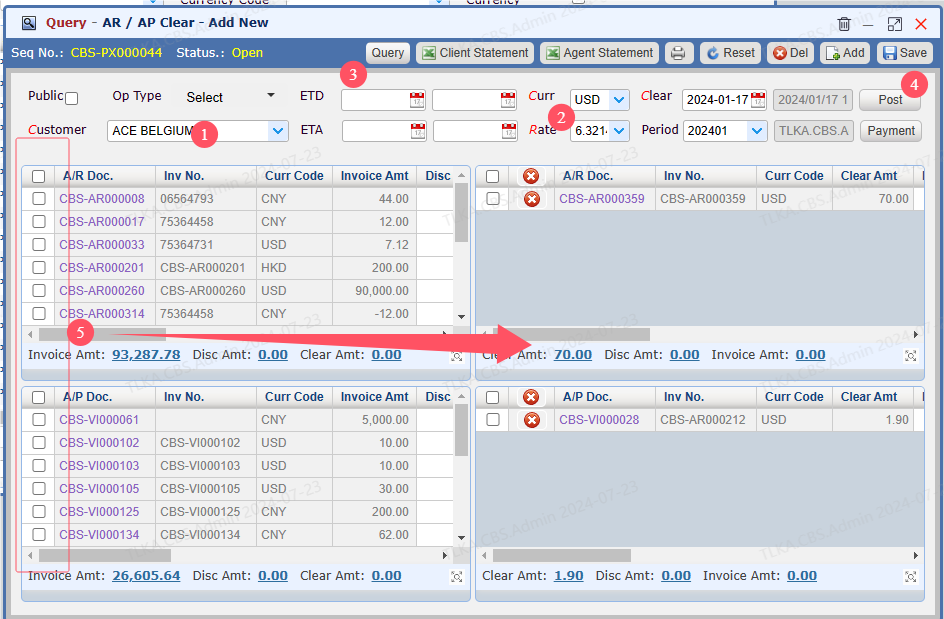
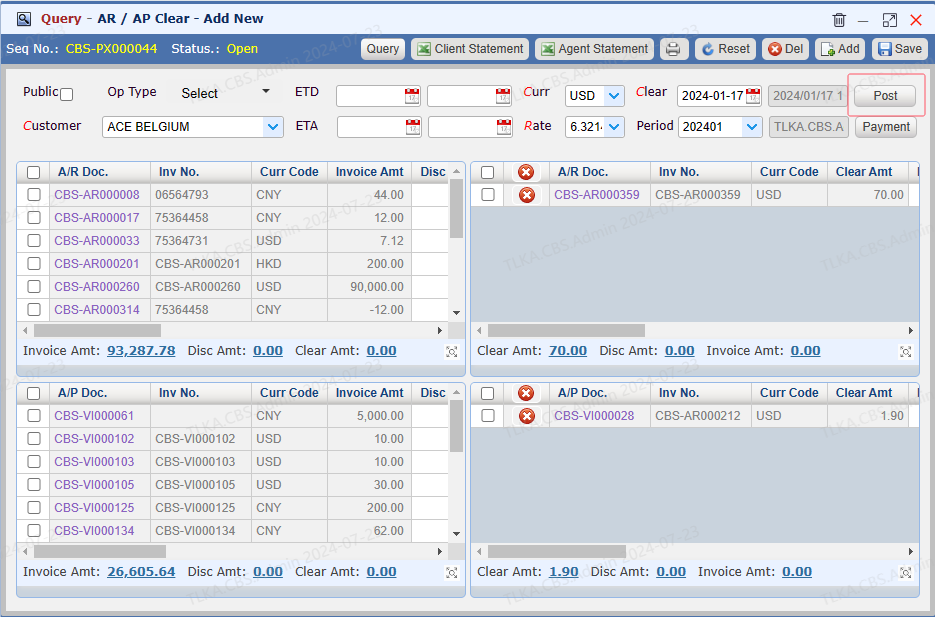
Select Customer Select Currency, the default Exchange Rate will use the latest rate in system, users can manually change it Click 【Query】 to list the unpaid invoices Save Tick the invoices need to offset, then system will move the ticked invoice to the right side
* * If there is any Open AR/AP Clear, you must complete it before you start another new AR/AP Clear under that company
|
Print Statement and Send to Customer
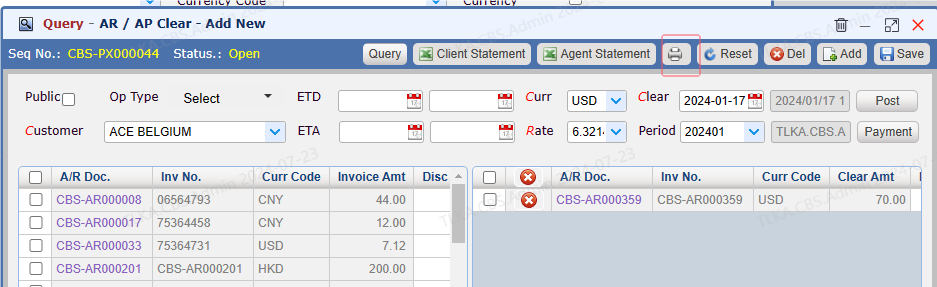
Click the 【Printer】 icon to open the report window
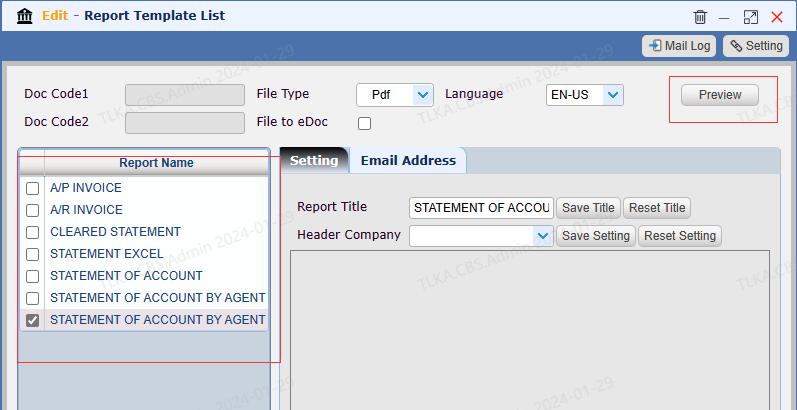
2. Select the right report you need and clcik 【Preview】
|
| Once Customer Confirmed the Statement, Clear the AR and AP |
There Are Two Ways To Clear AR/AP:
1. Settle payment directly
2. Generate a new invoice based on the AR and AP balance
Settle Payment Directly
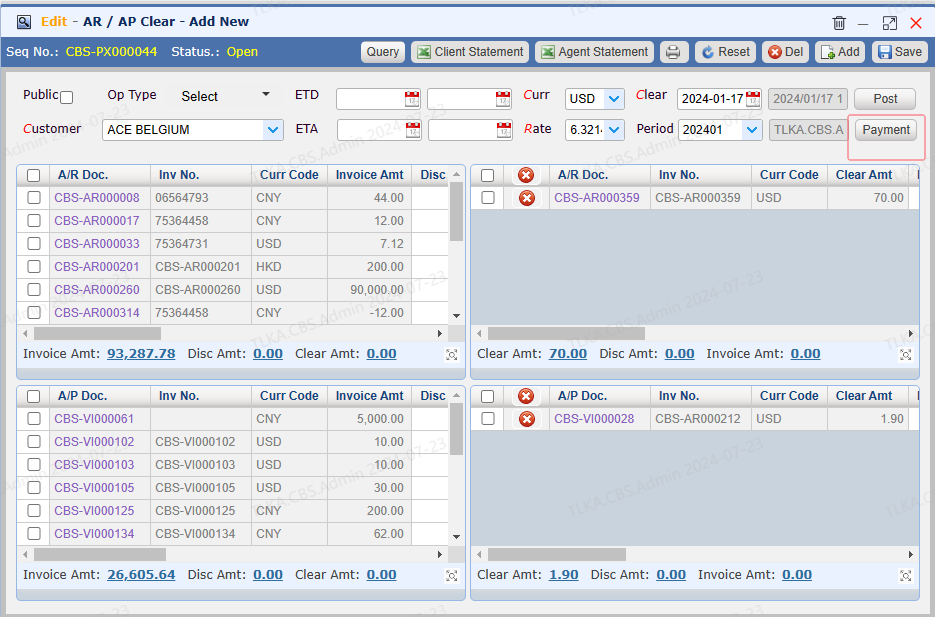
Click【Payment】,System will direct it to Payment window
|
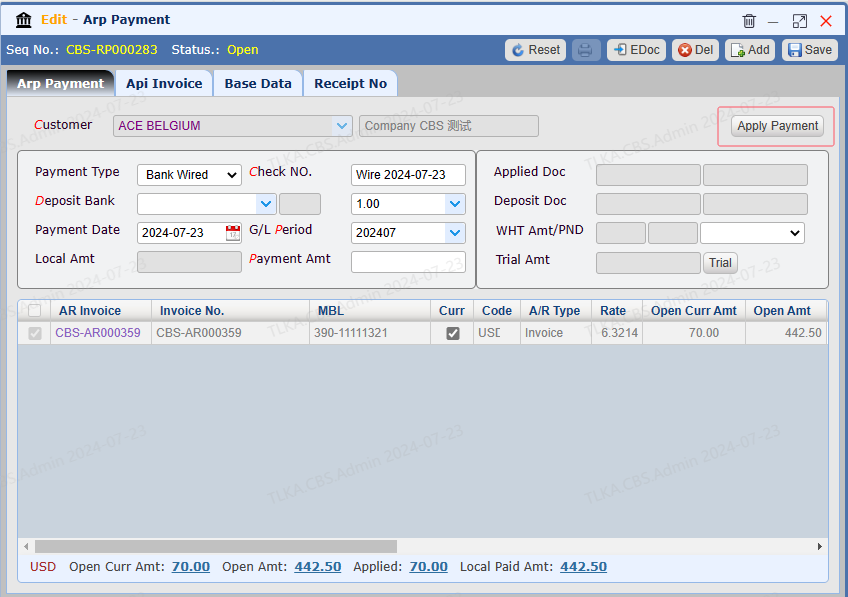
Record the Payment Details, Then Apply Payment
* * If the AR and AP balance is positive number, it will go to AR Payment If the AR and AP balance is negative number, it will go to AP Payment
|
Generate A New Invoice Based on AR And AP balance
Click 【Post】
|
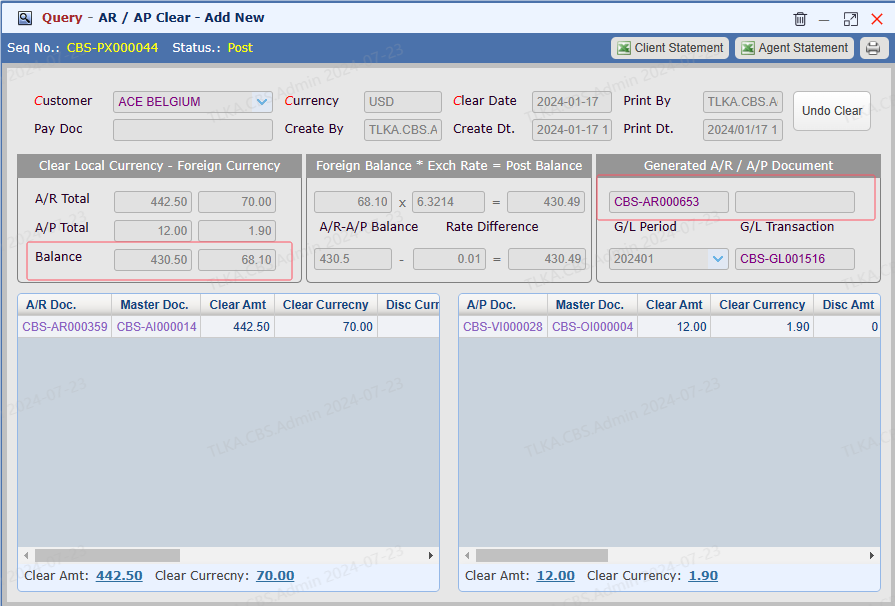
Then, System Will Create A New Invoice
If balance is positive, system will create an AR invoice If balance is negative, system will create an AP invoice
|
