中文 | EN

更新时间:2024-07-09

When Is Additional Invoice Required?

When a Master is closed, the charge or cost tab is locked from editing. So, if there are any additional charges or costs,  you can issue Additional Invoice.


How To Create An Additional Invoice?


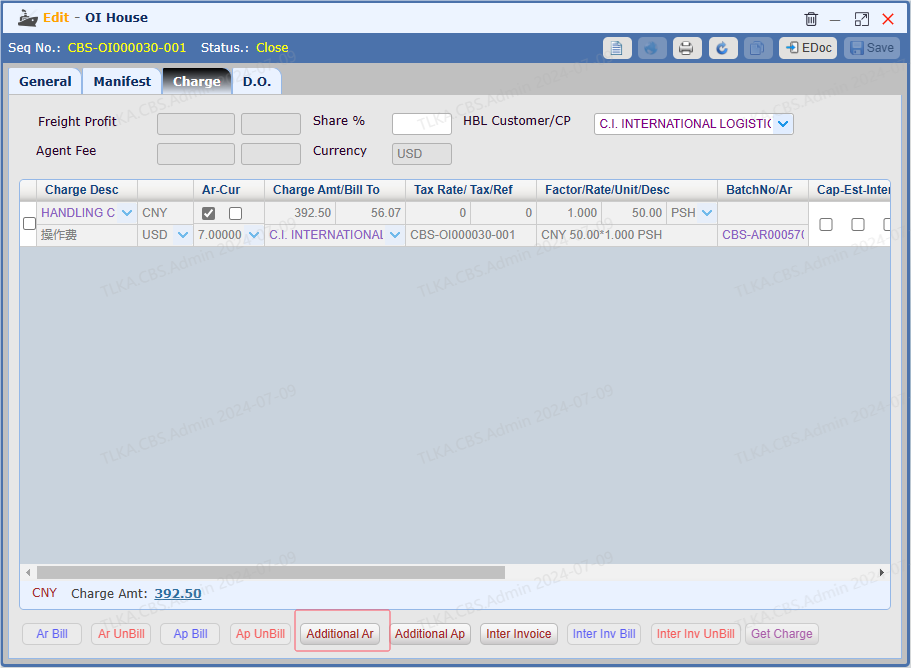
Open A House


Below illustration will take House Charge tab as example, you can do the same on Master Cost tab


Click 【Additional Ar】 to create AR Additional Invoice


QQ_1720491983199.png


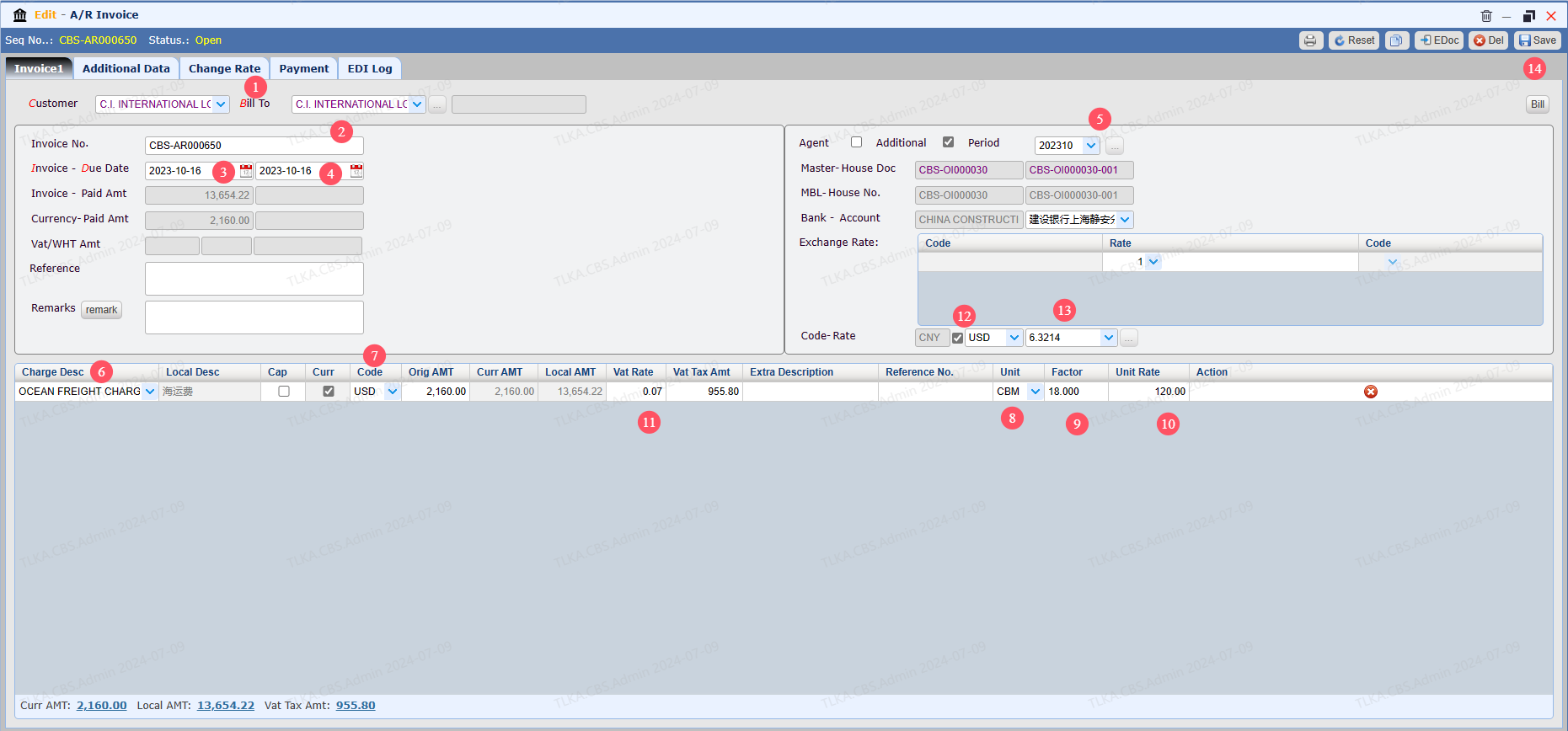
Record Invoice Details


  1. Select Customer and Bill To.  Bill to can be different from Customer.

  2. After Saving, system will generate a default invoice number,the accounting user can edit the invoice number manually. 

  3. Invoice date will be generated on pre-set rule, for example, by ETD, or ETA or Current Date

  4. System will auto calculate due date according to the credit term.

  5. User can manully revise the period

  6. Select a charge item(note the shipment type, AE, AI, OE, OI,DO)

  7. Select a currency

  8. Select Unit

  9. Enter QTY(Factor)

  10. Enter Rate

* * if you don't need amount breakdown, you can enter the number on Orig AMT directly


 11. If tax should be included, fill in the VAT rate, system will auto calculate the Tax amount

 12. If the invoice is a foreign currency invoice, tick the box

 13. Exchange Rate

 14. Save


QQ_1720503839474.png


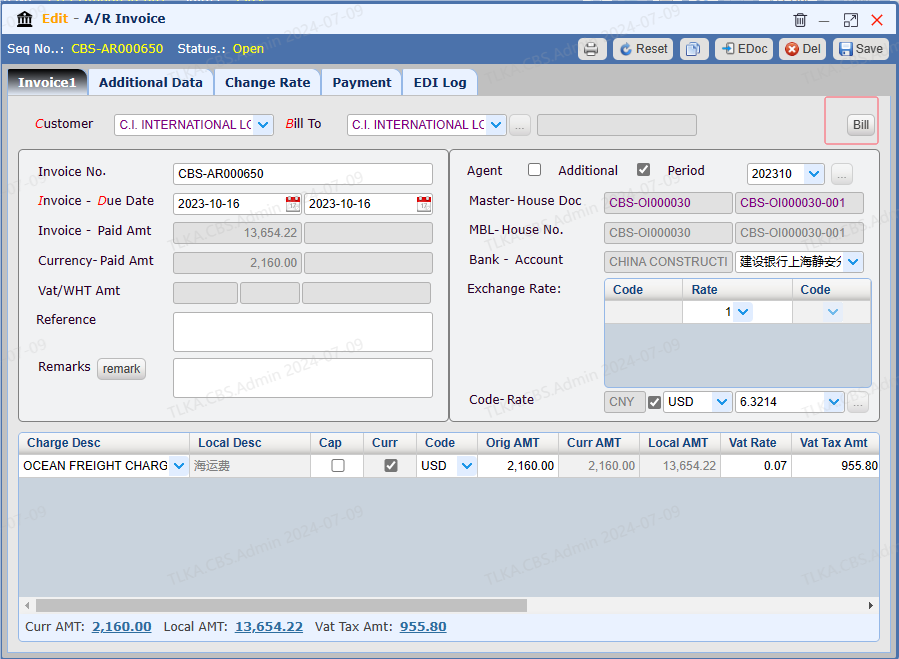
Bill


Click 【Bill】, the invoice status will change to 【Invoiced】from【open】


QQ_1720504066785.png


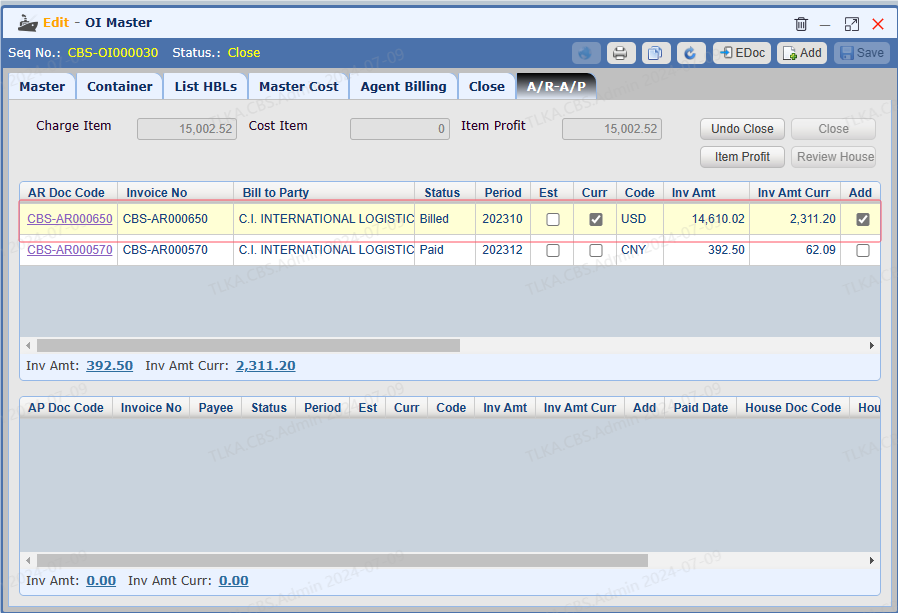
View Issued Invoice


Switch to tab【A/R-A/P】


QQ_1720504143847.png