更新时间:2024-08-13
There are two ways to process received payment:
1. Pay directly from invoice
2. Pay from payment menu
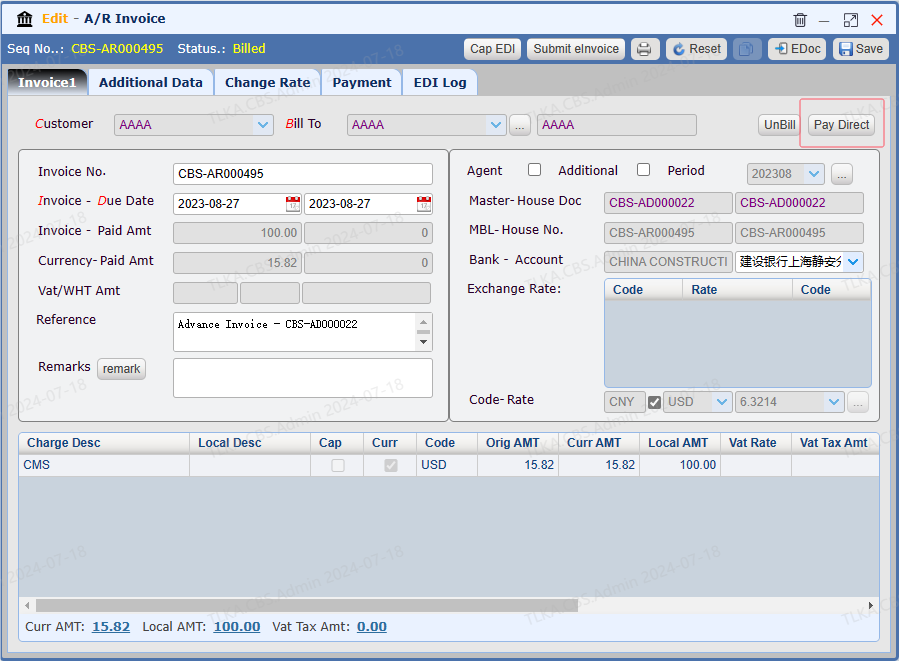
Open an Invoice |
Click 【Pay Direct】, system will direct you to payment window
|
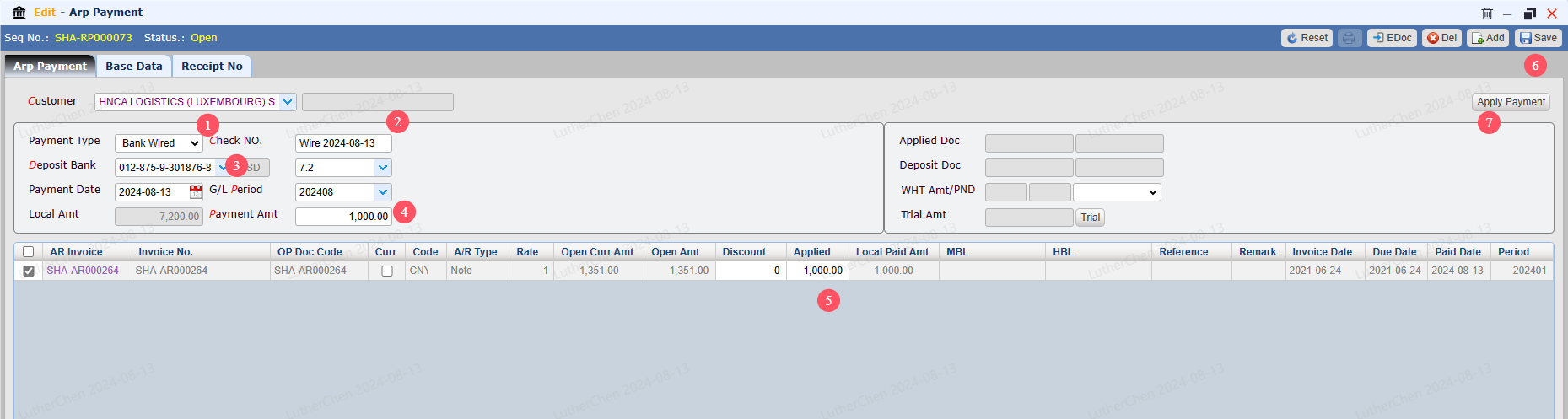
Enter payment details, Save, then Apply Payment
1. Select Payment Type 2. If it's a check, please record the Check No 3. Select Deposit Bank Account 4. Enter the actual received amount 5. Enter the payment amount you are going to apply this time (partial payment amount) 6. Save 7. Apply Payment |
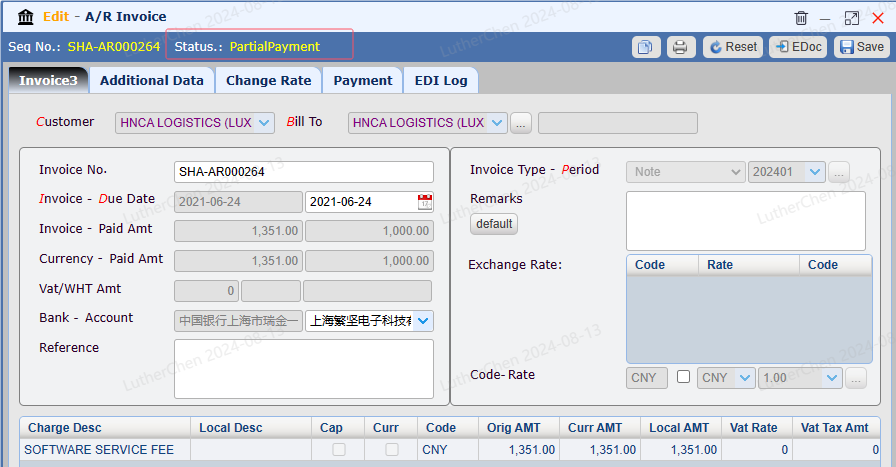
Invoice Status
The invoice status will be 【Partial Payment】
|
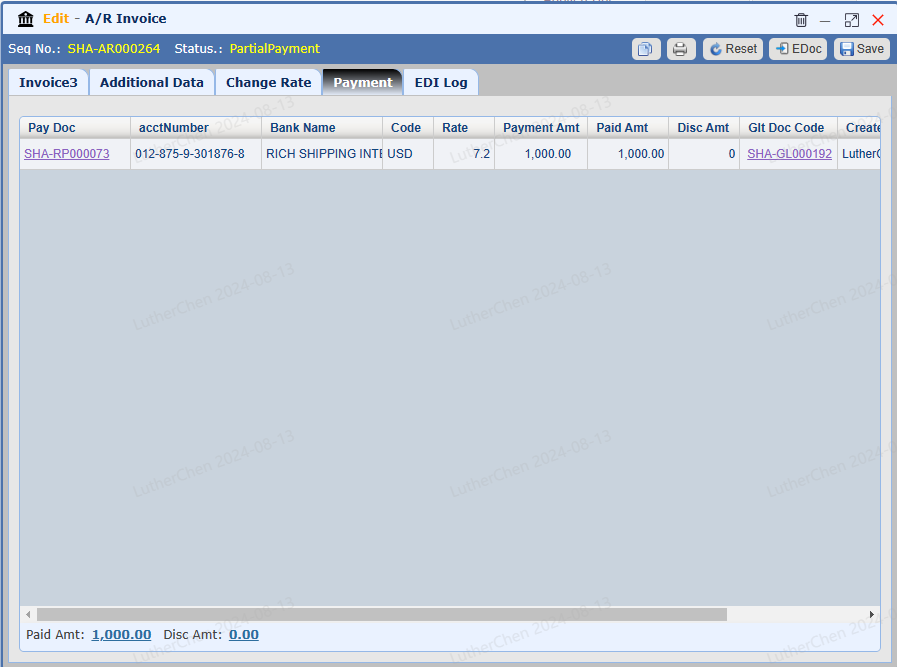
Payment List
The tab 【Payment】 will list all payment history
|
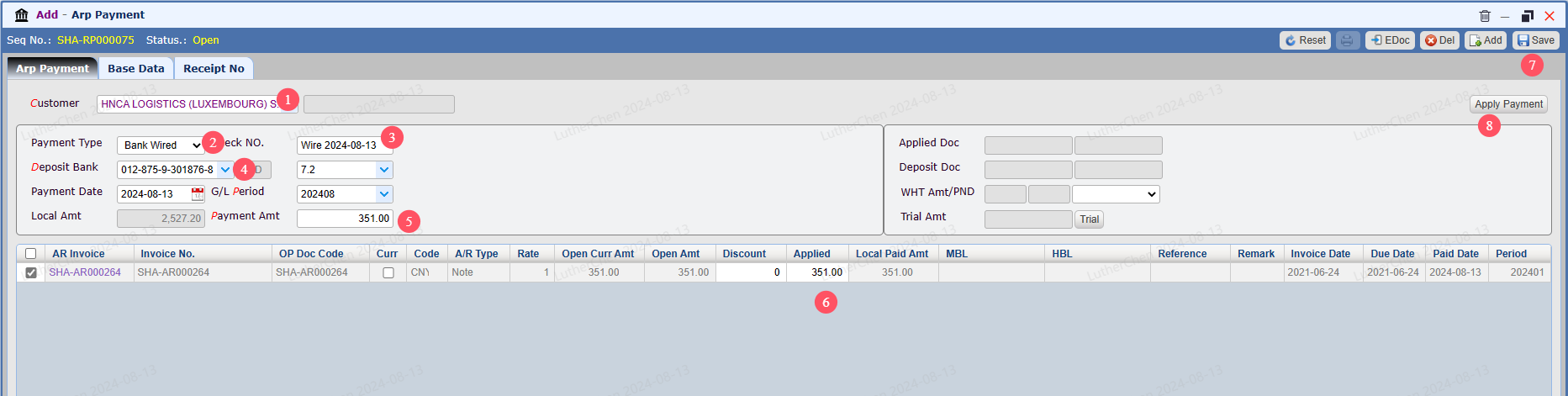
Balance Payment 1) Go To Menu 【 A/R > A/R Payment】 2) Record payment details
1. Select Customer 2. Select Payment Type 3. If it's a check payment, please record Check No. 4. Select Deposit Bank Account 5. Tick the invoice you need to process and enter the actual received amount 6. Enter the balance amount need to apply 7. Save 8. Apply Payment
|