Go To Menu 【 OE > Enter Master】
|
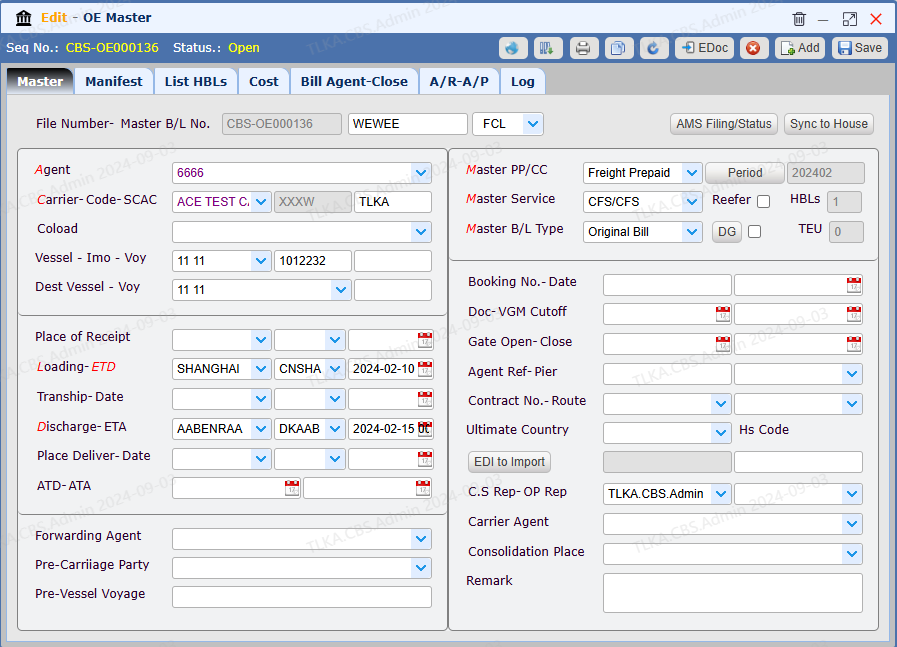
| Record Master Information
Select Agent Select Carrier Enter Vessel and Voyage Select Loading Port and ETD Select Disharge Port
Select Master Freight Type Select Master Service Type Select Master B/L Type
Enter other necessary information Save
|
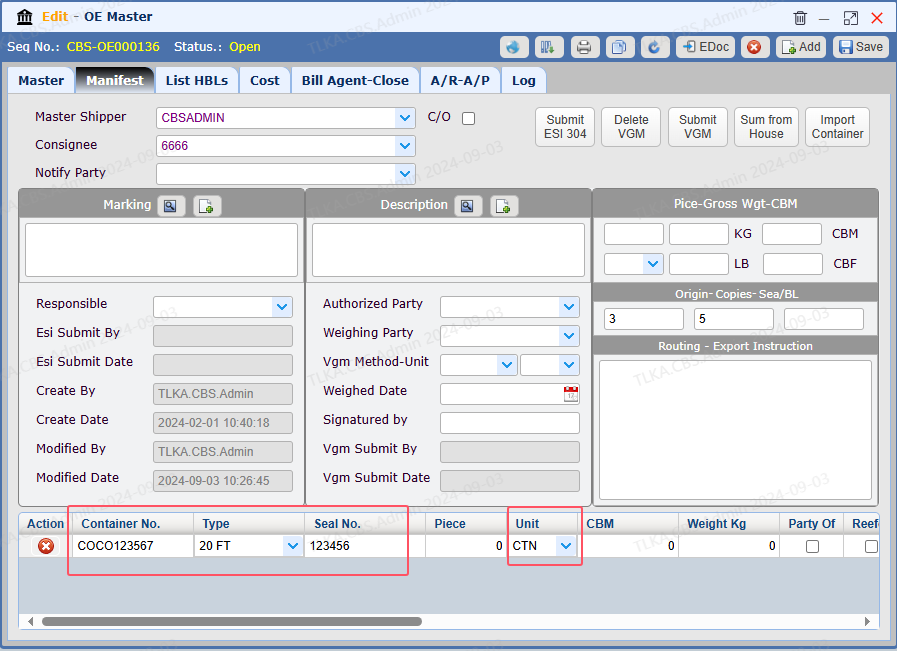
Record Manifest
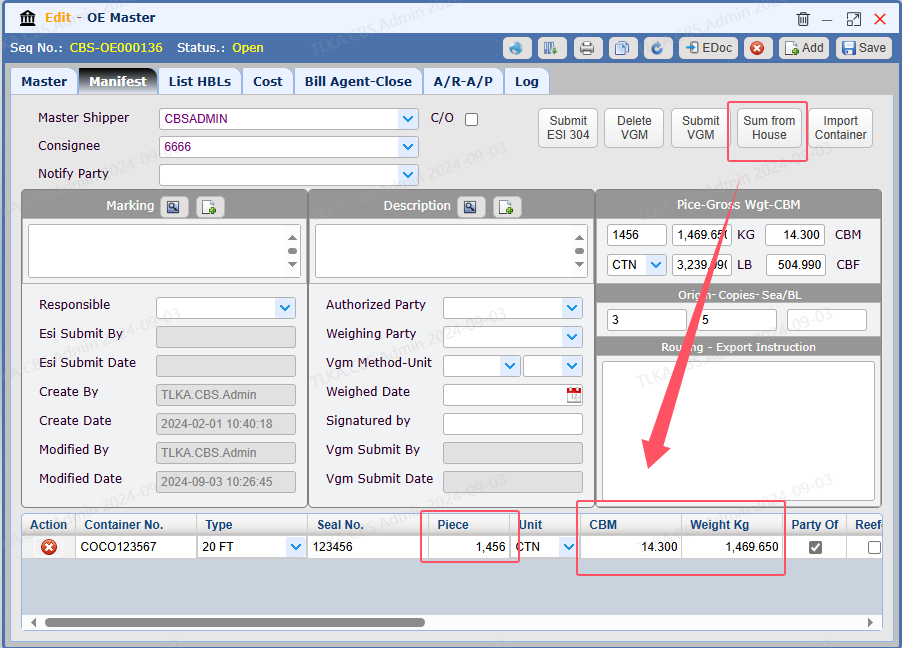
Record Container number, type and seal no. Select Unit You can continue to enter the piece, CBM, weight details or you can leave it blank. Once its house information has been entered, you can use 【Sum from House】button to summarize the data.
|
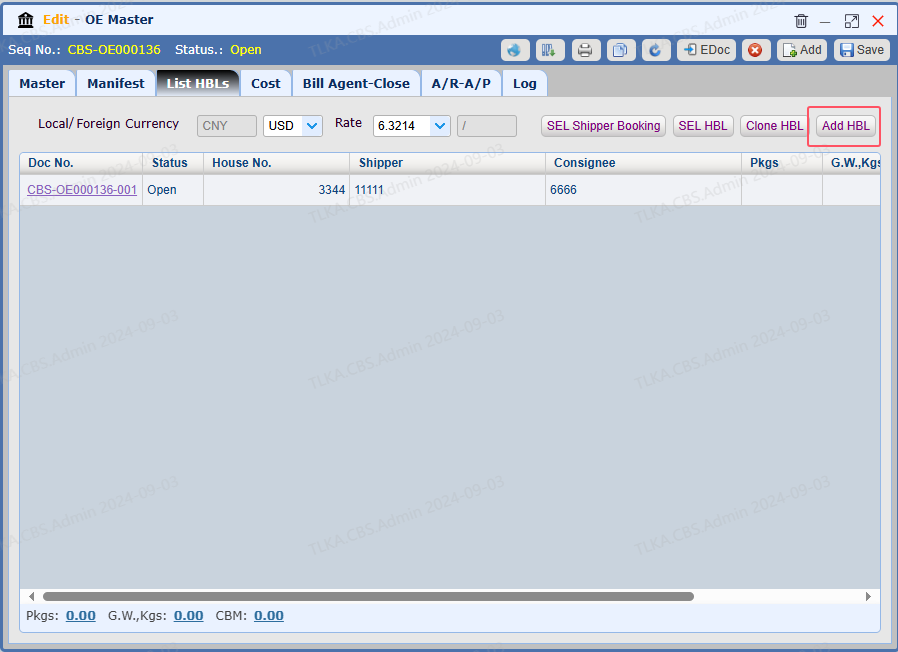
Add HBL
Switch to 【List HBL】 Click button 【Add HBL】to create HAWB 001
* If more Houses are required, clcik 【Add HBL】 to add more
|
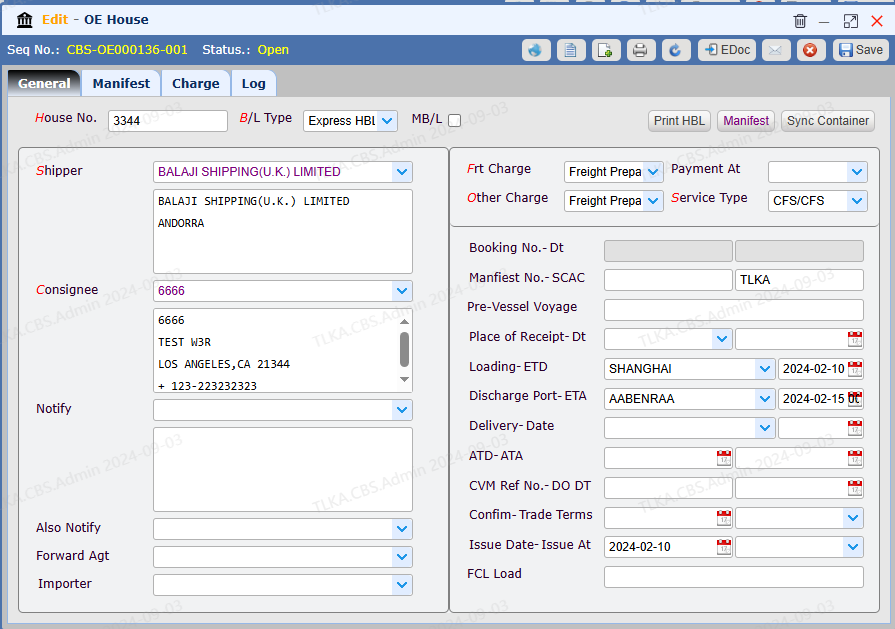
Record General Details for House 001
Record Shiper and Consignee Select FreightCharge type and Service type
Record other necessary information Save
|
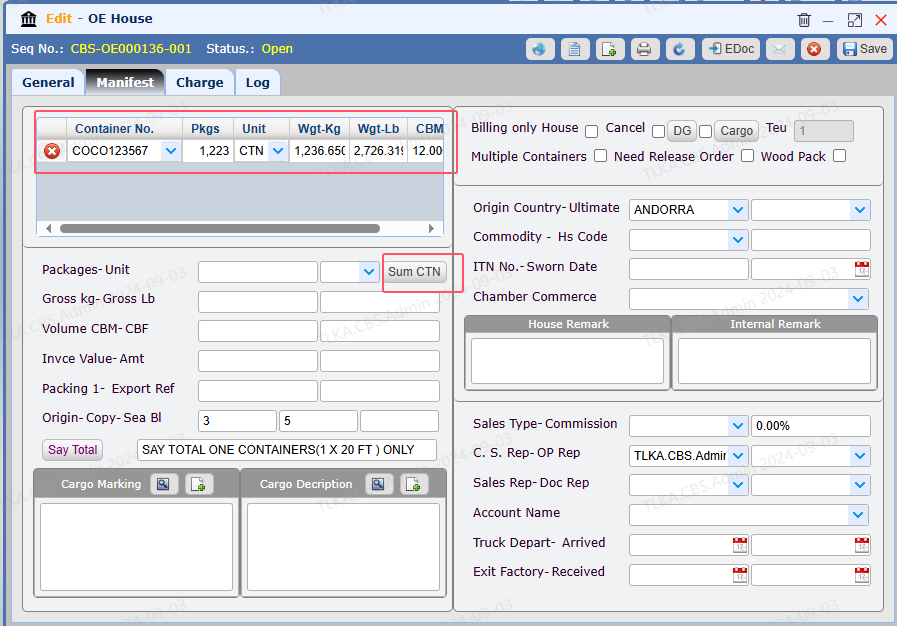
Record House Manifest
Enter Container data Click 【Sum CTN】to calculate the total house pieces, CBM, Weight Save
|
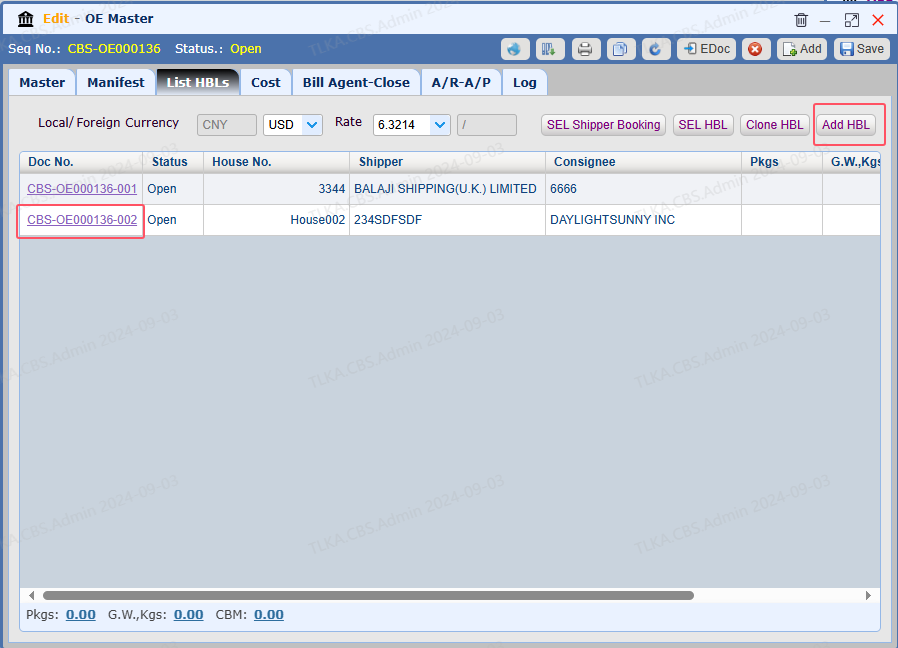
Add More House
Click 【Add HBL】 to create House 002
|
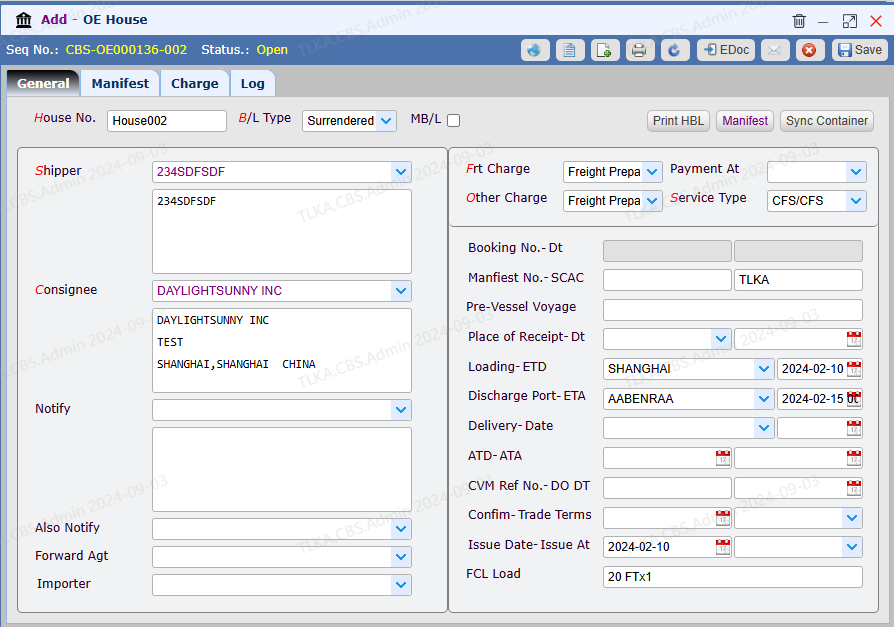
Record General Details for House 002
Record Shiper and Consignee Select FreightCharge type and Service type
Record other necessary information Save
|
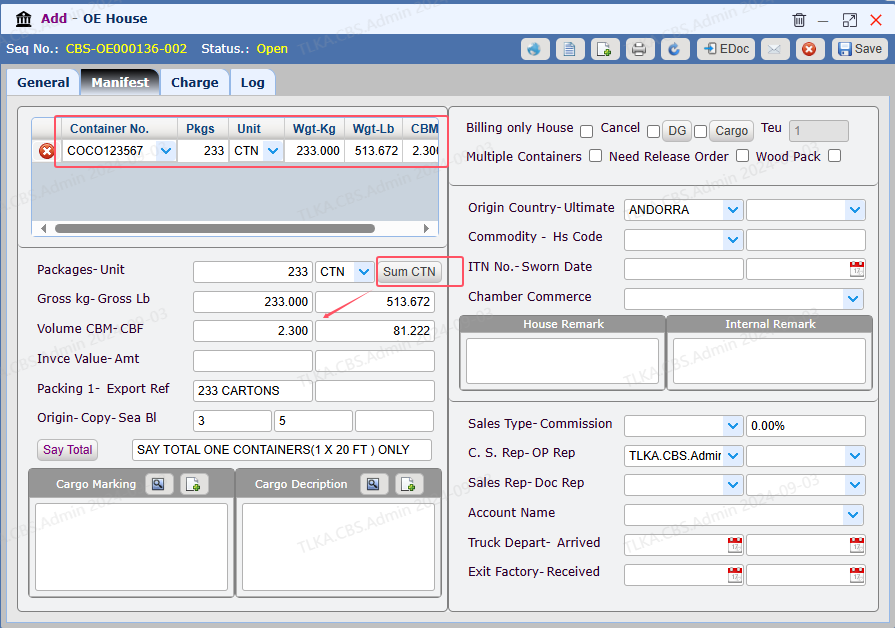
Record House Manifest
Enter Container data Click 【Sum CTN】to calculate the total house pieces, CBM, Weight Save
|
Summarize Data from House
Click button 【Sum from House】, system will summarize peices, CBM, Weight data from its all Houses
|
Record Charge/Cost, please refer to 【Charge & Cost】
|
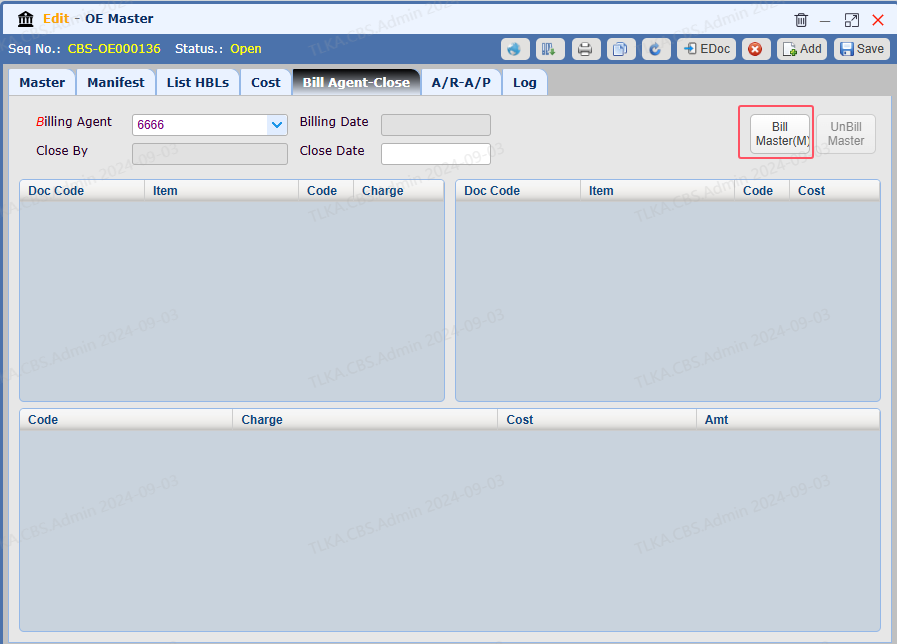
| Agent Billing, please refer to How To Build Master
|
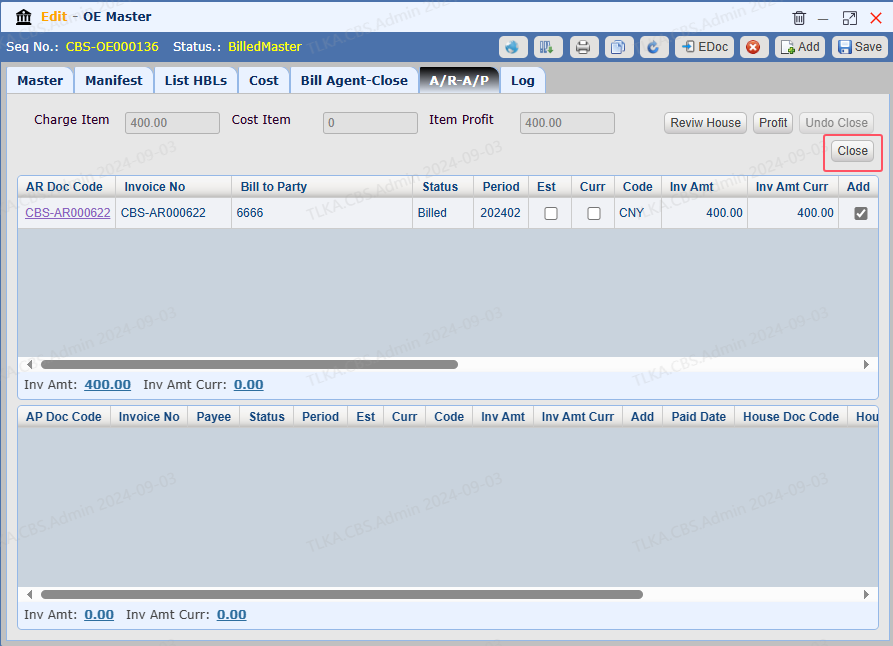
Close
Once the Master is completed, the user is required to close it.
|
