中文 | EN

更新时间:2024-07-05

How To Record Costs In System?


Costs For LCL Type 


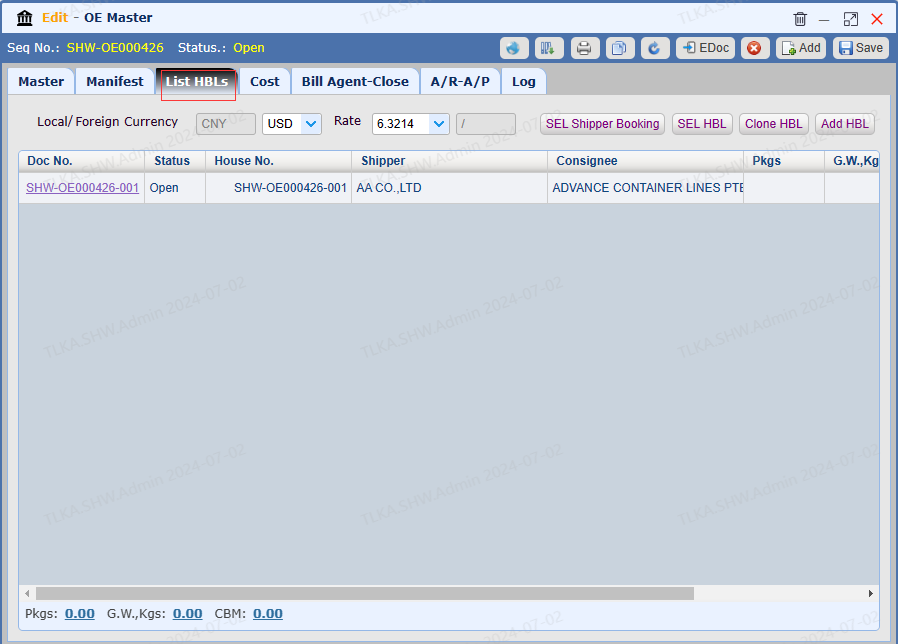
Open a Master and Go To List HBLs


Open a House


image.png


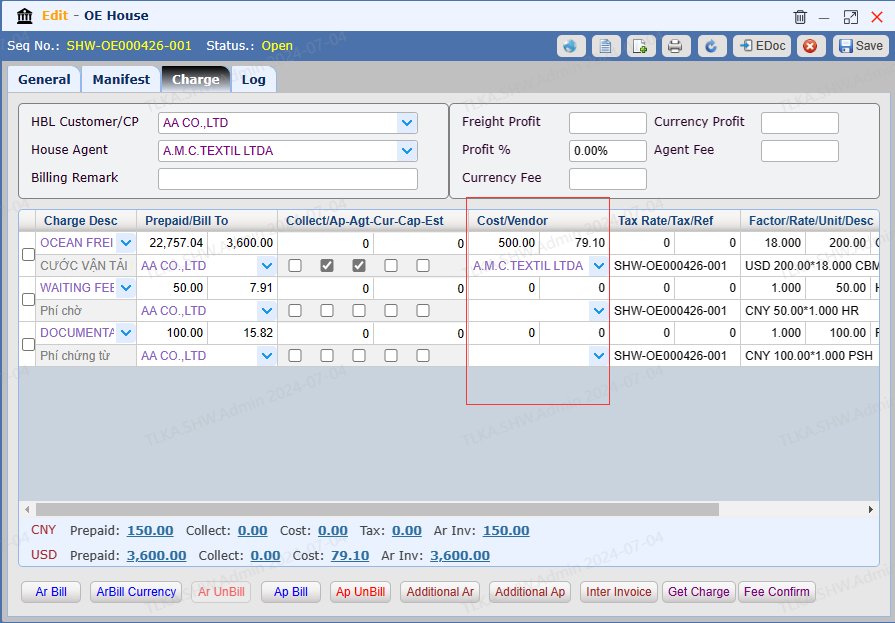
Switch to Charge


Switch to tab 【Charge】


image.png


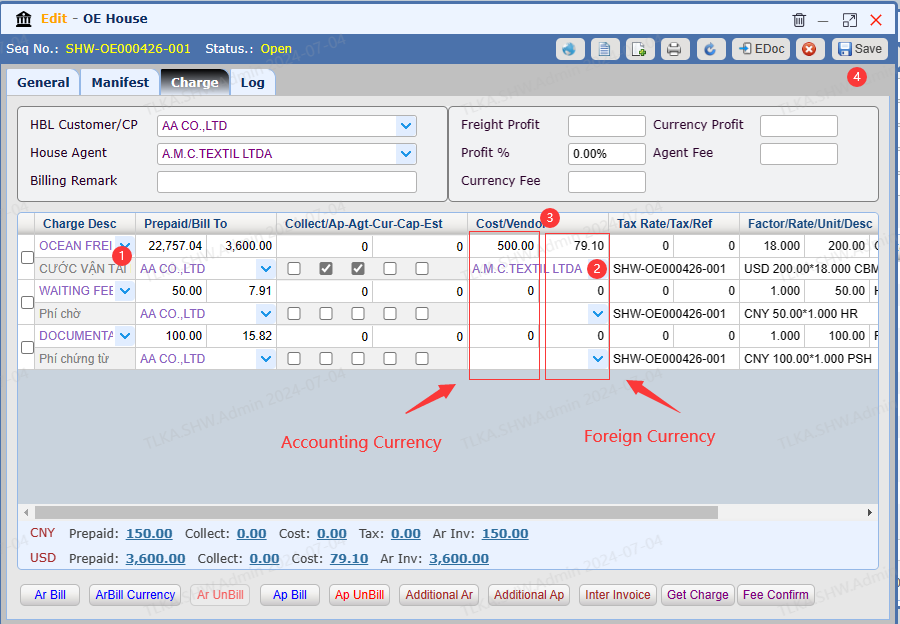
Record Costs on House

If there is a cost under this house, you can record the cost on house.


  1. Select 【Charge Desc】 from drop-down list

  2. Select Bill To

  3. Enter the Cost Amount

  4. Once all details are entered, click 【Save】

*  If you need to generate the invoice, please refer to How To Generate AP Invoice


image.png


Record Costs on Master


  1. Select 【Cost Desc】 from drop-down list

  2. Enter QTY(Factor), Rate, Unit

  3. If Tax should be included, enter Tax Rate, system will calculate Tax Amount

  4. System will automatically calcuate Cost amount

  5. Select Vendor

  6. If the cost is foreign currency, tick the Cur box

  7. Once all details are entered, click 【Save】


| *  If you need to generate the invoice, please refer to How To Generate AP Invoice


image.png


Costs For FCL Type


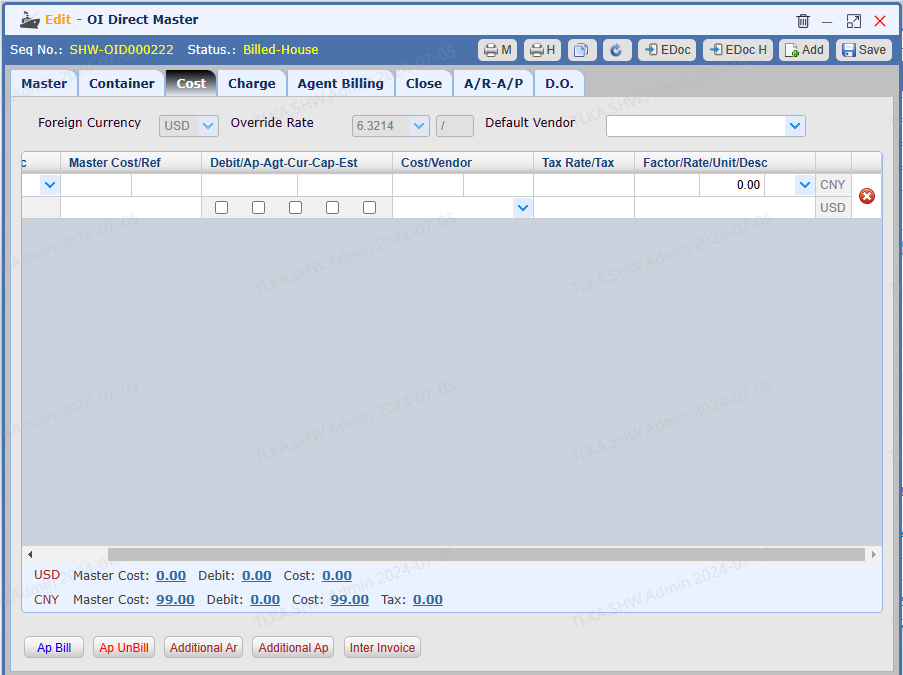
Open A Direct Master


Go to tab【Cost】


QQ_1720154031377.png


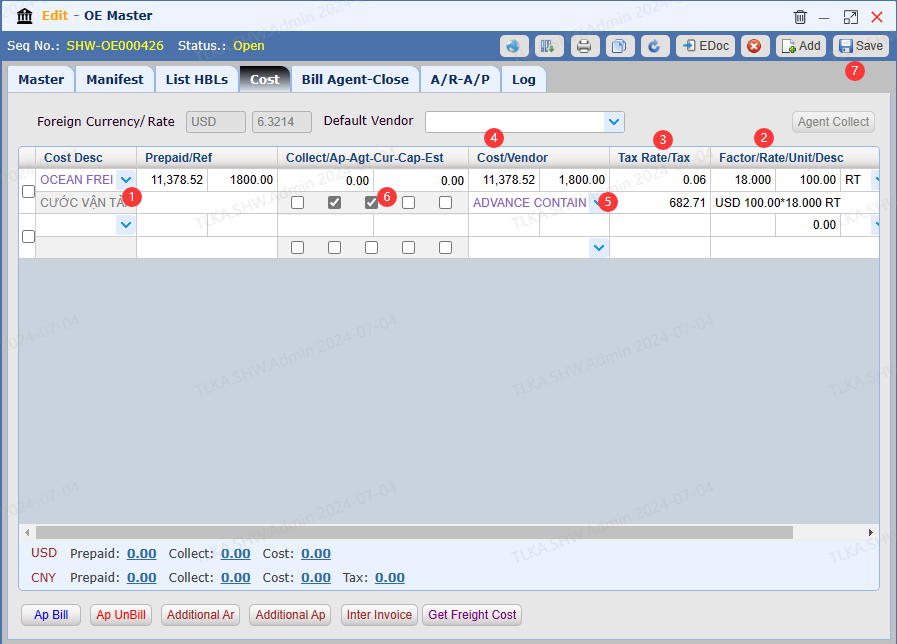
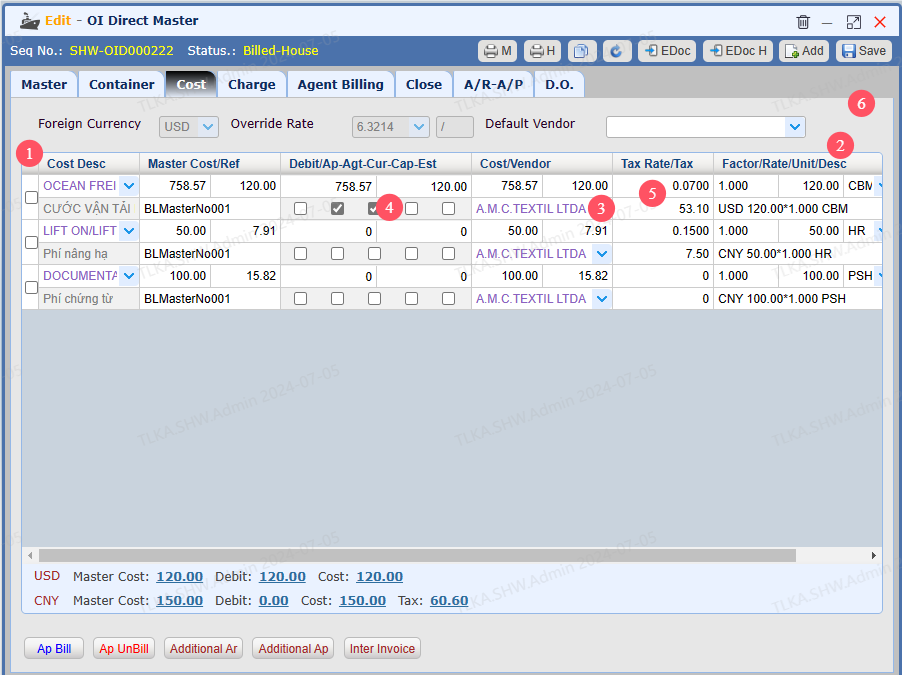
Record Costs


  1. Select 【Cost Desc】 from drop-down list

  2. Enter QTY(Factor), Rate, Unit. 

  3. Enter Vendor

  4. If the charge is charged with foreign currency, tick the Cur Box

  5. If Tax should be included,  enter the Tax Rate, system will automatically calculate the Tax Amount

    by 【cost amount * tax rate = tax amount】

  6. Once all details are entered, click 【Save】

*  If you need to generate the invoice, please refer to How To Generate Invoice


QQ_1720155254748.png