中文 | EN

更新时间:2024-08-13

Withholding Tax For Thailand


All companies in Thailand are required to report and withhold taxes from their vendors when making payments for services they ordered. 


How To Record Withholding Tax


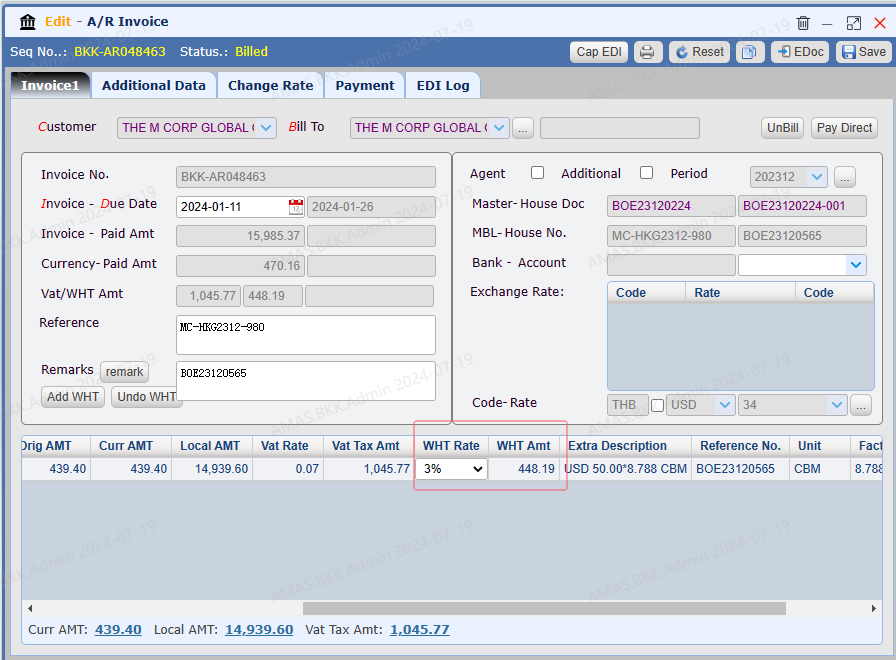
Open An Ar Invoice


| * * Note: the invoice status should be 【Billed】


Record the WHT details


  1. Select a WHT rate, system will calculate the WHT amount

  2. 【Save】


  QQ_1721358093841.png


How To Apply Payment for WHT


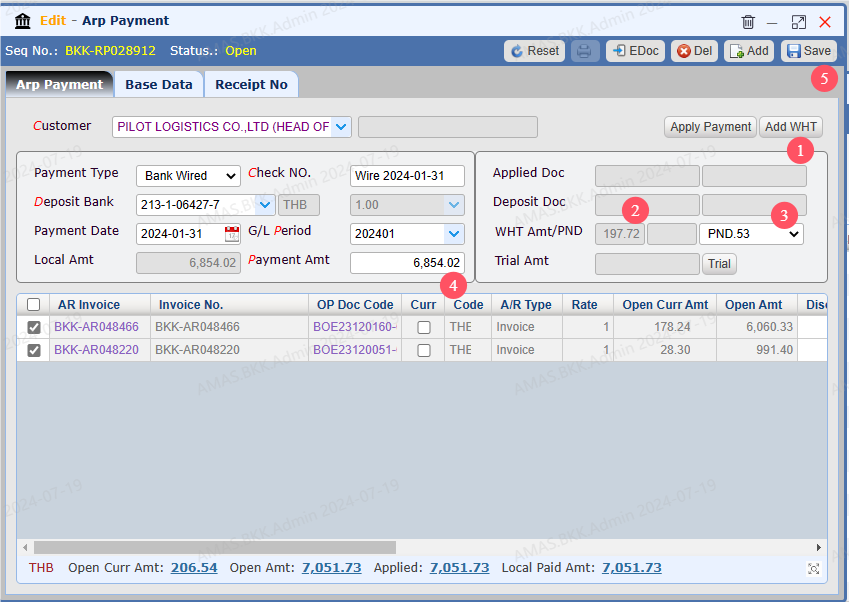
Record the WHT details on Payment Window


  1. Click 【Add WHT】

  2. System will auto add WHT amount

  3. Select PND

  4. Enter the actual received payment

  5. Save

  6. Click 【Apply Payment】 to complete it


  QQ_1721358482440.png


Print WHT Receipt


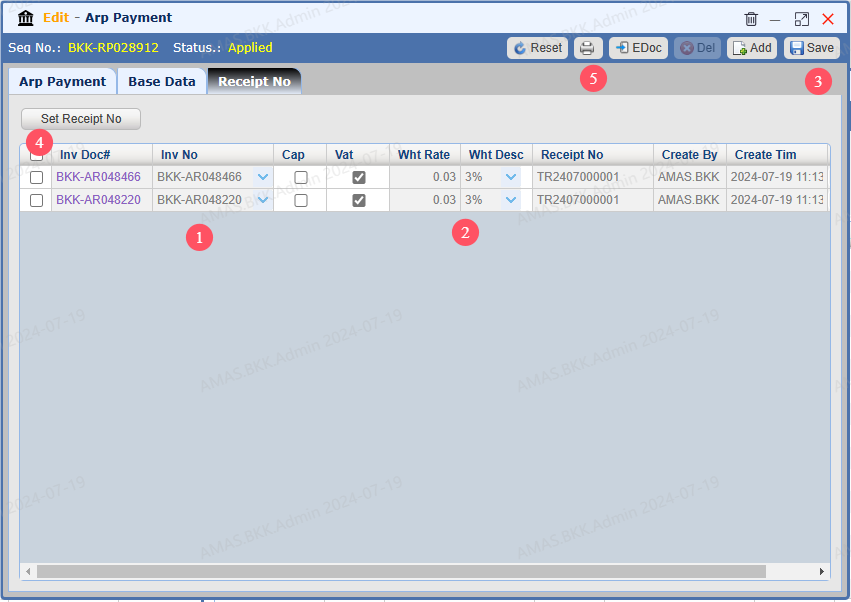
   Switch to Tab 【Receipt No】

  1. Select the invoice you need to print receipt

  2. Select the WHT  Rate

  3. Save

  4. Tick the invoice and click 【Set Receipt No】 to generate a receipt number for the invoice you ticked

  5. Click 【Printer】 to print the receipt


  QQ_1721358892388.png


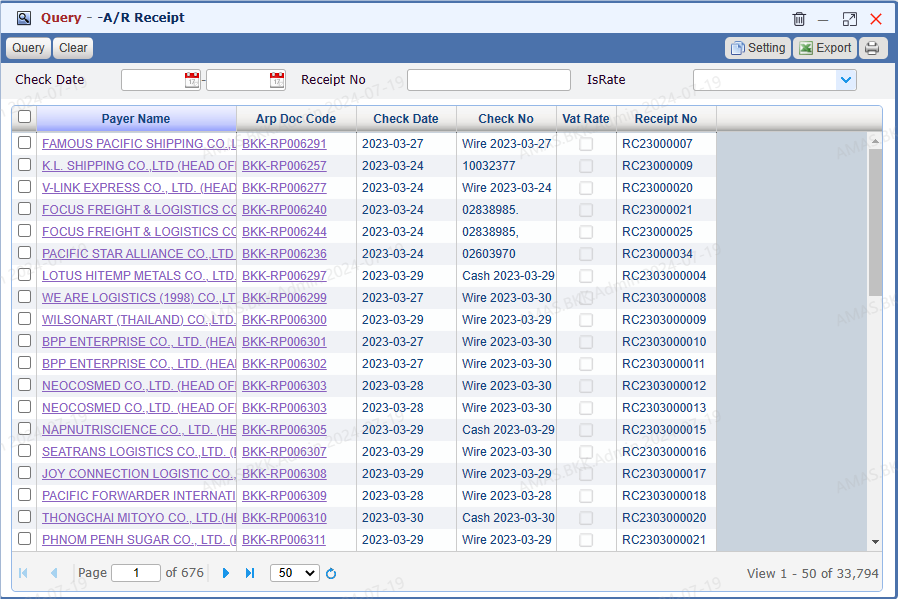
Query Receipt


Go to menu 【 A/R > Query A/R Receipt】


A/R Receipt List


QQ_1721359817993.png