How To Record Chargers In System?
Charges For LCL Customer
As LCL type often involves more than one customer, so the charges should be recorded on each house.
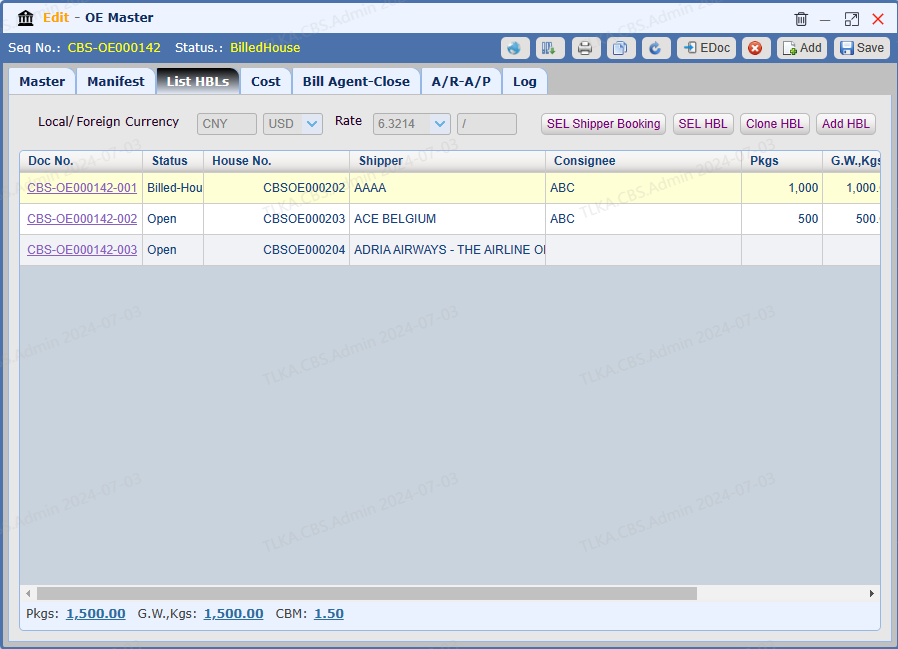
Open a Master and Go To List HBLs
Click the Doc No. to open a House
|
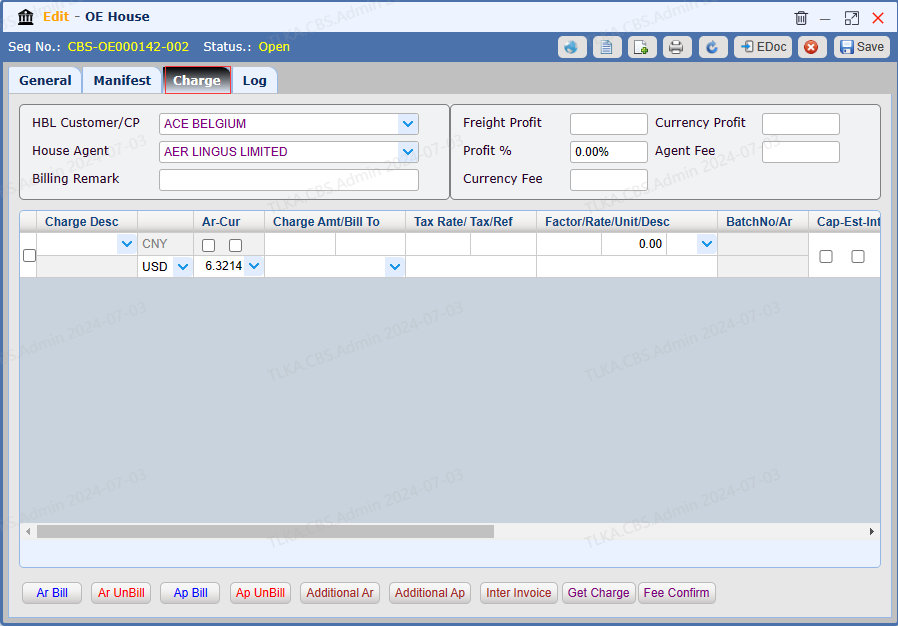
Charges
Switch to tab 【Charge】
|
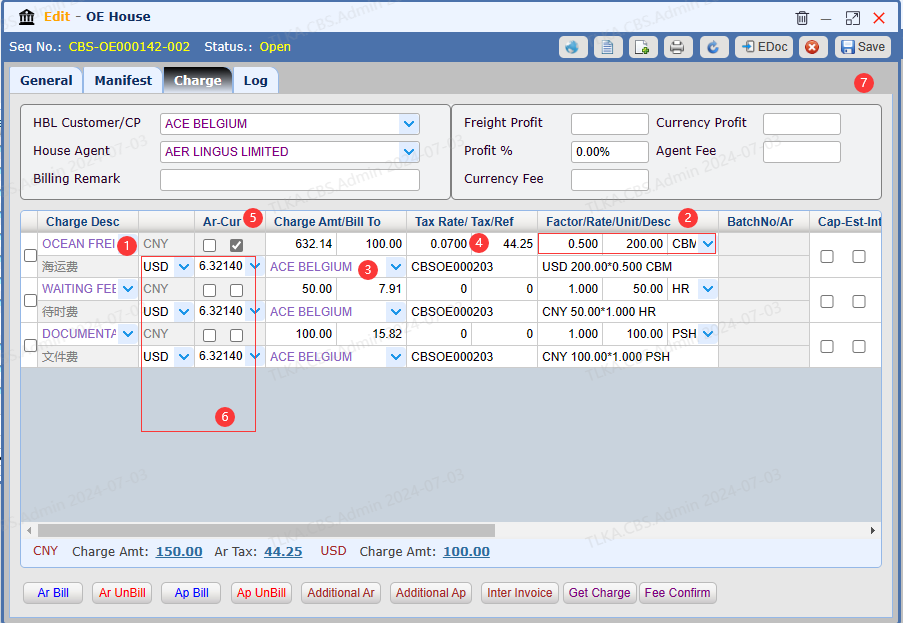
Record Charges
Select 【Charge Desc】 from drop-down list Enter QTY(Factor), Rate, Unit. Enter Bill To If Tax should be included, enter the Tax Rate, system will automatically calculate the Tax Amount by 【charges amount * tax rate = tax amount】 If the charge is quoted with foreign currency, tick the Currency Box Exchange Rate will use the default rate, but users can manually revise it
Once all details are entered, click 【Save】
* If you need to generate the invoice, please refer to How To Generate AR Invoice
|
Charges For FCL Customer
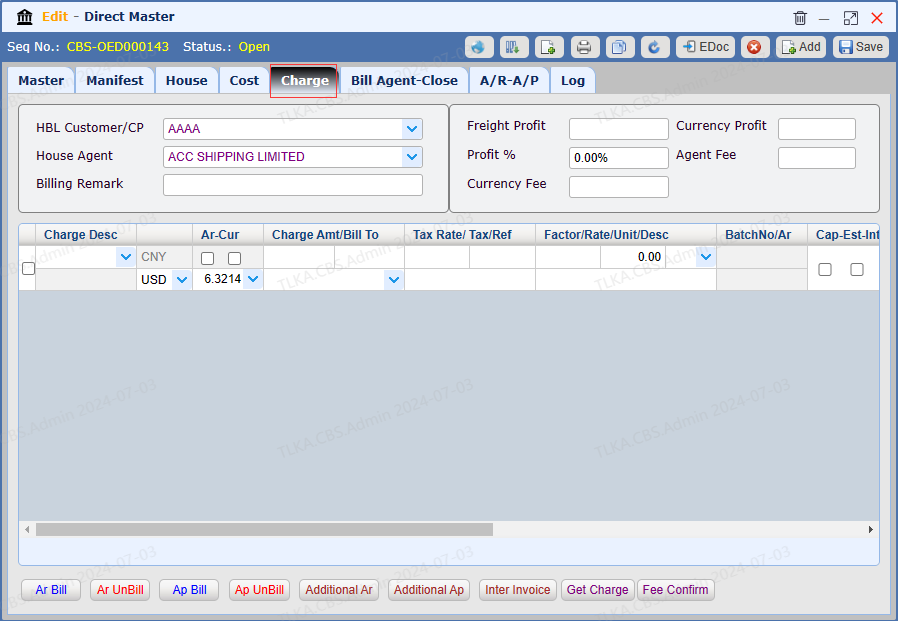
As FCL type often involves one customer, the charges can be recorded on Master directly.
Open A Direct Master
Go to tab【Charge】
|
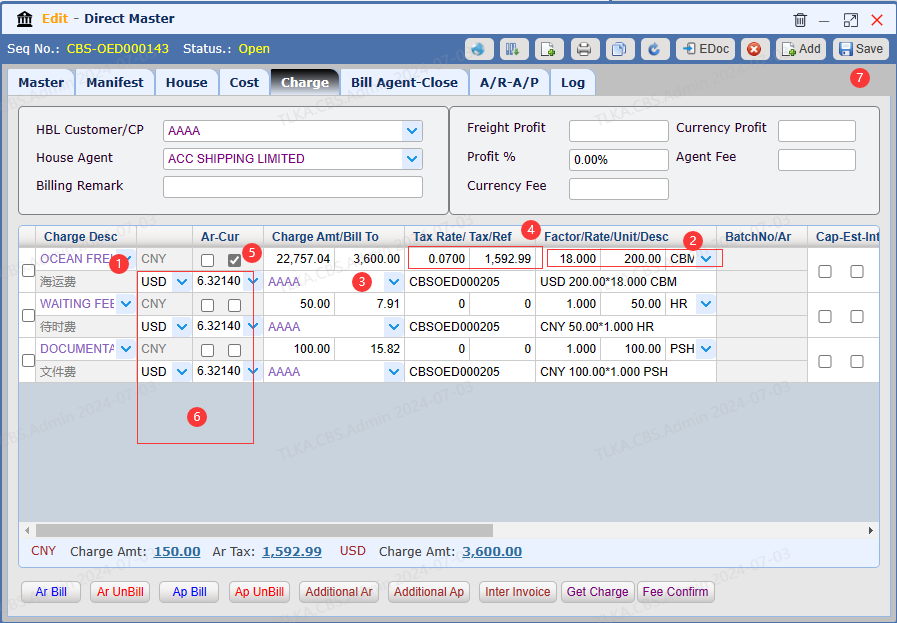
Record Charges
Select 【Charge Desc】 from drop-down list Enter QTY(Factor), Rate, Unit. Enter Bill To If Tax should be included, enter the Tax Rate, system will automatically calculate the Tax Amount by 【charges amount * tax rate = tax amount】 If the charge is quoted with foreign currency, tick the Currency Box Exchange Rate will use the default rate, but users can manually revise it
Once all details are entered, click 【Save】
* If you need to generate the invoice, please refer to How To Generate AR Invoice
|
