更新时间:2024-08-13
Go To Menu 【A/R > Add AR Invoice】 |
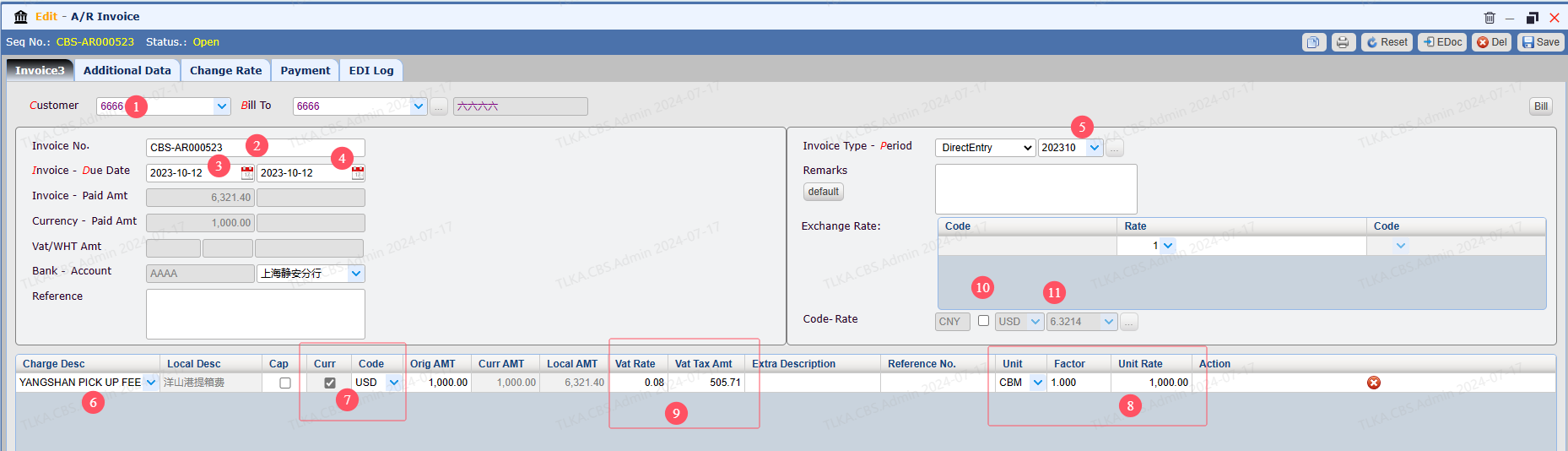
Record Invoice Details
9. If there is a tax, input the Vat Rate, system will automatically calculate the Tax amount 10. Currency Box, tick it, the invoice will be a foreign currency invoice 11. You can select a foreign currency and enter exchange rate Once details are completed, click 【Save】
|
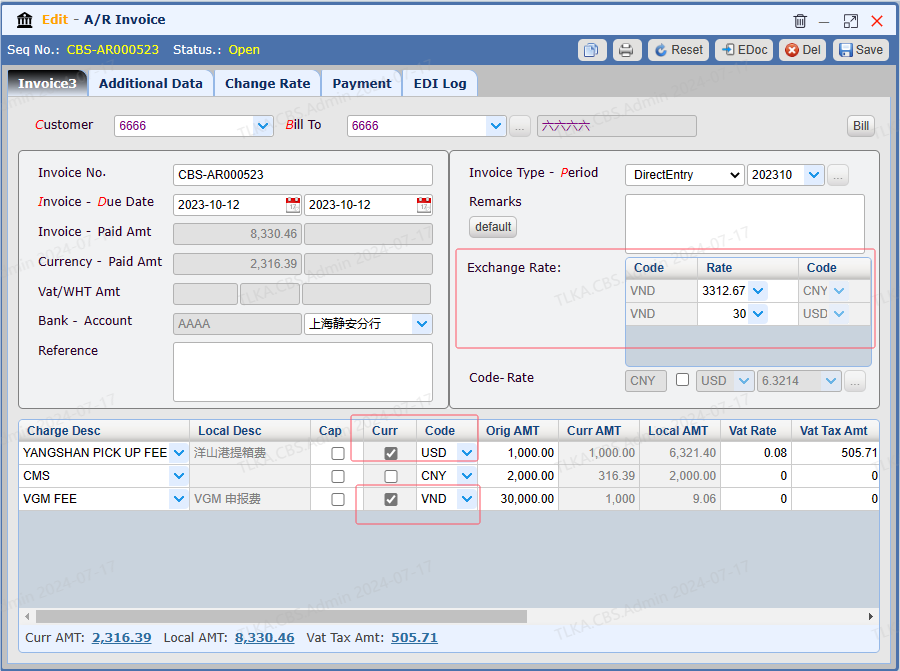
Multi-Currency Invoice Sometimes, it requires the invoice display multiple currencies. Below use CNY(accounting currency), USD, VND(foreign currency) to illustrate how to record multiple currencies 1. Once the charge details are recorded, the exchange rate table will display the rate for all currencies
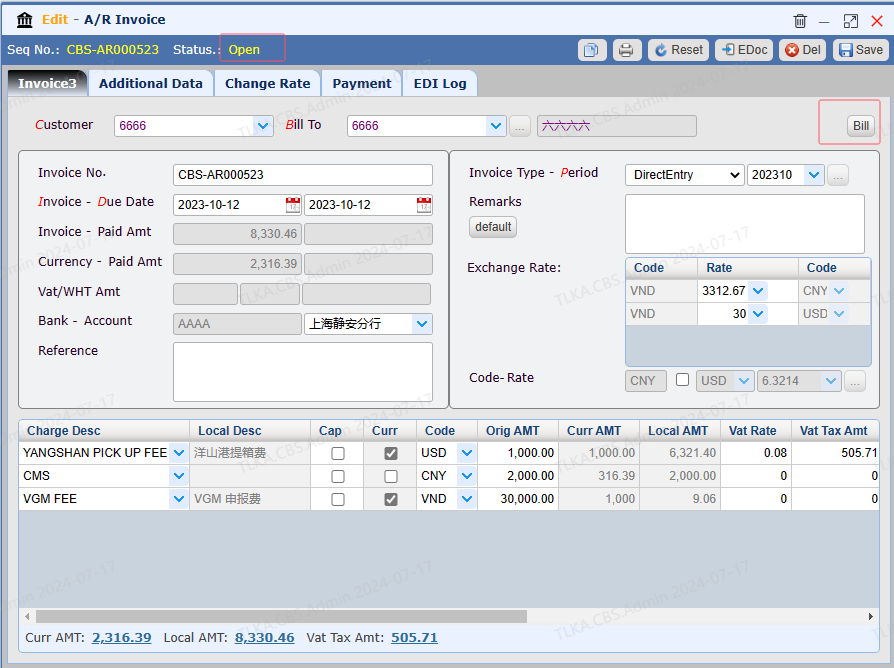
2. Click 【Save】, the status will be 【Open】 , then click 【Bill】
|
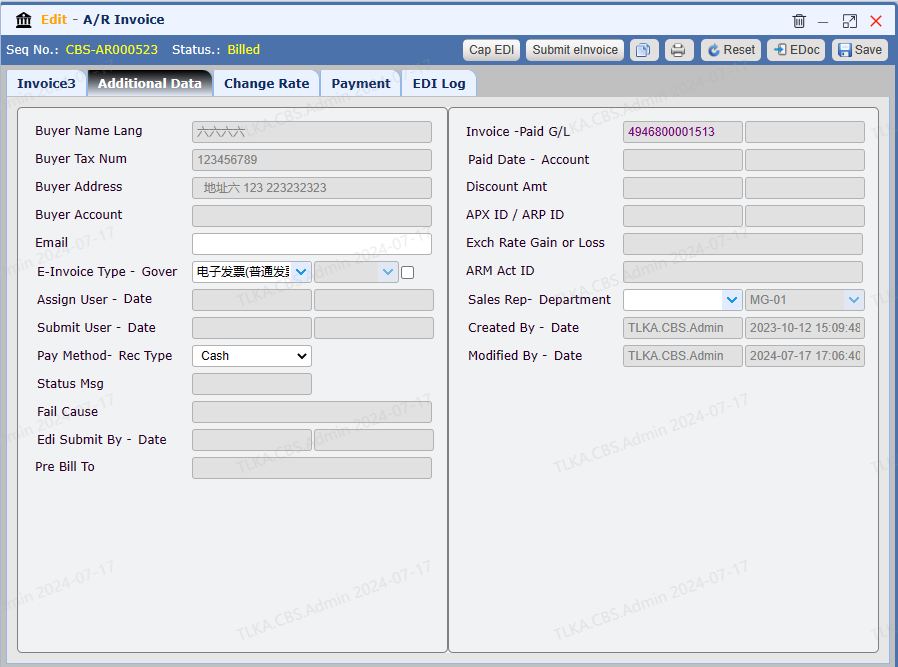
Instructions for Other Tabs 1. Switch to tab 【Additional Data】, you can check more details 【Invoice-Paid G/L】: click G/L number, system will direct you to G/L details
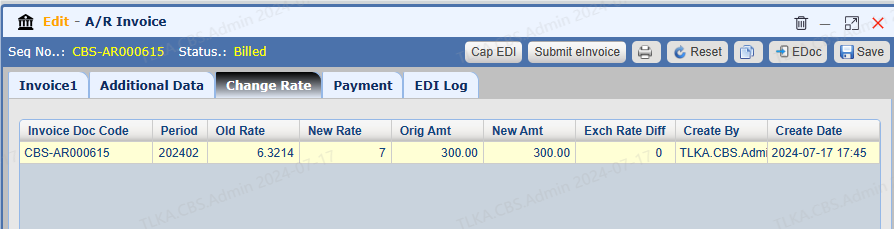
2. 【Change Rate】 displays the adjustment history of exchange rate
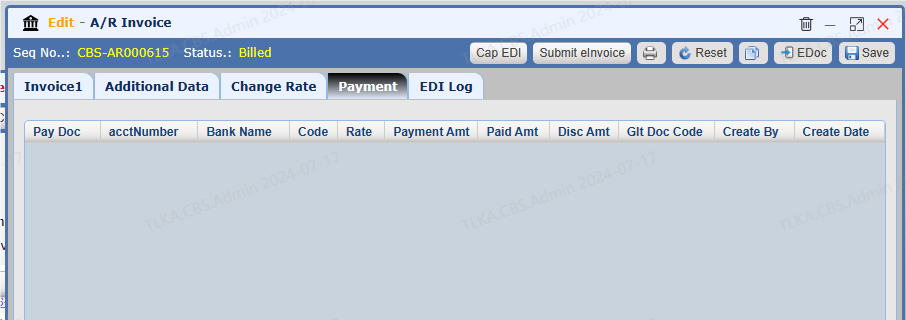
3. 【Payment】 lists all payment record under this invoice
|