中文 | EN

更新时间:2024-08-15

Agent Aging Report


How To Check Agent Aging Report


Go To Menu 【Report and Statistics > A/R and A/P Open Summary(Agent)]


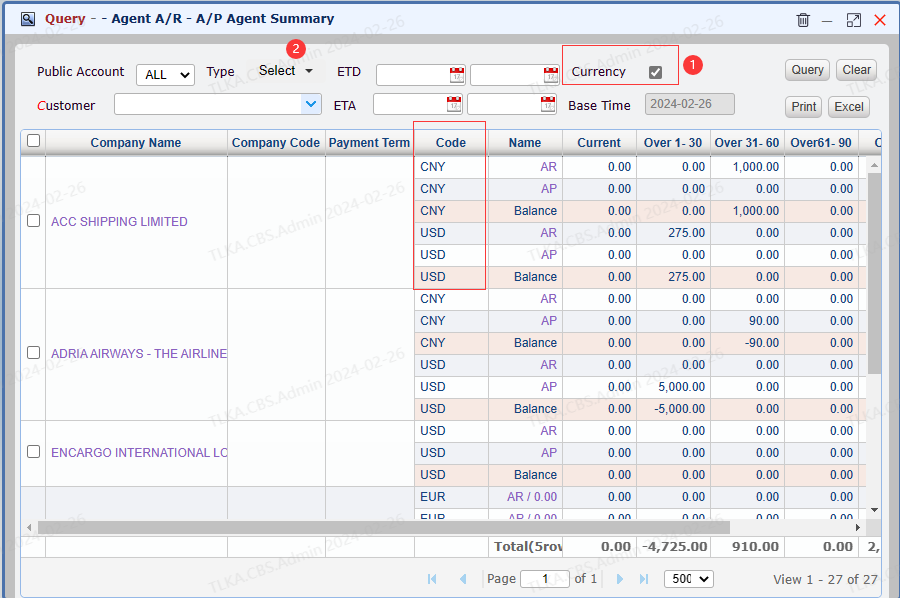
Agent Summary


  1. If the box 【Currency】 is ticked, the summary will list the amount by currencies, if Currency option is removed,

    it will only show by accounting currency

  2. 【type】: users can select a shipment type (OE, OI, AI, AE, DO)

  3. Click on Company Name, it will open the unpaid invoices list


image.png


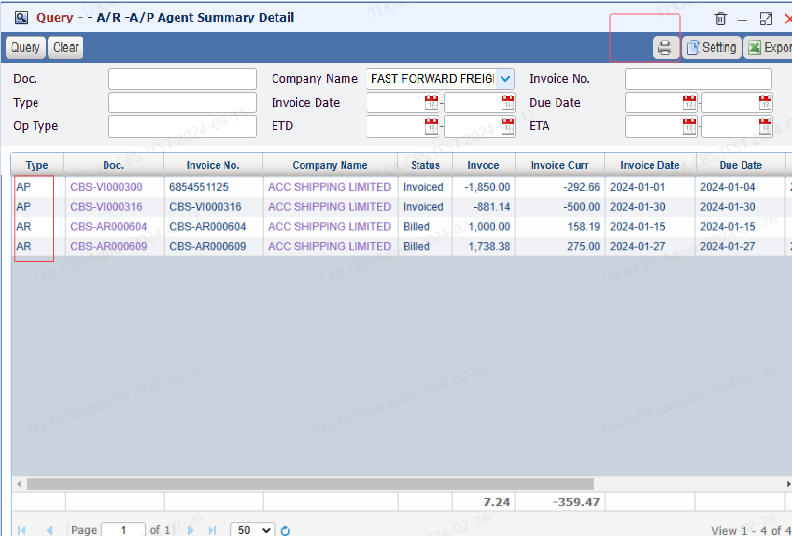
Agent Summary Detail


  1. Once the unpaid list is open, users can view all unpaid details including both A/R and A/P invoices

  2. Click 【Printer】 to print the statement


QQ_1723706625515.png


How To Print Agent Statement

There are two ways to print agent statement


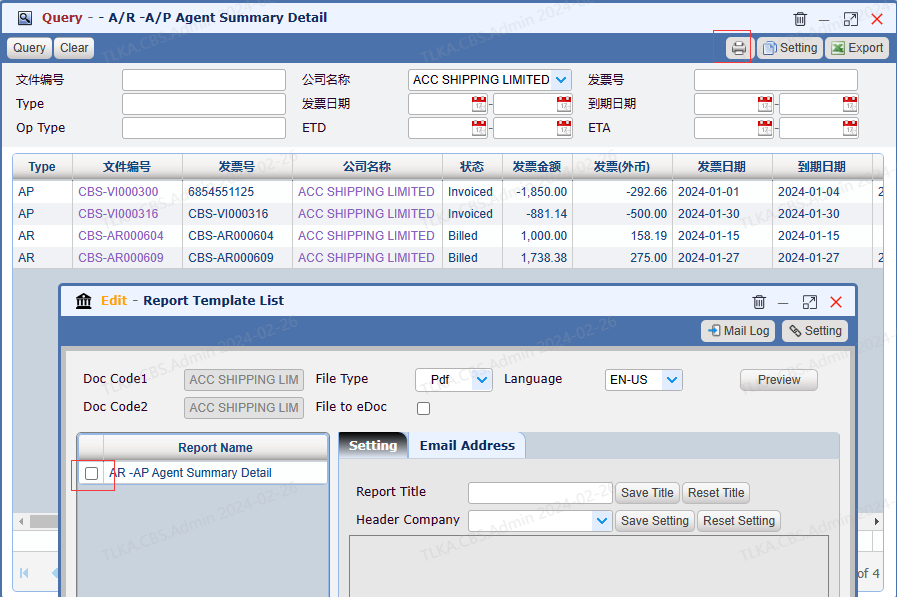
Print It From Agent Summary


Click 【Printer】to print statement


image.png


Print It From A/R-A/P Claring


  1. The benefit of this method is that it combines two features: statement and clear. Once the statement is confirmed by agent, you can apply payment directly.

  2. For details, please refer to 【A/R-A/P Clear】

    | * * A/R-AP Clear Instruction