中文 | EN

更新时间:2024-06-26

How To Set Up Query Window?

The query window contains a variety of elements, and the content that different users need to display may vary. 

The system supports users to personalize the elements displayed on the query page, so that the page can better fit their actual usage habits


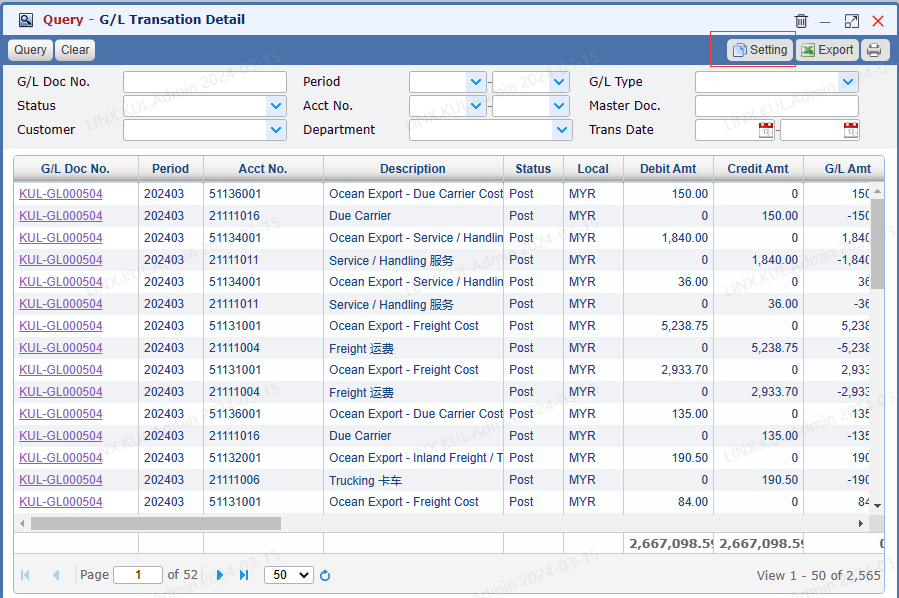
Open a query window


Open setting window


Click【Setting】button to open the setting window


image.png


Hide and display a column


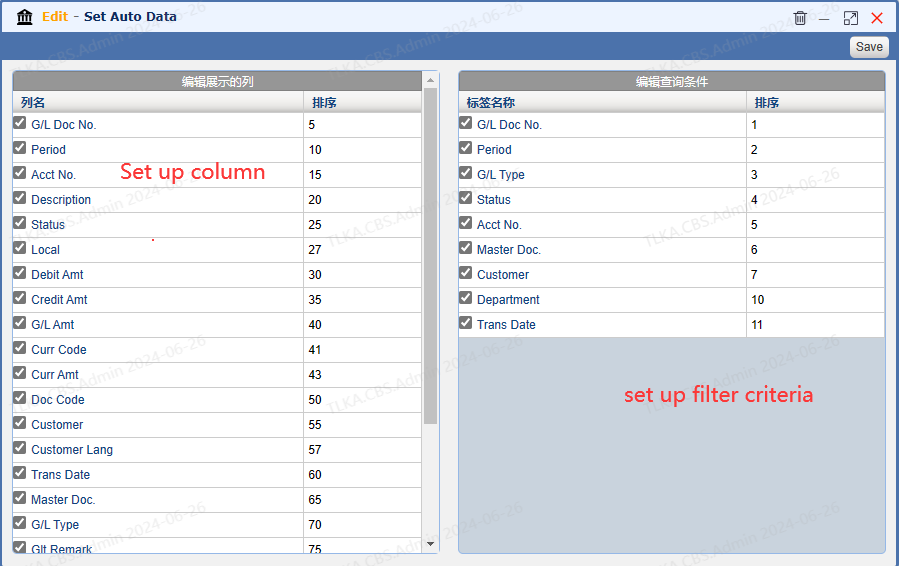
  1. Setting window has two areas. Left is for column setup, right is for filter criteria.

  2. Tick the column name,  the column will be shown on the query window. Untick the column name, it will hide the column from query window.


image.png


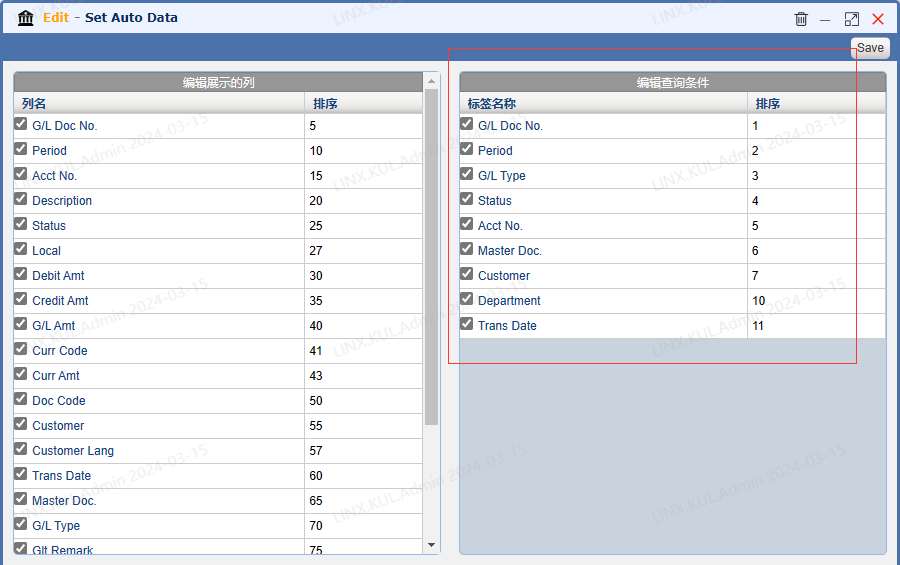
Hide and display filter criteria


  1. Tick the label name,  the criteria will be shown on the query window. Untick the label name, it will hide the criteria from query window.


image.png