更新时间:2024-07-08
How To Generate AP Invoice?
There are two ways to generate AP Invoice:
1.Invoice Combine Mode, under this mode, billing team can combine all invoices of one supplier into one invoice (invoice currency must be the same)
Details please refer to :Combine Invoices
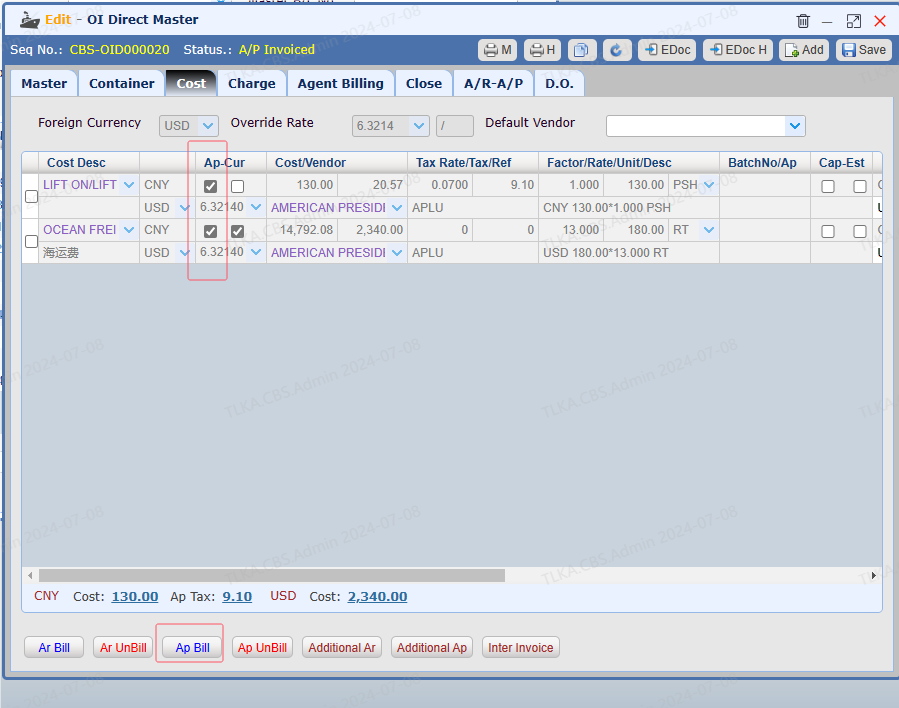
2. Normal Invoice Mode, under this mode, the invoice is generated directly from Master or House.
Users must decide which mode they are going to use before they use the system. Once the mode is selected, it can be changed.
Below will only demonstrate normal invoice mode, if you need to know about combine invoice function, please refer to the link above
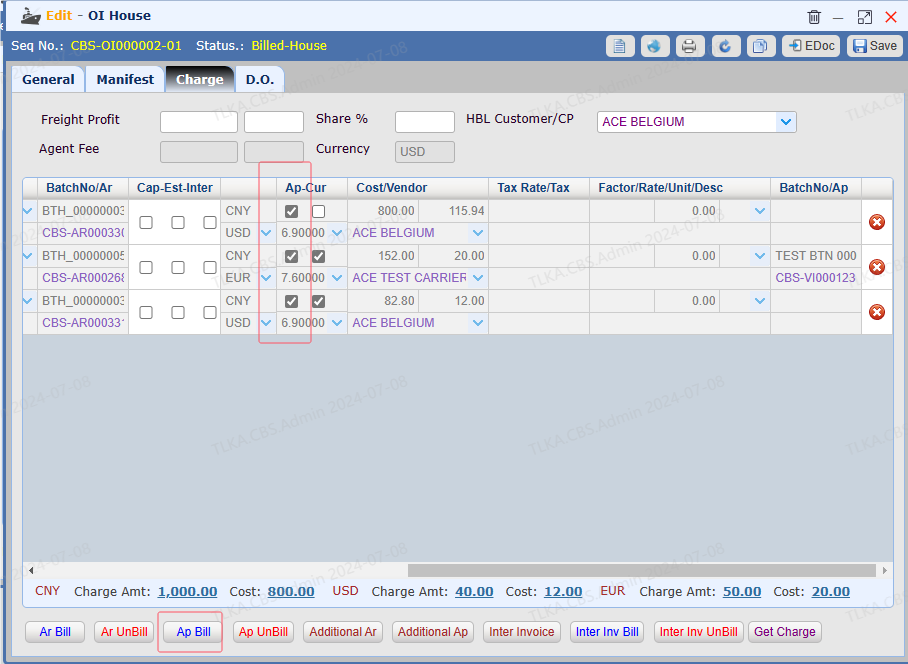
Open a House
|
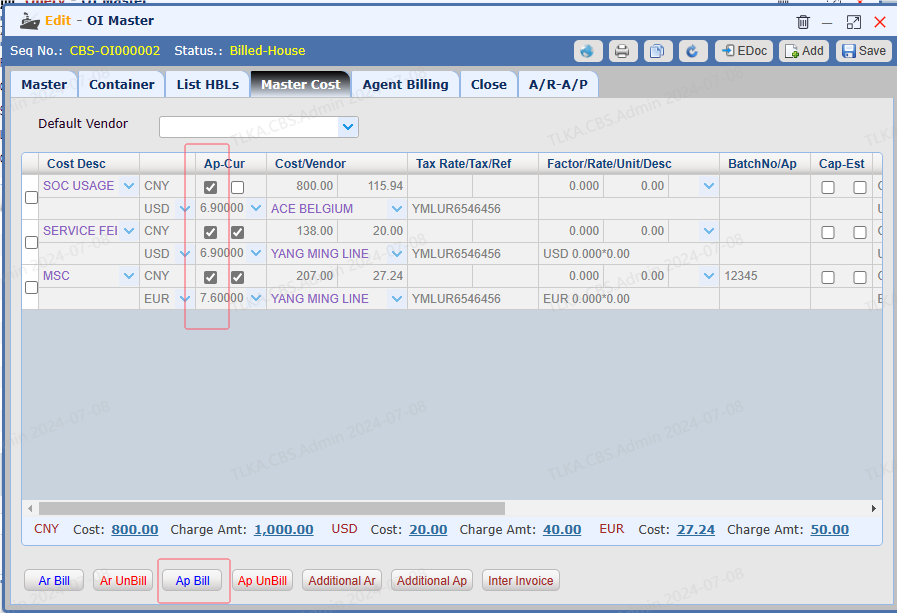
Opem A Master
|
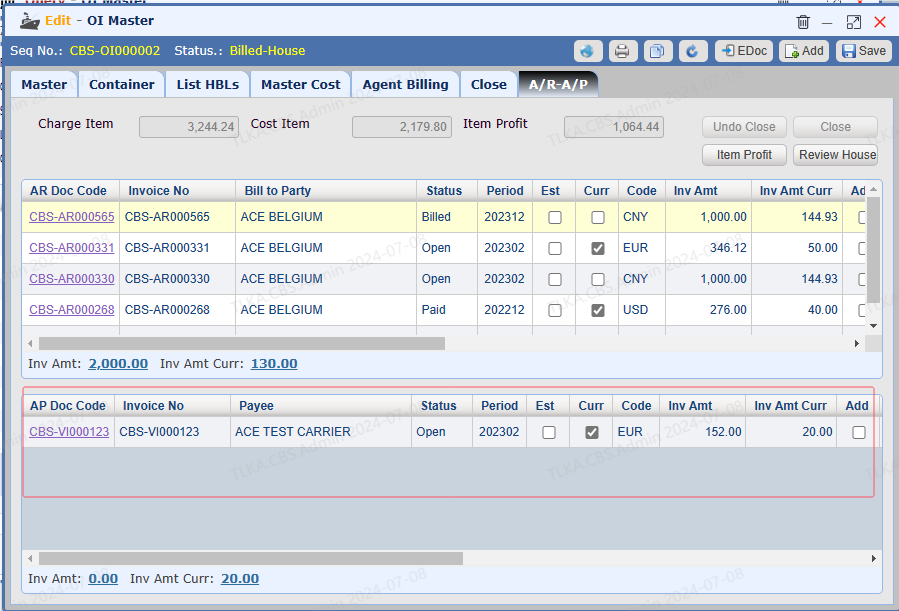
View Issued Invoices Switch to tab 【A/R-A/P】
|
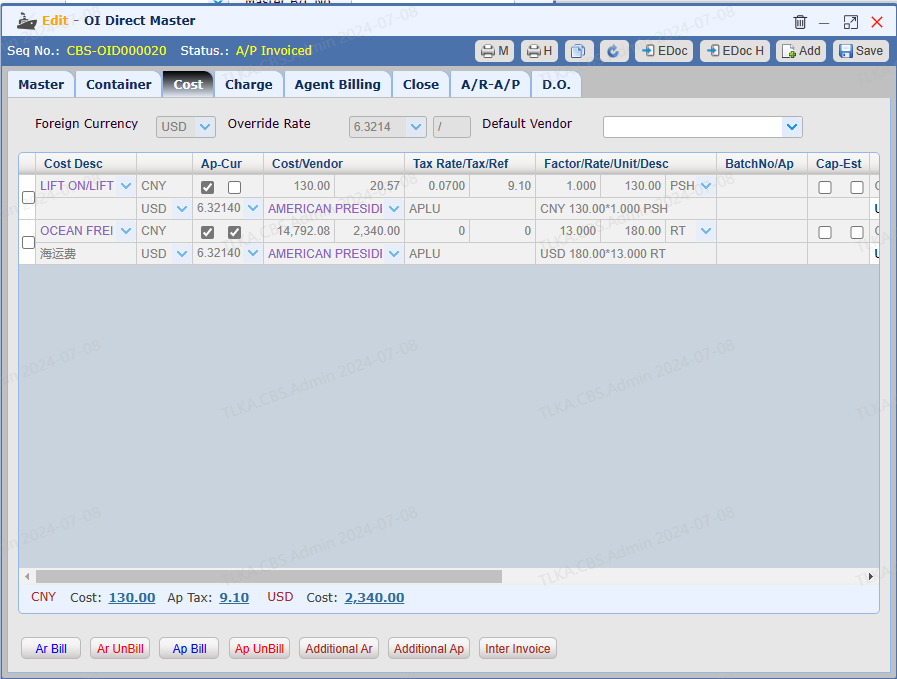
| Open A Master and Switch to Tab 【Cost】
|
AP Bill
|