Go To Menu 【 AI > Enter MAWB】
|
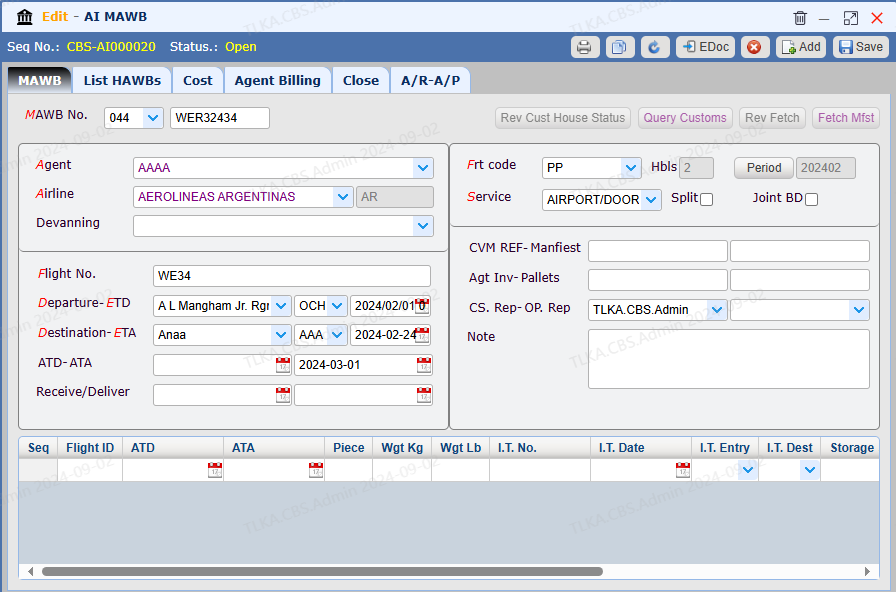
| Record MAWB Information
Select Agent Select Airline Select Flight No. Select Departure Airport and ETD Select Destination Airport
Select Freight Type Select Service Type Enter other necessary information Save
|
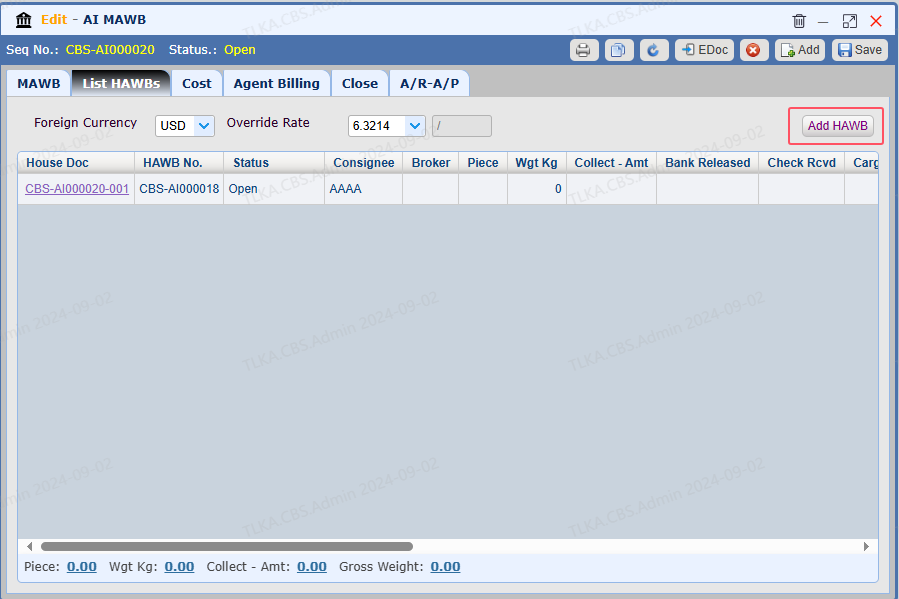
Add HAWB
Switch to 【List HAWBs】 Click button 【Add HAWB】to create HAWB 001
* If more HAWB is required, clcik 【Add HAWB】 to add more
|
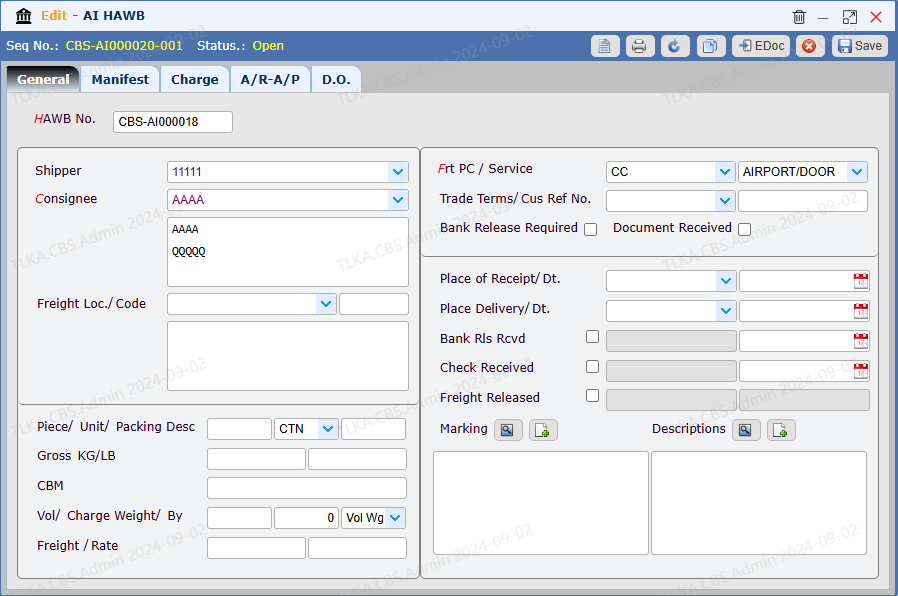
Record General Details for HAWB 001
Record Shiper and Consignee Select Charge type and Service type
Record other necessary information Save
|
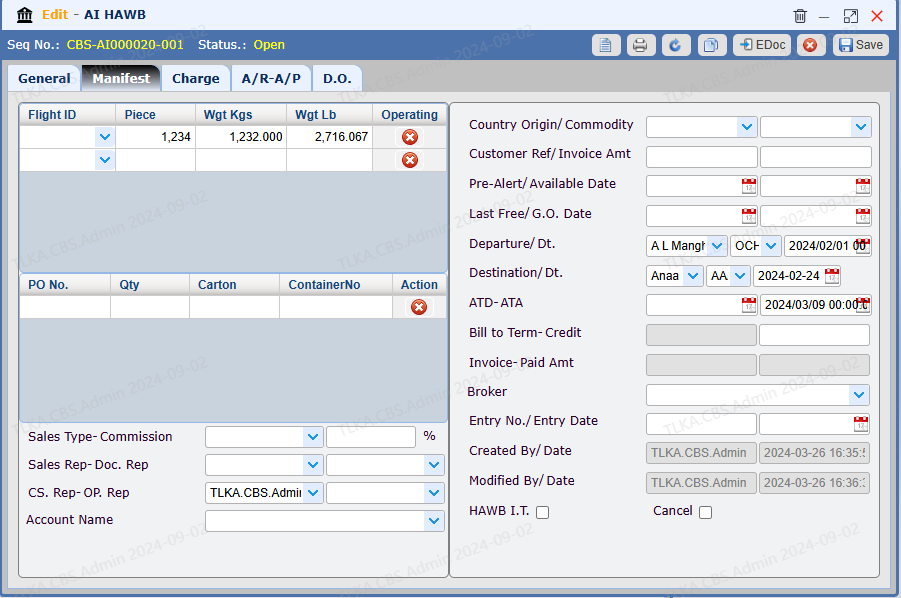
Record Manifest Data
Switch to 【Manifest】 Record cargo details Save
|
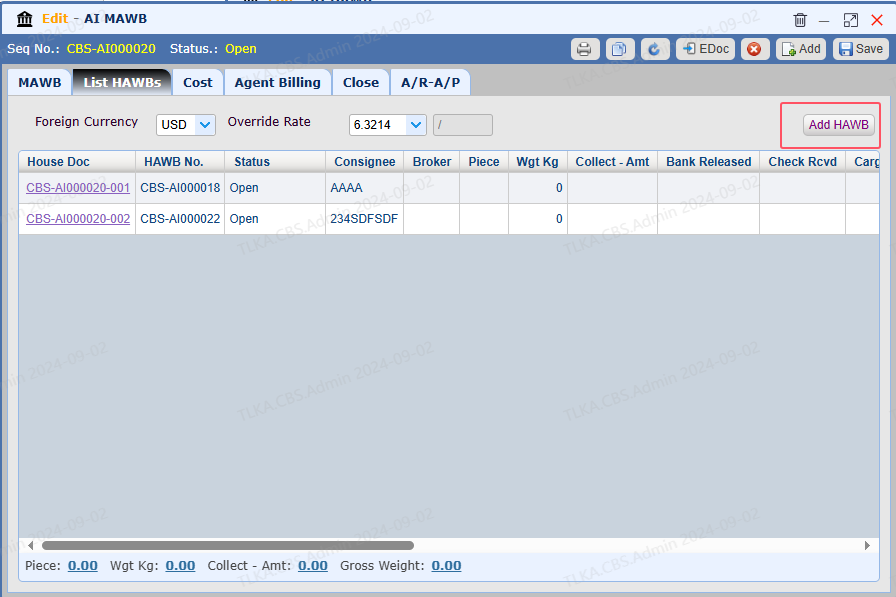
Add More HAWB
Switch to 【List HAWB】 Click button 【Add HAWB】to create HAWB 002
|
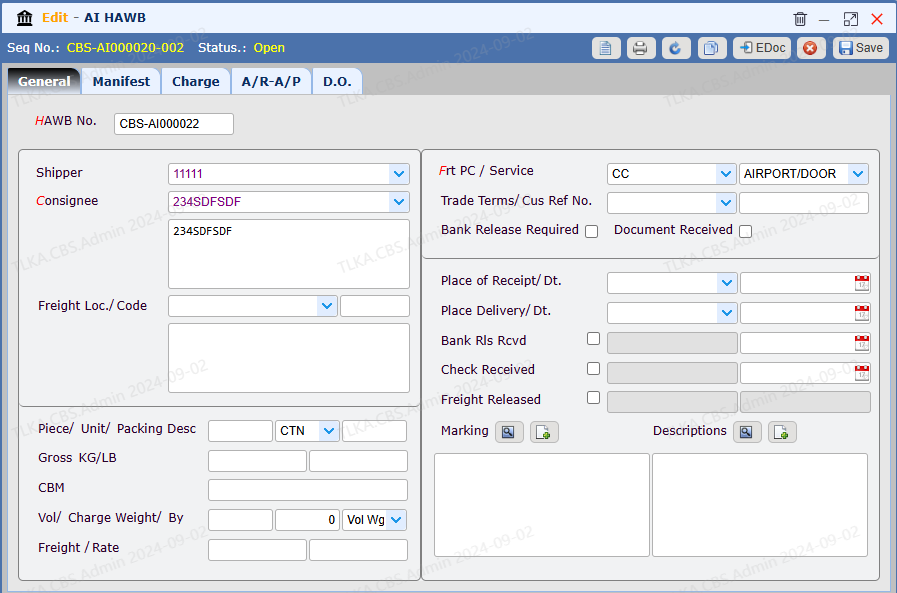
Record General Details for HAWB 002
Record Shiper and Consignee Select Charge type and Service type
Record other necessary information Save
|
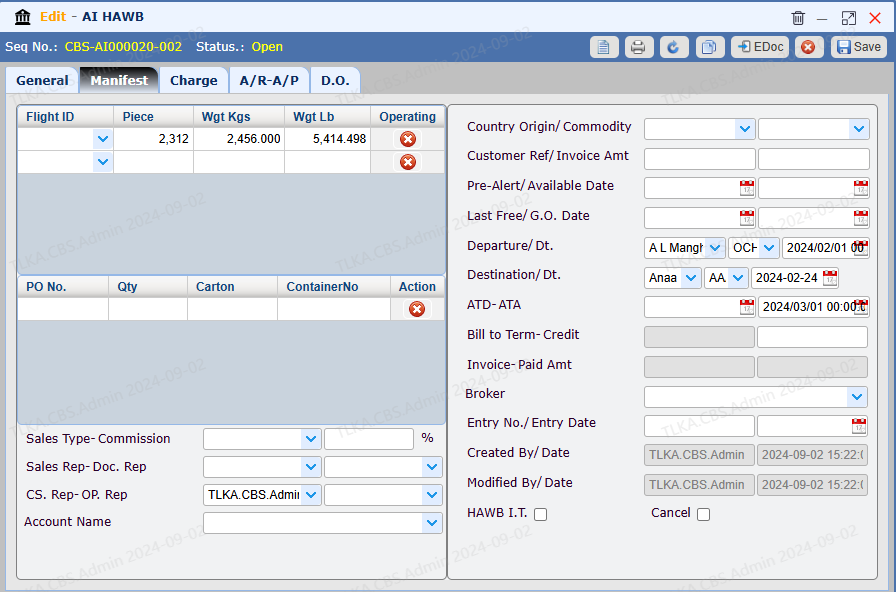
Record Manifest Data
Switch to 【Manifest】 Record cargo details Save
|
Record Charge and Cost, please refer to intruction 【Charge & Cost】
|
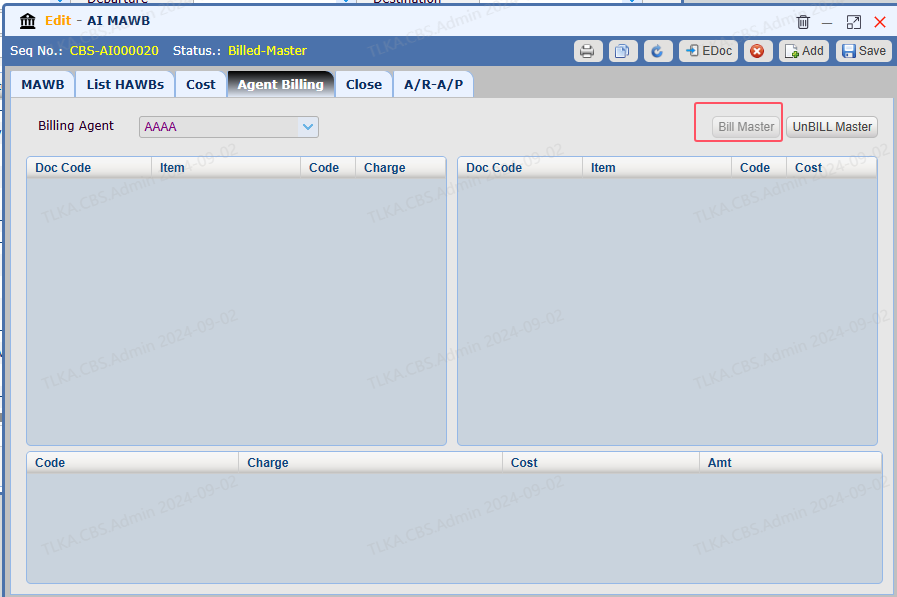
Agent Billing, please refer to How To Bill Master
|
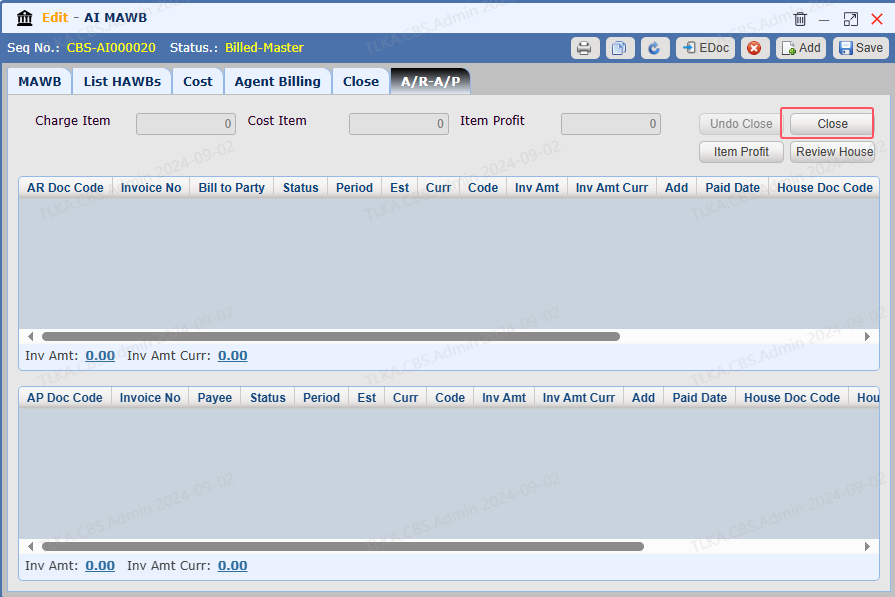
Close
Once the Master is completed, the user is required to close it.
|
